Chapter 1 — Using the CK31 Handheld Computer
CK31 Handheld Computer User’s Manual 9
Home
Del
F7 F8 F9
F6F5
F4
F1
F2
F3
Space
F10
Ins
CAPS
Alt
?
“
‘
+
/
\
¦
.
PROG
{}
*
[
]
Power
key
Esc key
Green
key
Backlight
key
Orange
key
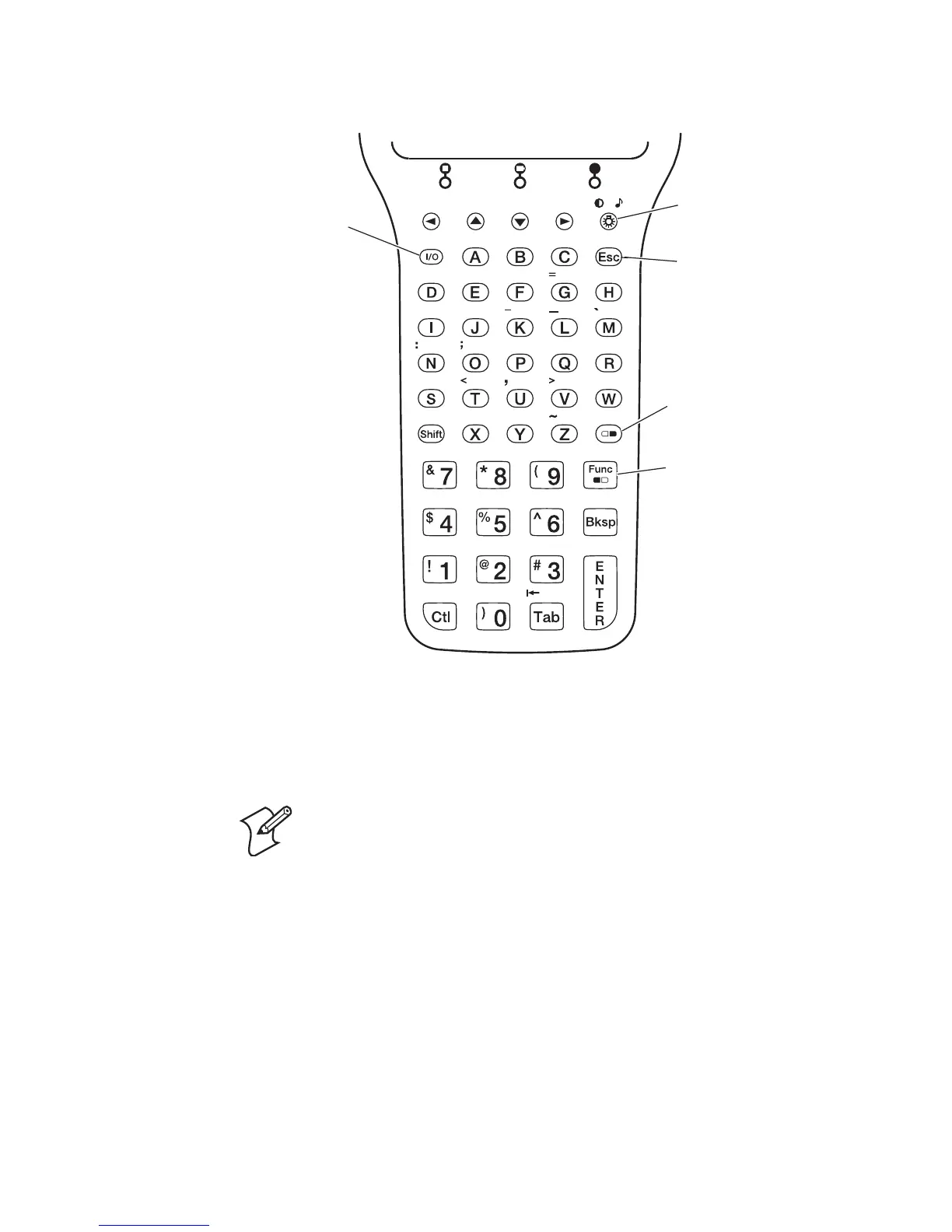
50-Key Full Alphanumeric Keypad: This keypad is designed for
applications that accept mainly numeric data (0-9) and that may need to
accept the entire alphabet. The keypad also provides shifted function keys
(F1-F9) and special characters, symbols, and functions by pressing color-
coded key sequences.
Note: The 50-key keypad does not have a scan key, because it
was designed to work with the required handle with the built-in
scanner trigger.



 To Next Page