Chapter 1 — Using the CK31 Handheld Computer
36 CK31 Handheld Computer User’s Manual
8 (Optional) Navigate to the SDMMC Disk folder to see the
contents of the SD card.
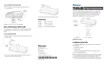
To remove the SD card
1 Press I to turn off the CK31.
2 Remove the two screws on the SD card slot door and remove
the door.
3 Push in on the SD card until you hear it unlatch. The card
should eject far enough to easily remove it from the CK31.
4 Remove the SD card from the CK31.
5 Replace the door and attach it with the two captive screws.



 To Next Page