Outdoor Software Defined Radio (OSDR) platform
Installation & Cabling Manual - Edition 3.0
95
Wall Installation, Continued
Procedure,
continued
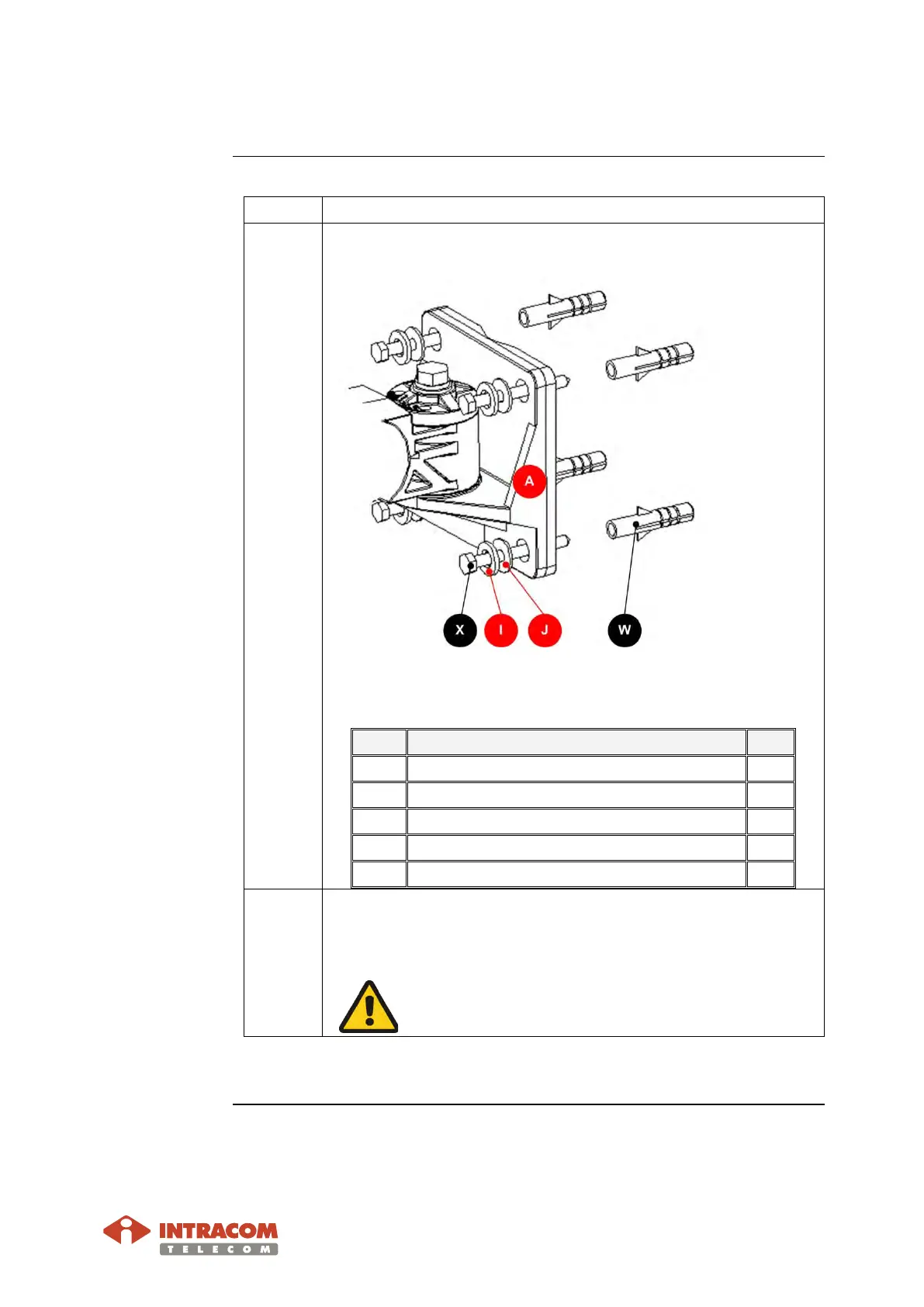
2 Insert items (W, A, J, I X) with order, as shown below:
The items X, W listed below are not provided:
Item Description Qty
X
Wood screw 5 x 50 mm, hex-headed, DIN571 4
I Lock washer M5, stainless 4
J Washer M5, stainless. 4
A Arm Bracket 1
W
Wood plug 8 mm, plastic, type B. 4
3 Use the adjustable U-wrench tool item 4 to fully tighten the
four screws (item X) to secure the arm bracket on the wall
surface.
Do not over tighten.
End of procedure.


 To Next Page