4. Installation Procedures
88
4.6. Radio Unit Cable Holder
Introduction
Apply this procedure for installing the cable holder to OSDR.
Tools and
materials
Tools Adjustable torque wrench with hexagon male bit
Materials
or
Procedure
To install the cable holder, proceed as follows:
1
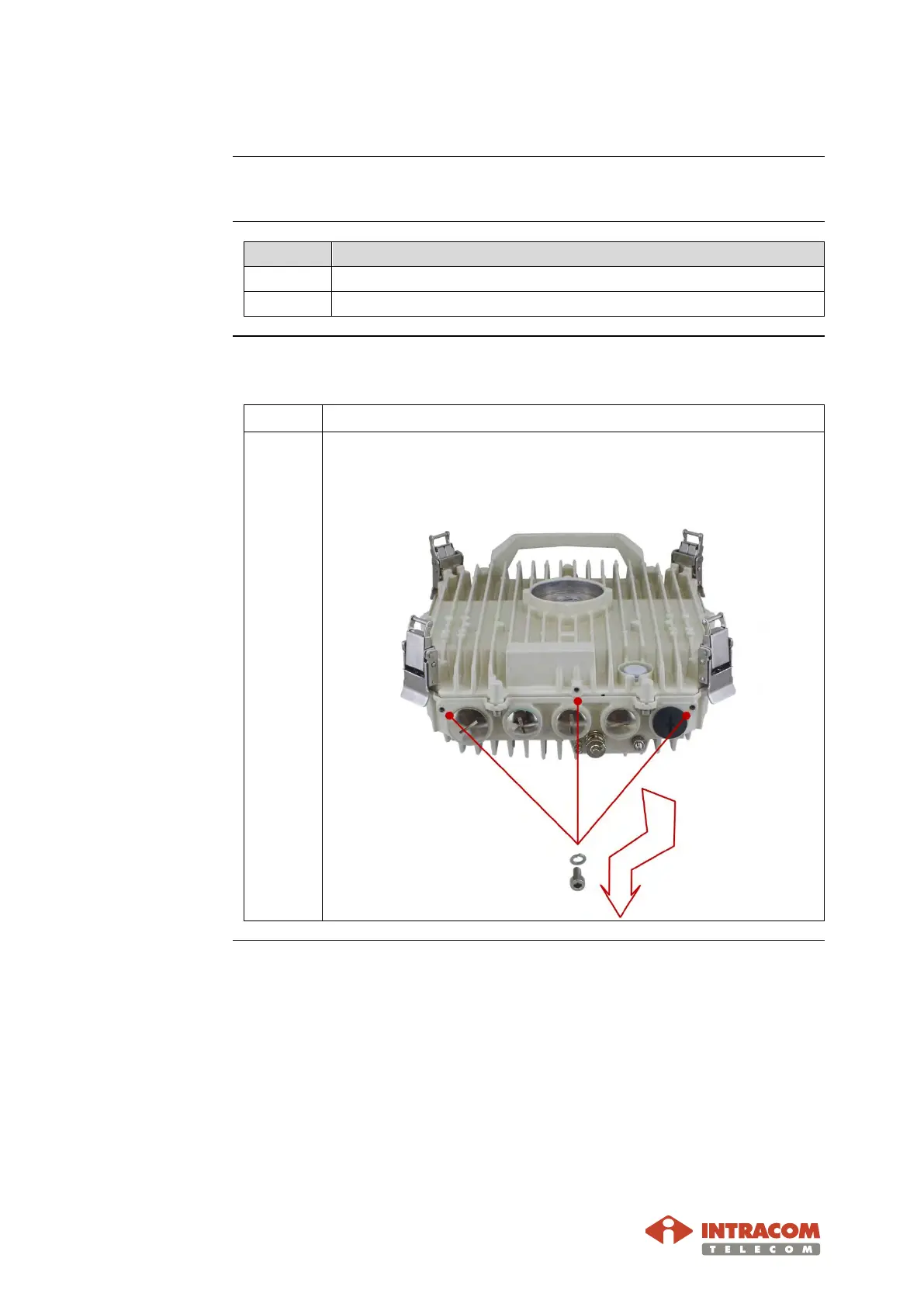
Use the tool to remove the three screws with lock washers, as
shown below.
Continued on next page


 To Next Page