Outdoor Software Defined Radio (OSDR) platform
Installation & Cabling Manual - Edition 3.0
89
Radio Unit Cable Holder, Continued
Procedure,
continued
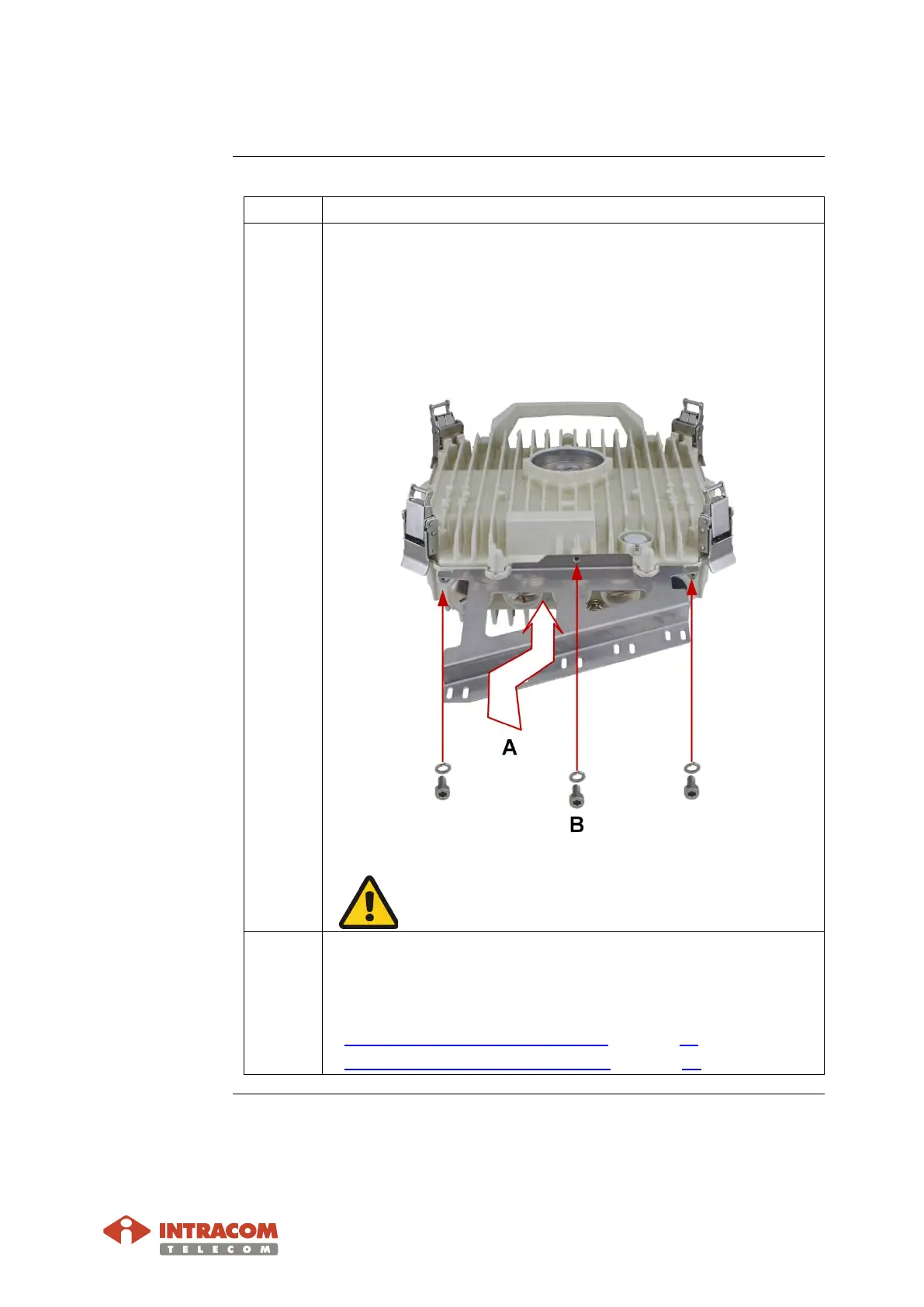
2 Perform the following:
A: Attach the holder to radio.
B:
Use the tool to install the three lock washers and screws,
as shown below.
Do not over tighten. Adjust the tool for max tightening
torque 2 Nm.
3 Install cables and glands.
How to install refer to the following:
• Radio Unit Ethernet (S-FTP) Cable on page 77.
•
Radio Unit Optical Cable (Optional) on page 83.
Continued on next page


 To Next Page