58
OPERATION AND SETUP WITH THE APP
inVENTer Connect controller platform | Operating instructions
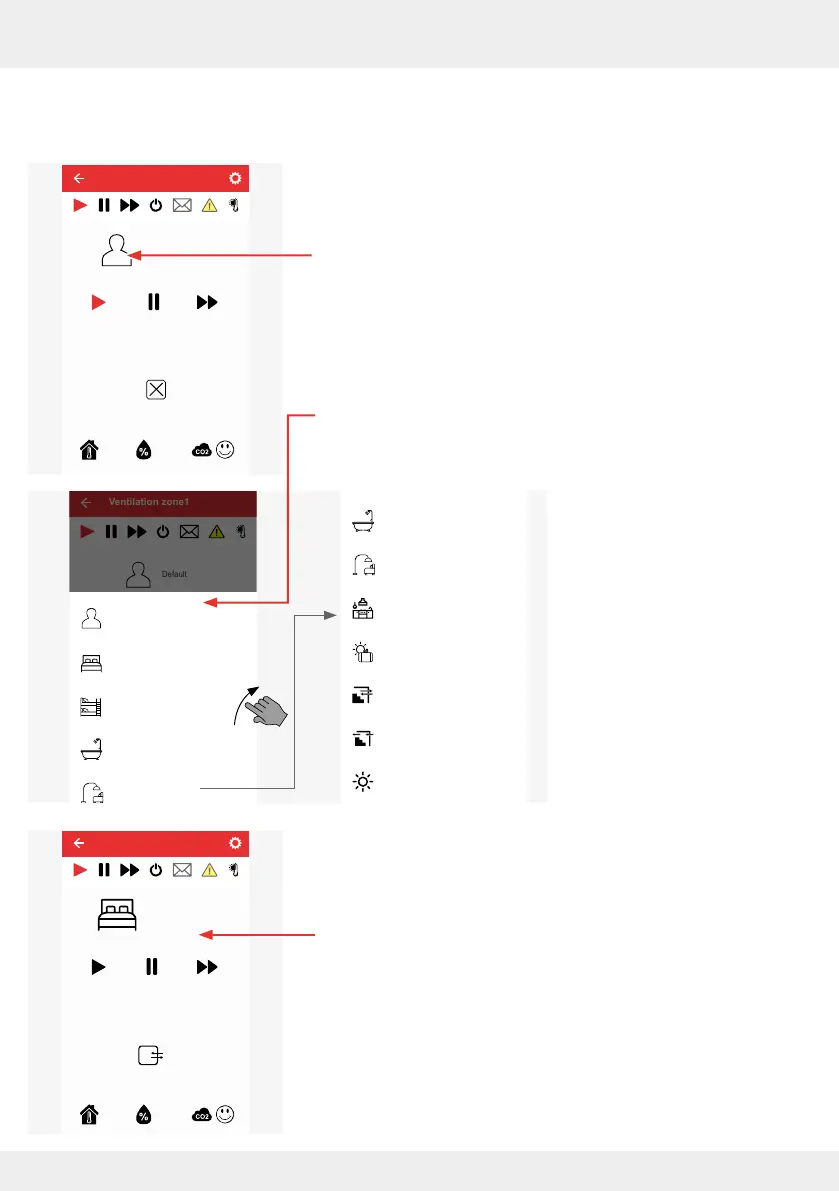
Assigning a ventilation prole to the ventilation zone
Requirements:
• The window in which settings can be made for the selected
ventilation zone is displayed.
► Press the prole symbol.
A selection window with the possible ventilation proles
appears.
► Press a ventilation prole to select it.
The window for ventilation zone 1 appears, to which another
ventilation prole is now assigned.
Default
Current ventilator power level 1
Ventilation zone 1
Override
25,8°C 24,9%
Ventilation zone1
Default
Default
Bedroom
Children‘s room
Bathroom
Living room
Bathroom
Living room
Kitchen
Holiday mode
Cellar ventilation (without
heat recovery)
Cellar ventilation with
heat recovery (HR)
Summer mode
Bedroom
Current ventilator power level 1
Ventilation zone 1
Override
25,8°C 24,9%



 To Next Page