68
OPERATION AND SETUP WITH THE APP
inVENTer Connect controller platform | Operating instructions
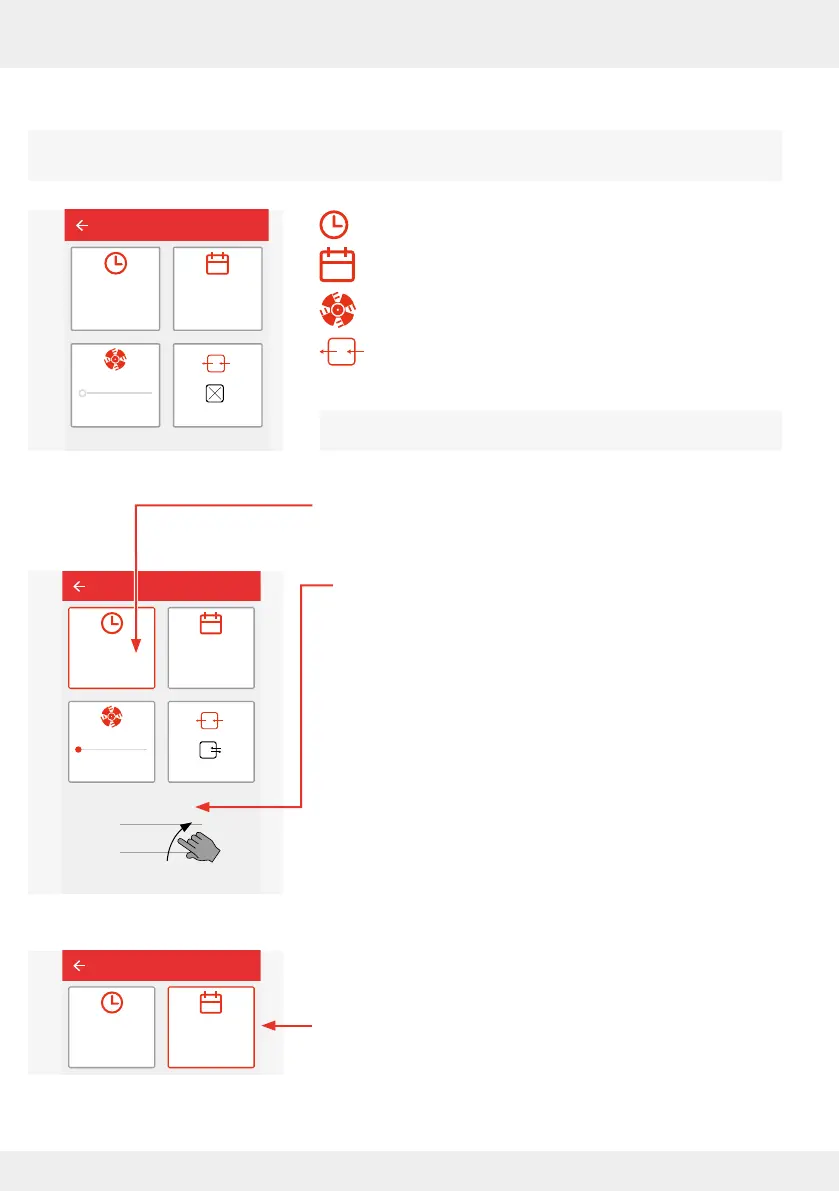
The following parameters can be dened or changed:
The steps for dening or changing the parameters are identical.
Changing parameters is described below.
Start time (from when the setting is to take eect)
Weekday (on which weekdays the settings apply)
Fan level (levels 1 to 4)
Ventilation mode (through-ventilation, heat recovery,
OFF)
The button where you are making settings is outlined in red.
Start time
► If you press the "Start time" button, a timeline is displayed.
Here you can change or redene the start of a time interval.
The end time is automatically limited by the machine to
the next time interval. If there is no subsequent interval,
the interval is automatically extended to the end of the day
(23:59).
The "Start time" tile shows the currently scrolled time.
► When the desired start time is reached, stop scrolling.
Weekdays
► Press the next button to select the day(s) of the week on
which the settings are to take eect.
Living room
Start time
00:00
lvl.: 1
Save
Living room
Start time
14:00
14:00
13:00
15:00
Mon, Tue, Wed,
Thur, Fri
lvl.: 1
Save
Living room
Start time
14:00
Mon, Tue, Wed,
Thur, Fri
Save



 To Next Page