83
OPERATION AND SETUP WITH THE APP
inVENTer Connect controller platform | Operating instructions
Setting the devices as a signal amplier via the advanced settings
When setting up via the "Advanced settings" button, the devices are assigned manually,
i.e. the device that is to act as a signal amplier can be dened by the user.
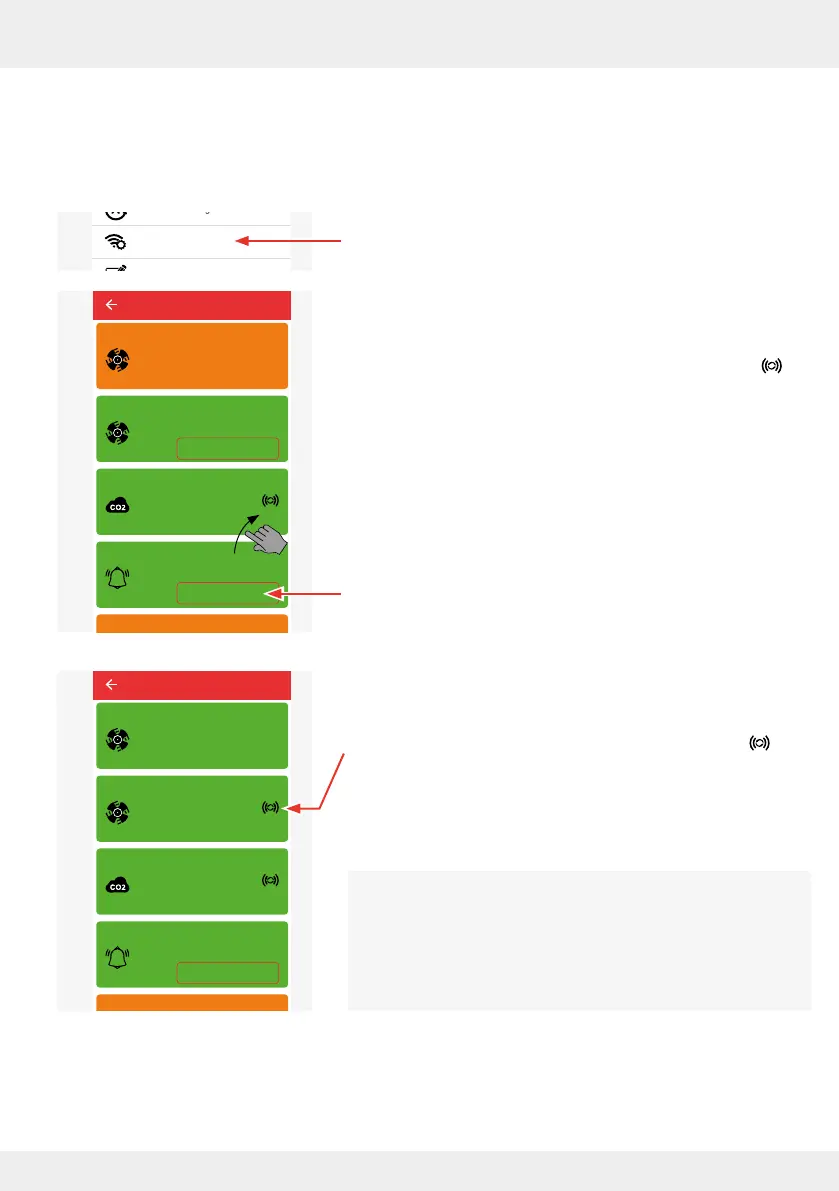
The starting point is the "Advanced settings" menu in the app.
► Press the "Radio Performance" button.
The adjacent window opens and shows the signal strength
for each device:
• Green: good signal strength (> -80 dB),
Device is already being used as a repeater ( symbol ),
or can be used as a repeater
• Yellow: poor signal strength / no signal (< -80 dB):
signal amplication for the device in question is recom-
mended (dene repeater via the "Device overview" menu).
► Press the "Use as Repeater" button of the component that is
to be set up as a signal amplier in the system, e.g. Device 4.
The selected system component is used as a signal amplier
(repeater).
Next to the component set as a repeater, the symbol is
displayed to indicate that the device is acting as a signal
amplier.
Within a controller system, several devices can be set as
signal ampliers (repeaters). The corresponding icon appears
next to each device specied as a signal amplier.
We recommend keeping the number of repeaters in the
system low.
System update
Ventilation profile manager
Hours run meter
Ventilation levels
Boost and pause (cross-zone)
Filter manager
Maintenance manager
Radio Performance
Change system name
System reset
Restore factory settings
Advanced settings
Use as repeater
Use as repeater
Device 2
Device 4
Fan 1
Device 3
Device 6
Device 5
Signal strength: -36 dB
Signal strength: -36 dB
Signal strength: -36 dB
Signal strength: -93 dB
Signal strength: -36 dB
Radio Performance
Use as repeater
Device 2
Device 4
Fan 1
Device 3
Device 6
Device 5
Signal strength: -36 dB
Signal strength: -36 dB
Signal strength: -36 dB
Signal strength: -45 dB
Signal strength: -36 dB
Radio Performance



 To Next Page