7.2. Keypad mode (P1-12 = 1 or
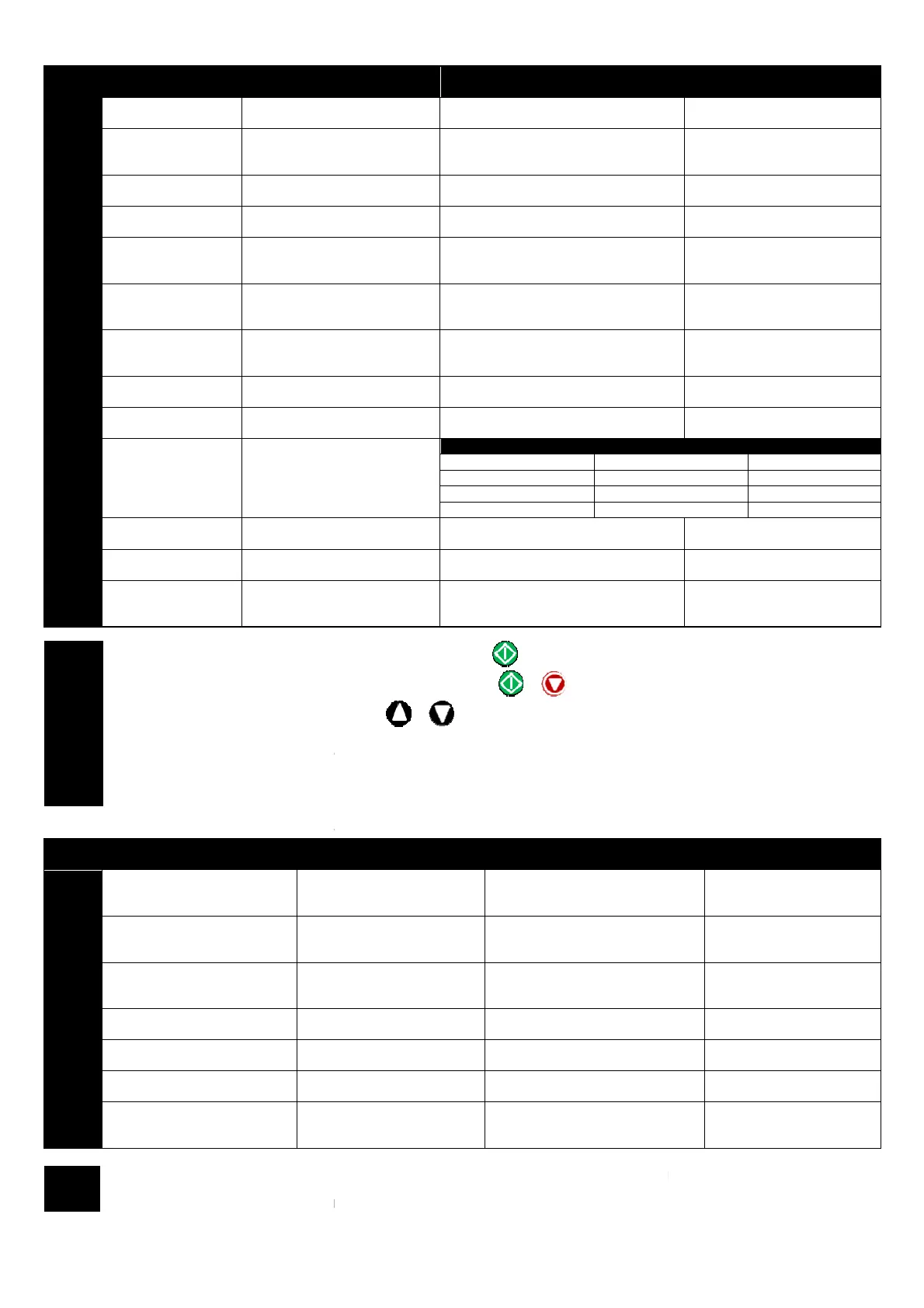
P2-01 Digital input 1 (T2)
0
Closed: Run (enable)
1
Open: Stop (disable)
Closed: Run (enable)
2
Closed: Run (enable)
14 & 16
Closed: Run (enable)
10
Open: Stop (disable)
Closed: Run (enable)
Closed : Bipolar analog speed ref
11
Open: Stop (disable)
Closed: Run (enable)
12
Open: Stop (disable)
Closed: Run (enable)
Closed : Digital speed ref
15
Closed: Run (enable)
17
Closed: Run (enable)
Closed :
18
Open: Stop (disable)
Closed: Run (enable)
Closed : Preset speed ref
19
Closed: Run (enable)
Closed : Analog input 2 ref
20, 21
Closed: Run (enable)
No Function
22
Open: Stop (disable)
Closed: Run (enable)
No Function
NOTE
By default, if the enable signal is present the drive will not Enable until the
enable signal is present set P2-
19 = 2 or 3. This then disables the use of the
In keypad mode, the speed can be adjusted using the
addition to pushbuttons connected to the digital inputs
The reverse input only functions under the following conditions
- P1-12 = 1, P2-19 = 2 or 3. P2-
- P1-12 = 2. P 2-35 must not be 2 or 3
The external trip input can be used to connect a motor
7.3. User PI control mode (P1-
P2-01 Digital input 1 (T2)
13..16,
18
Open: Stop (disable)
Closed: Run (enable)
11
Open: Stop (disable)
Closed: Run (enable)
12
Open: Stop (disable)
Closed: Run (enable)
17
Closed: Run (enable)
Closed : Bipolar analog ref
19
Closed: Run (enable)
Closed : Analog input 2 ref
20, 21
Closed: Run (enable)
22
Open: Stop (disable)
Closed: Run (enable)
NOTE
analog input controls PID setpoint
(Default setting)
The external trip input only functions when the feedback source is the Bipolar analog input
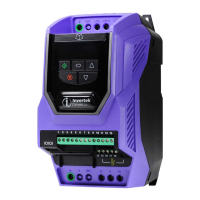
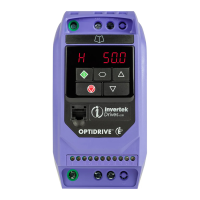
Optidrive Plus 3
GV
Compact - User Guide
www.invertek.co.uk
(or Digital Input 3)
-button No Function
-button Closed : remote DOWN push-button
-button
Closed : Reverse
-button
Closed : Reverse
Closed : Bipolar analog speed ref
Bipolar Analog Input
Open : Forward
Closed : Reverse
Closed : Digital speed ref
Open : Forward
Closed : Reverse
Closed : Reverse
Bipolar Analog Input
Closed : Preset speed ref
Closed : Analog input 2 ref
Closed : Reverse
Closed : Reverse
Open : Forward
Closed : Reverse
By default, if the enable signal is present the drive will not Enable until the
button is pressed. To automatically enable the drive when the
19 = 2 or 3. This then disables the use of the
& buttons
In keypad mode, the speed can be adjusted using the
&
keys on the built in keypad, or a remote mounted Optiport Plus
addition to pushbuttons connected to the digital inputs
The reverse input only functions under the following conditions
The external trip input can be used to connect a motor
by connecting the thermistor between terminals 1 and 4
3)
Digital input 2 (T3)
(or Digital Input 3)
Bipolar Analog Input
speed 1
Bipolar Analog Input
Bipolar Analog Input
Closed : Bipolar analog ref
Bipolar Analog Input
Closed : Analog input 2 ref
Bipolar Analog Input
Bipolar Analog Input
Bipolar Analog Input
analog input controls PID setpoint
The feedback must then be connected to Analog input 2
The external trip input only functions when the feedback source is the Bipolar analog input
(P3-10 = 1)
19
(or Digital Input 4)
Closed : remote DOWN push-button
Open: Trip,
Closed: No Trip
Closed: Preset speed 1
Closed : remote DOWN push-button
Open: Trip,
Closed: No Trip
Open: Trip,
Closed: No Trip
Open: Trip,
Closed: No Trip
Closed: Decel Ramp 2 (P2-25)
Open : Digital / Analog ref
Closed : Preset speed 1
Analog input 2
Closed : Preset speed 1
Open: Trip,
Closed: No Trip
button is pressed. To automatically enable the drive when the
keys on the built in keypad, or a remote mounted Optiport Plus
keypad, in
by connecting the thermistor between terminals 1 and 4
(or Digital Input 4)
Analog input 2
Open: Trip,
Closed: No Trip
Open: Trip,
Closed: No Trip
Analog input 2
Analog input 2
Analog input 2
Open: Trip,
Closed: No Trip
The feedback must then be connected to Analog input 2



 To Next Page