- 25 -
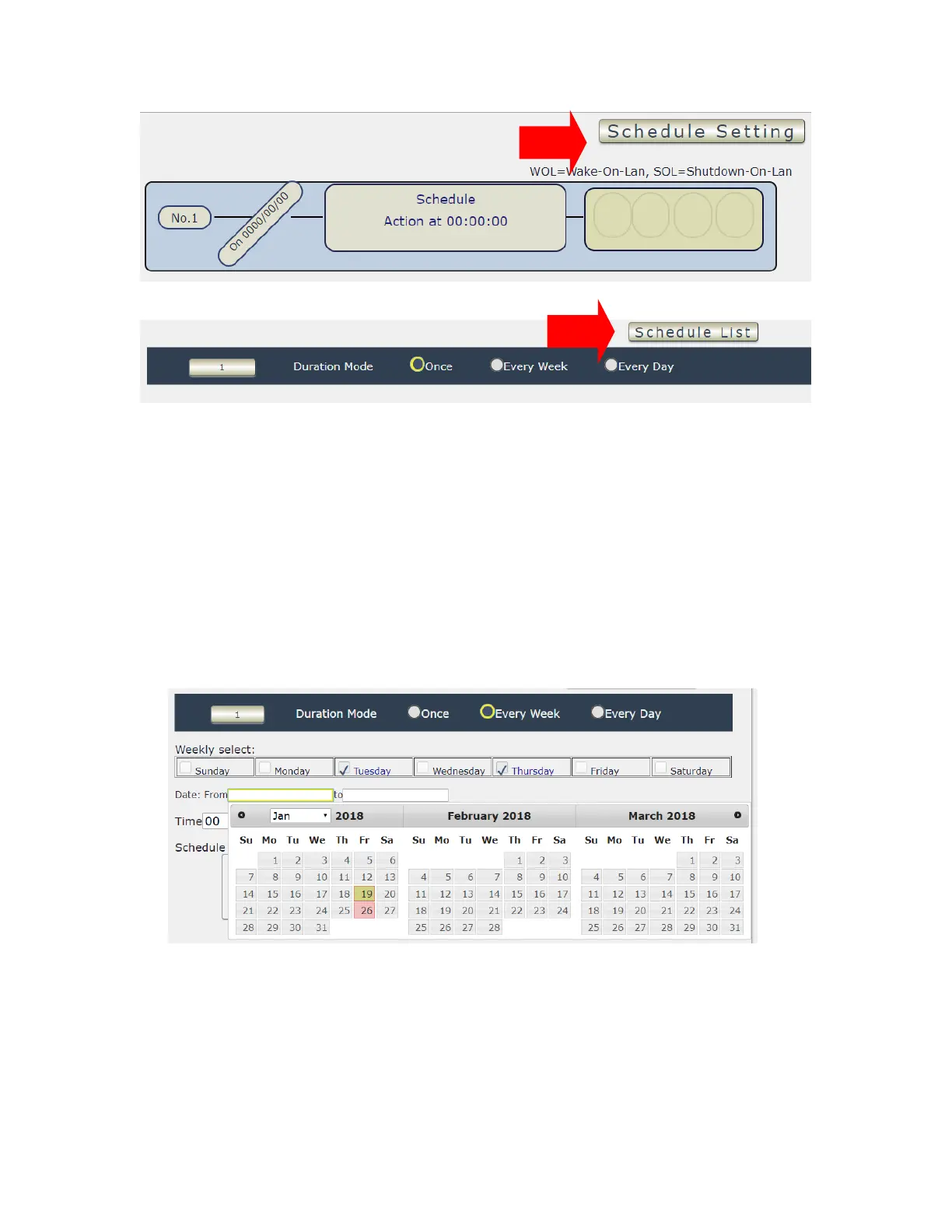
The schedule allows you to control the power outlet turn ON , OFF , Cycle , WOL , SOL or
Reboot at the assigned time user arrange in schedule
- Adding a Scheduled Event
1. Select the Action Duration :
There are 3 setting - Once , Every Day . Every Week
2. Select a Specific Date Range where the device will repeat the desired actions during the time
specified.
3. Select the Time Period.
4. Choose the Action : Enable power # by clicking in the small square to mark “ v “ , and
select one from the power action of OFF/ON/RESET as you need. .



 To Next Page