- 30 -
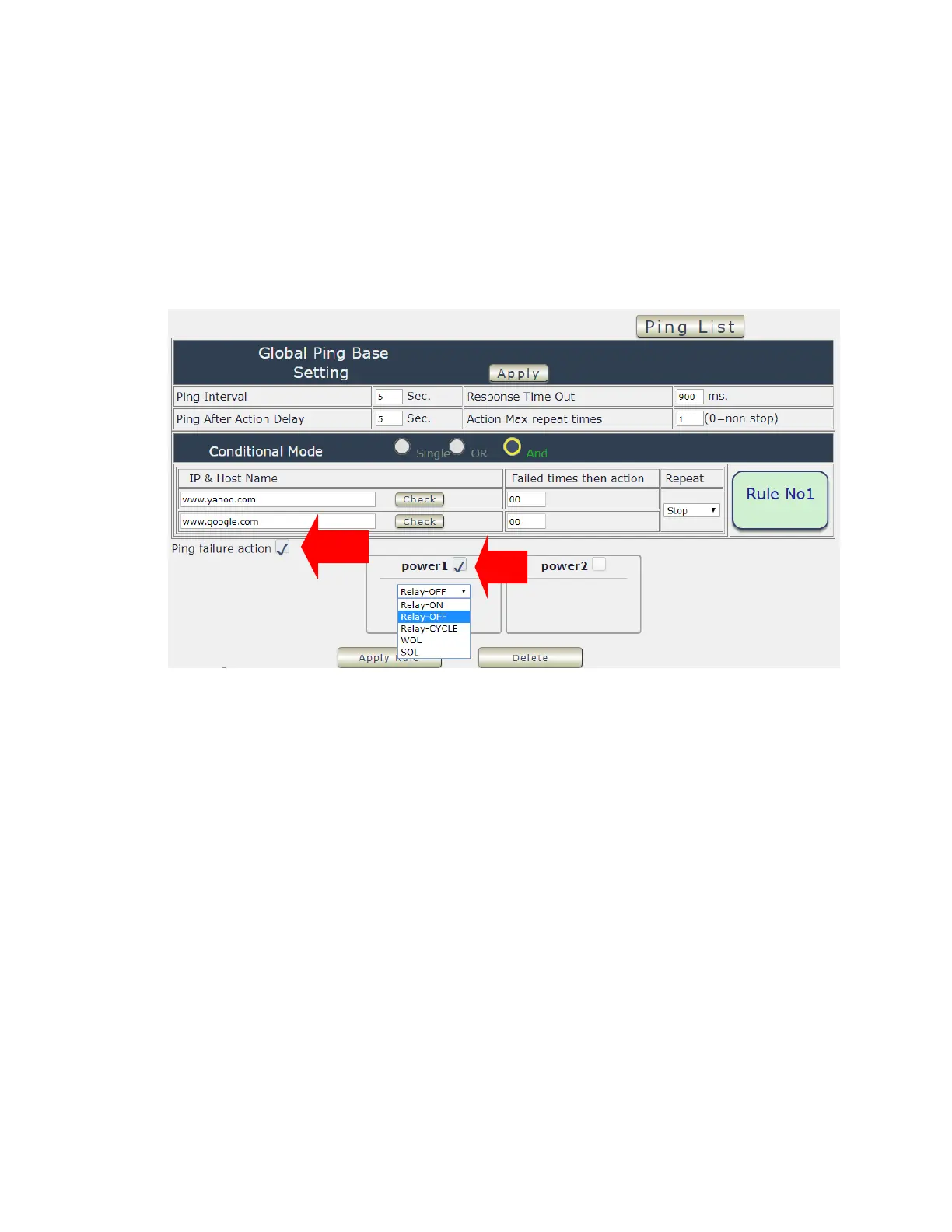
⚫ Failed times then action : Setup the times as get ping failure for 9828 to execute the setup
ON/OFF / Reset action of setting . ping onetime and ( range 00~99)
⚫ Repeat : After the ON/OFF/Reset action , user can setup the Ping action to keep ping
( Continue ) or to Stop Ping ( Stop) .
⚫ Enable Ping function : In the selected Rules number , please select the outlet number power
to activate as ping fails and then press “ Apply Rule Action “ button to confirm the setting .
⚫ Ping failure action :
When the number of Ping Failures times have been reached. The device can be set to “ ON ,
OFF or Reset “ function
Reset: Can set up the time gap from OFF to ON. The “ Sec “ section is for action as Reset
only.
The setting times range is 1 to 999 sec.
Select the number of Ping Failures that user prefer to do before the action is activated.
EX: Result of setting



 To Next Page