ISLA Instruments S2400 User Manual
– 13 –
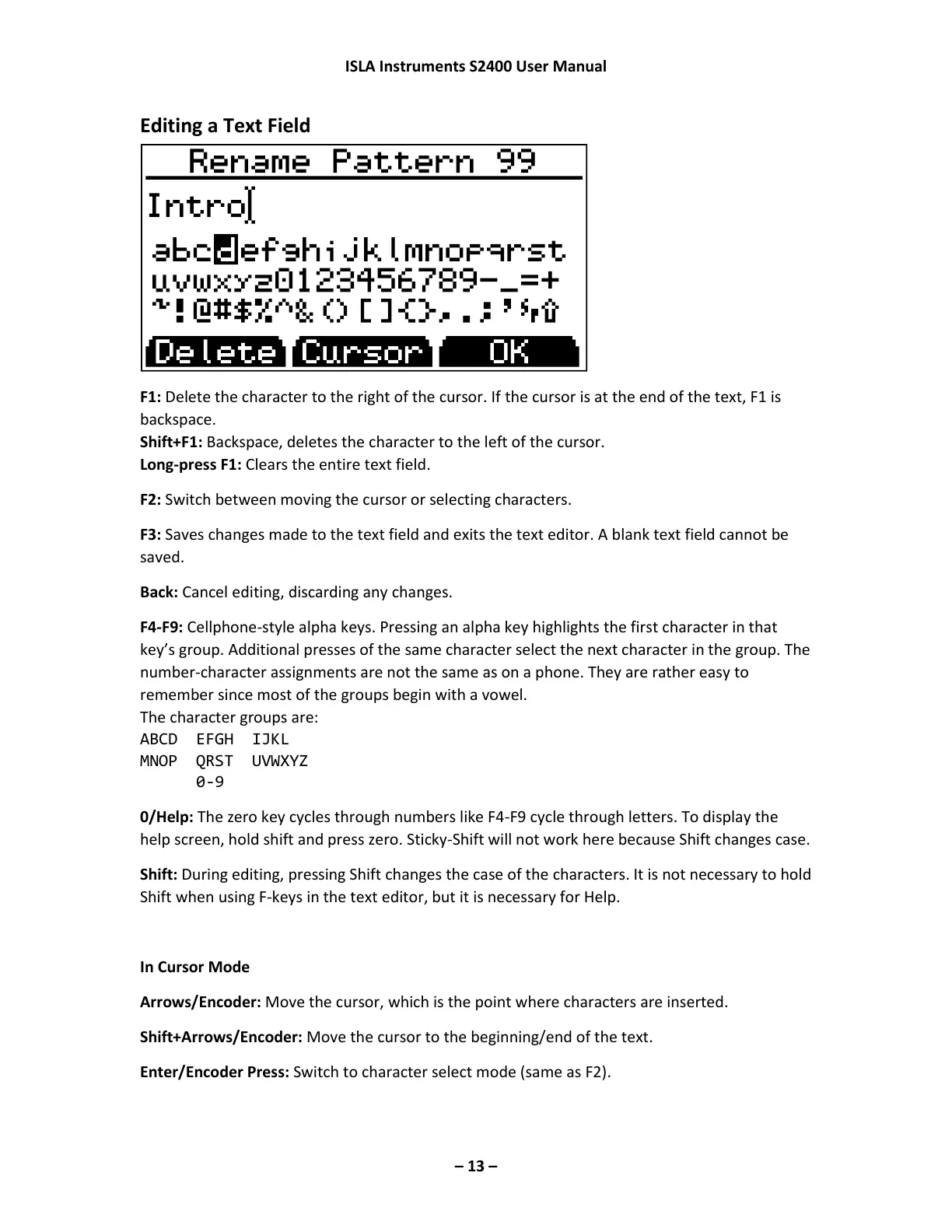
Editing a Text Field
F1: Delete the character to the right of the cursor. If the cursor is at the end of the text, F1 is
backspace.
Shift+F1: Backspace, deletes the character to the left of the cursor.
Long-press F1: Clears the entire text field.
F2: Switch between moving the cursor or selecting characters.
F3: Saves changes made to the text field and exits the text editor. A blank text field cannot be
saved.
Back: Cancel editing, discarding any changes.
F4-F9: Cellphone-style alpha keys. Pressing an alpha key highlights the first character in that
key’s group. Additional presses of the same character select the next character in the group. The
number-character assignments are not the same as on a phone. They are rather easy to
remember since most of the groups begin with a vowel.
The character groups are:
ABCD EFGH IJKL
MNOP QRST UVWXYZ
0-9
0/Help: The zero key cycles through numbers like F4-F9 cycle through letters. To display the
help screen, hold shift and press zero. Sticky-Shift will not work here because Shift changes case.
Shift: During editing, pressing Shift changes the case of the characters. It is not necessary to hold
Shift when using F-keys in the text editor, but it is necessary for Help.
In Cursor Mode
Arrows/Encoder: Move the cursor, which is the point where characters are inserted.
Shift+Arrows/Encoder: Move the cursor to the beginning/end of the text.
Enter/Encoder Press: Switch to character select mode (same as F2).



 To Next Page