ISLA Instruments S2400 User Manual
– 76 –
PPaann
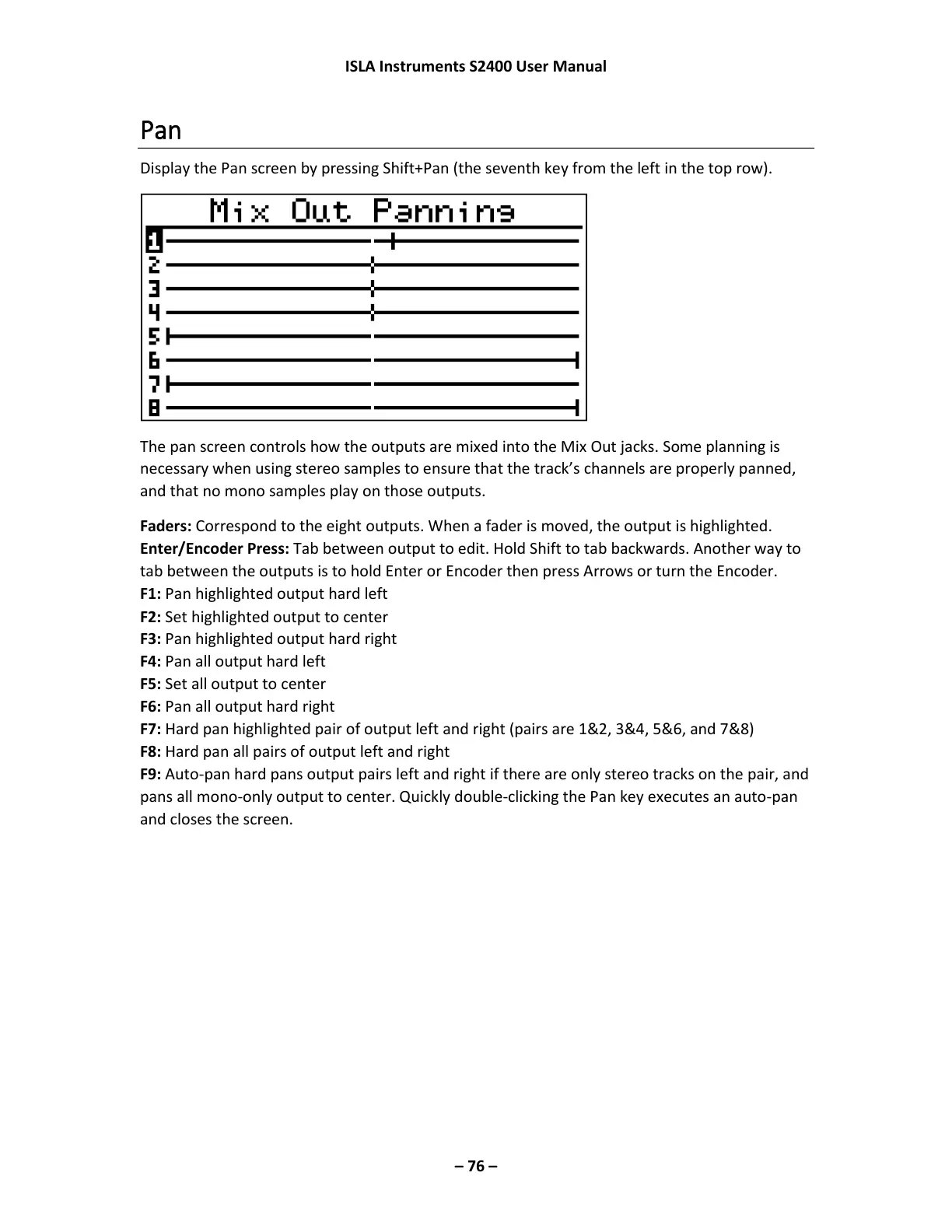
Display the Pan screen by pressing Shift+Pan (the seventh key from the left in the top row).
The pan screen controls how the outputs are mixed into the Mix Out jacks. Some planning is
necessary when using stereo samples to ensure that the track’s channels are properly panned,
and that no mono samples play on those outputs.
Faders: Correspond to the eight outputs. When a fader is moved, the output is highlighted.
Enter/Encoder Press: Tab between output to edit. Hold Shift to tab backwards. Another way to
tab between the outputs is to hold Enter or Encoder then press Arrows or turn the Encoder.
F1: Pan highlighted output hard left
F2: Set highlighted output to center
F3: Pan highlighted output hard right
F4: Pan all output hard left
F5: Set all output to center
F6: Pan all output hard right
F7: Hard pan highlighted pair of output left and right (pairs are 1&2, 3&4, 5&6, and 7&8)
F8: Hard pan all pairs of output left and right
F9: Auto-pan hard pans output pairs left and right if there are only stereo tracks on the pair, and
pans all mono-only output to center. Quickly double-clicking the Pan key executes an auto-pan
and closes the screen.



 To Next Page