ISLA Instruments S2400 User Manual
– 29 –
Waveform Editor
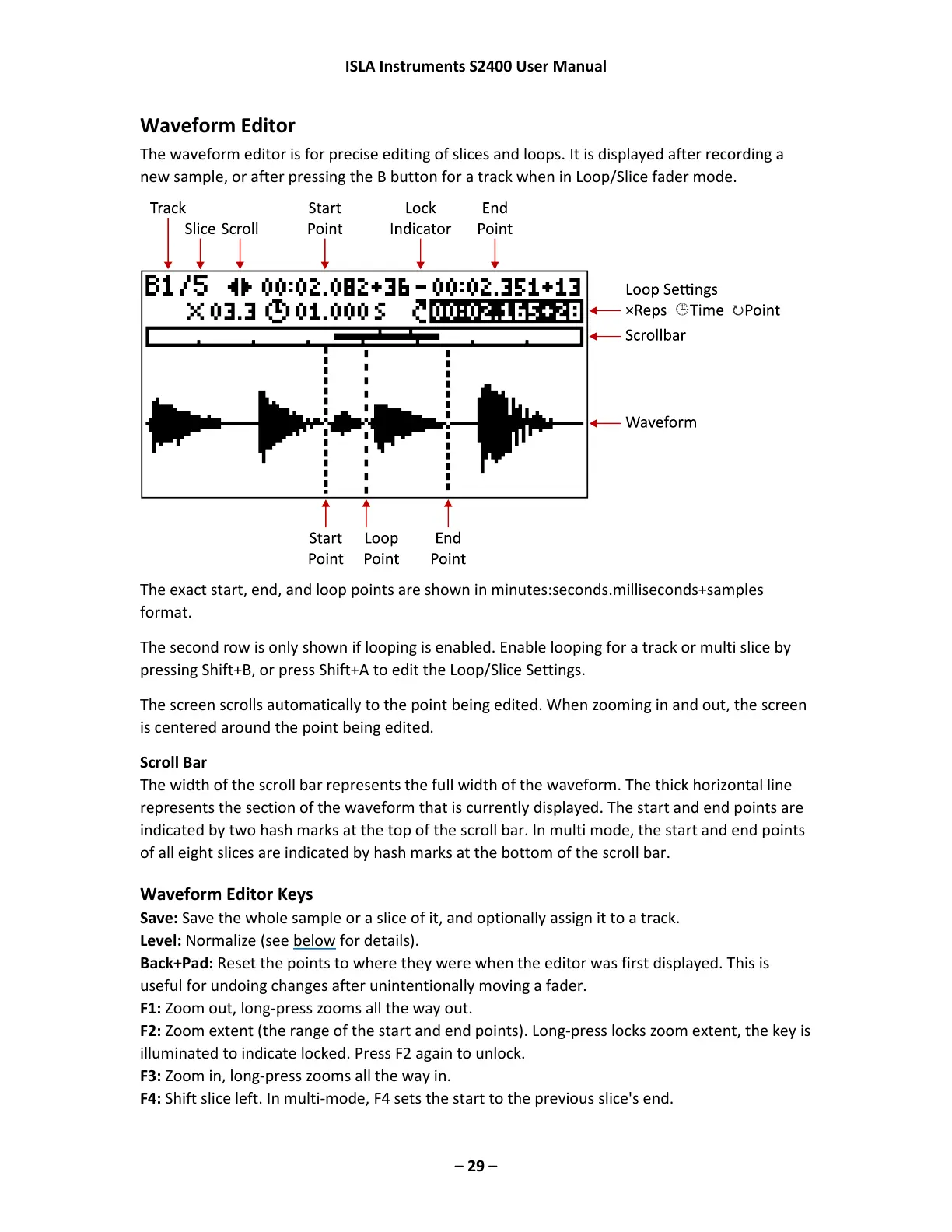
The waveform editor is for precise editing of slices and loops. It is displayed after recording a
new sample, or after pressing the B button for a track when in Loop/Slice fader mode.
The exact start, end, and loop points are shown in minutes:seconds.milliseconds+samples
format.
The second row is only shown if looping is enabled. Enable looping for a track or multi slice by
pressing Shift+B, or press Shift+A to edit the Loop/Slice Settings.
The screen scrolls automatically to the point being edited. When zooming in and out, the screen
is centered around the point being edited.
Scroll Bar
The width of the scroll bar represents the full width of the waveform. The thick horizontal line
represents the section of the waveform that is currently displayed. The start and end points are
indicated by two hash marks at the top of the scroll bar. In multi mode, the start and end points
of all eight slices are indicated by hash marks at the bottom of the scroll bar.
Waveform Editor Keys
Save: Save the whole sample or a slice of it, and optionally assign it to a track.
Level: Normalize (see below for details).
Back+Pad: Reset the points to where they were when the editor was first displayed. This is
useful for undoing changes after unintentionally moving a fader.
F1: Zoom out, long-press zooms all the way out.
F2: Zoom extent (the range of the start and end points). Long-press locks zoom extent, the key is
illuminated to indicate locked. Press F2 again to unlock.
F3: Zoom in, long-press zooms all the way in.
F4: Shift slice left. In multi-mode, F4 sets the start to the previous slice's end.



 To Next Page