Pancode VoIP/Pantel VoIP Access Control Door Phones
Installation and Programming Manual
The default Network Server IP address is 192.168.1.8. Enter the existing Network Server IP
address in case if the default IP address was changed
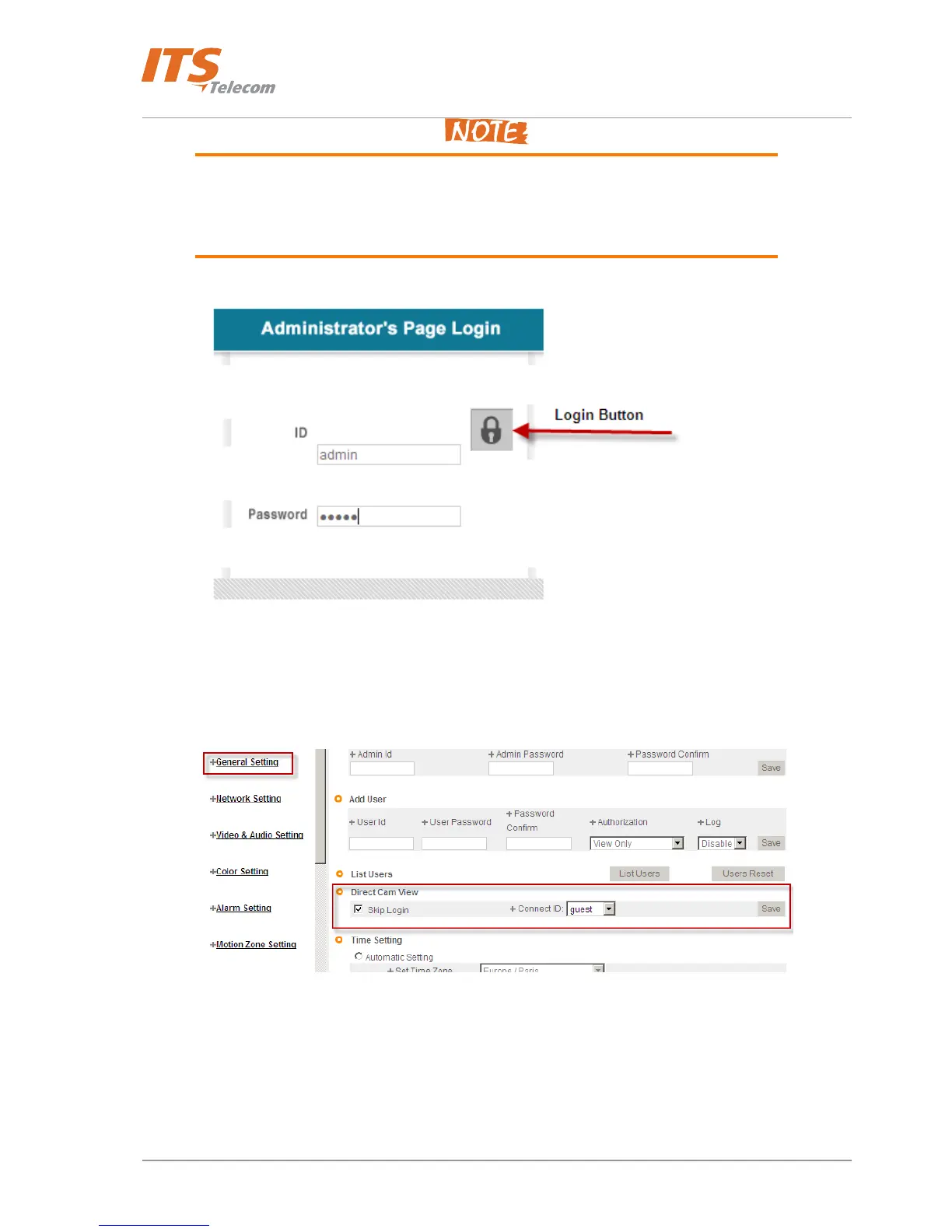
The default Administrator’s login is: ID – ‘admin’, Password – ‘admin’. Don’t forget to
change the default Administrator’s login information in order to keep security level.
Figure 4-21 Network Server Web view login screen
• Enter Administrator’s login parameters and press ‘Login’ button. Network server Web management
interface appears
Figure 4-22 Skip Login configuration
• On the ‘General Settings’ screen go to ‘Direct Cam View’ division. Select on the ‘Skip Login’ check box
and select ‘guest’ user in the ‘Connect ID’ drop down menu. Press ‘Save’ button
Return to the Web-browser window and enter the Network server IP address in the URL screen. Video stream appears in the
opened window
25



 To Next Page