Pancode VoIP/Pantel VoIP Access Control Door Phones
Installation and Programming Manual
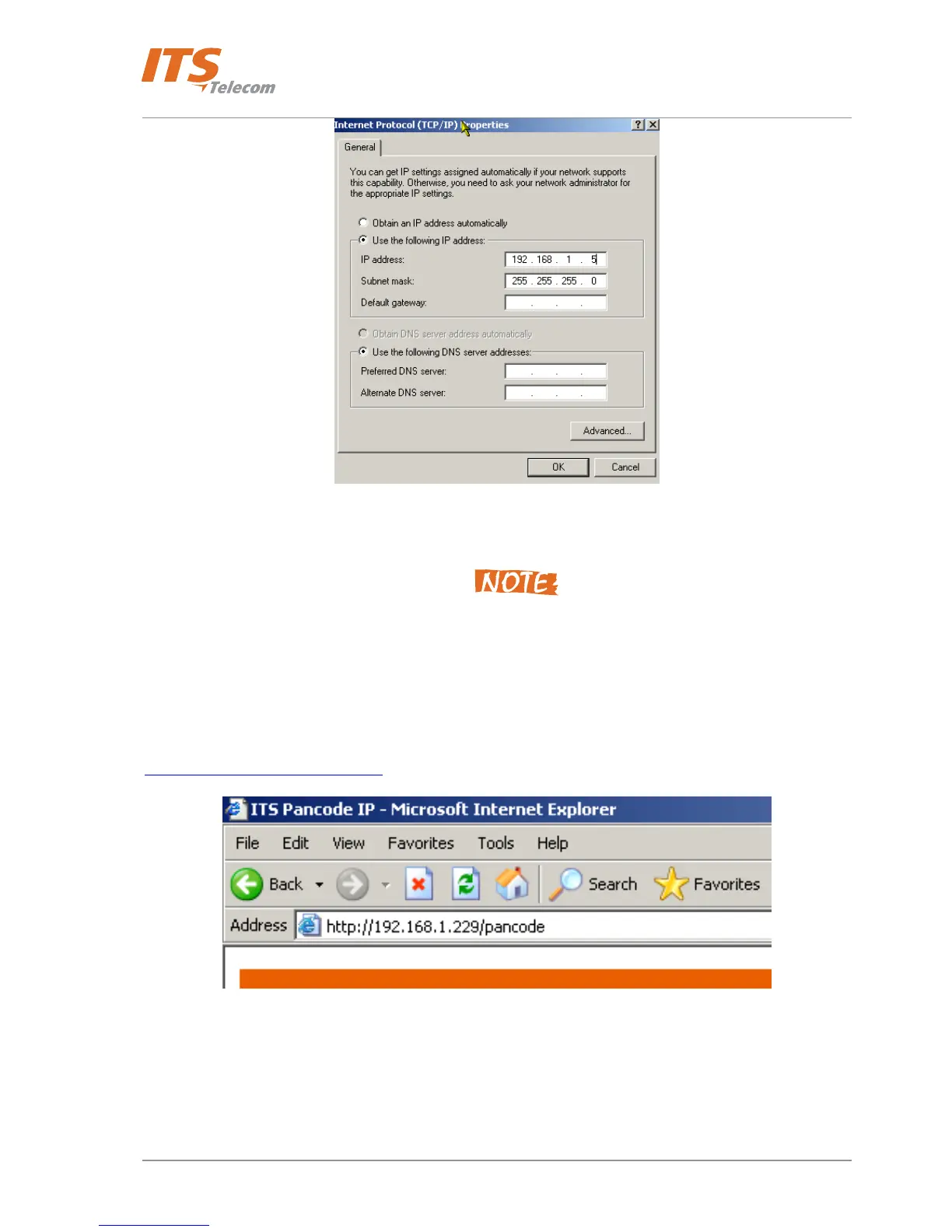
Figure 5-2 PC Network parameters for the Gross-linked cable connection
- Press OK Æ exit from the PC Network settings and enter to the Pancode IP first web-programming
Don’t forget to return the Administrator’s PC network settings to the local network required after the first
Pancode IP programming session will be finished.
__________________________________________________________________________________________
The programming application is launched from the web browser (preferably MS Internet Explorer version 5.5 or
higher). It is possible to run the application by typing the following address in the address bar:
http://XXX.XXX.XXX.XXX/pancode (Figure 5-3).
Figure 5-3. ITS Pancode IP Web Page
5.1 Searching for a Device in LAN
When the IP address is unknown, it is possible to find the unit in the LAN using the QUERY utility from the
installation CD.
30



 To Next Page