Pancode VoIP/Pantel VoIP Access Control Door Phones
Installation and Programming Manual
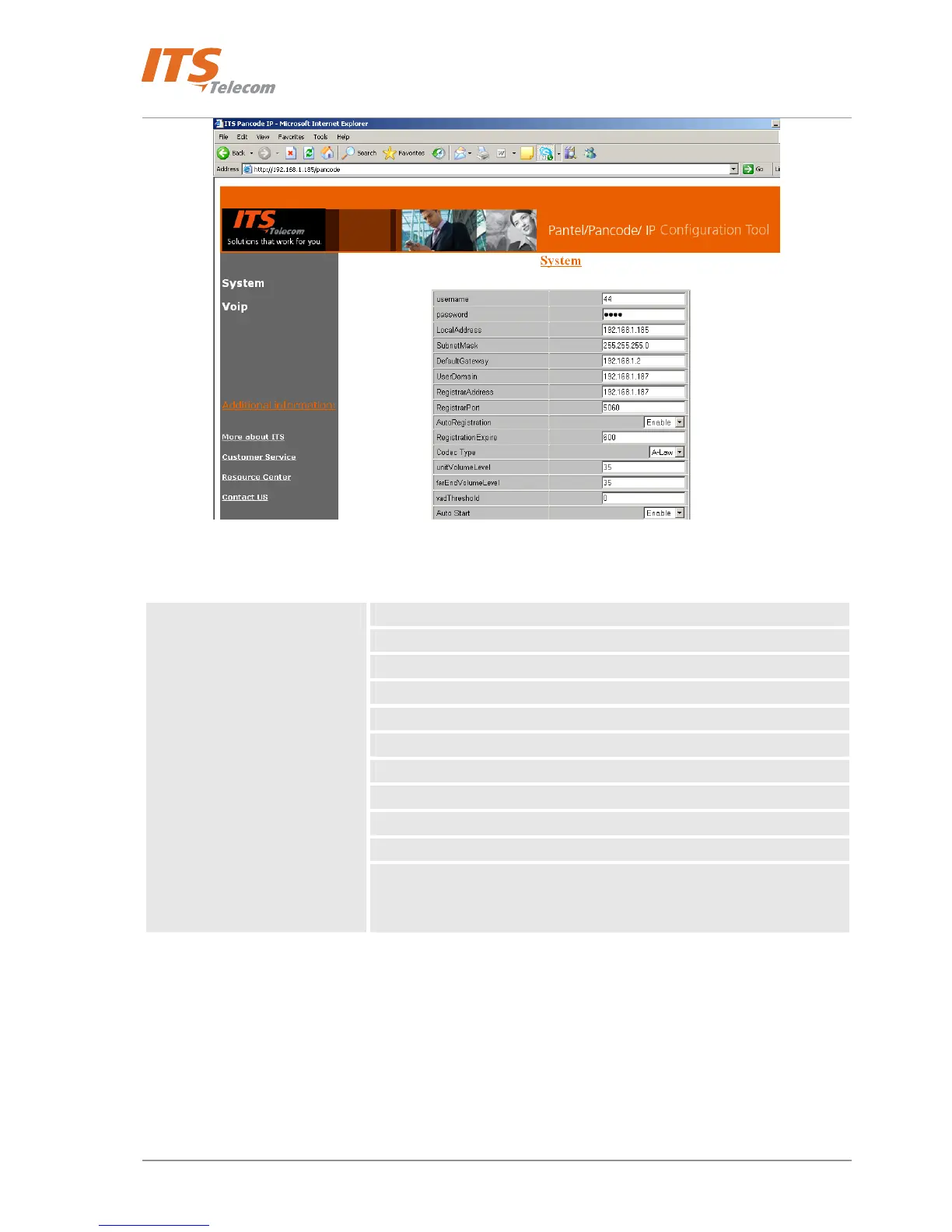
Figure 5-6. Application Interface
The navigation menu contains the following items:
Authorization parameters
Local network parameters
Proxy server parameters
Codec Type
Volume settings
Time mode
DHCP support
Dialing mode
Door opening time
Auto Answer mode
System
Video Camera operational mode (optional*)
* Video camera operational mode depends on the Door Unit’s hardware
configuration.
34



 To Next Page