Pancode VoIP/Pantel VoIP Access Control Door Phones
Installation and Programming Manual
Parameter Description
DNS IP address *
* - Parameter means for the technical purposes only.
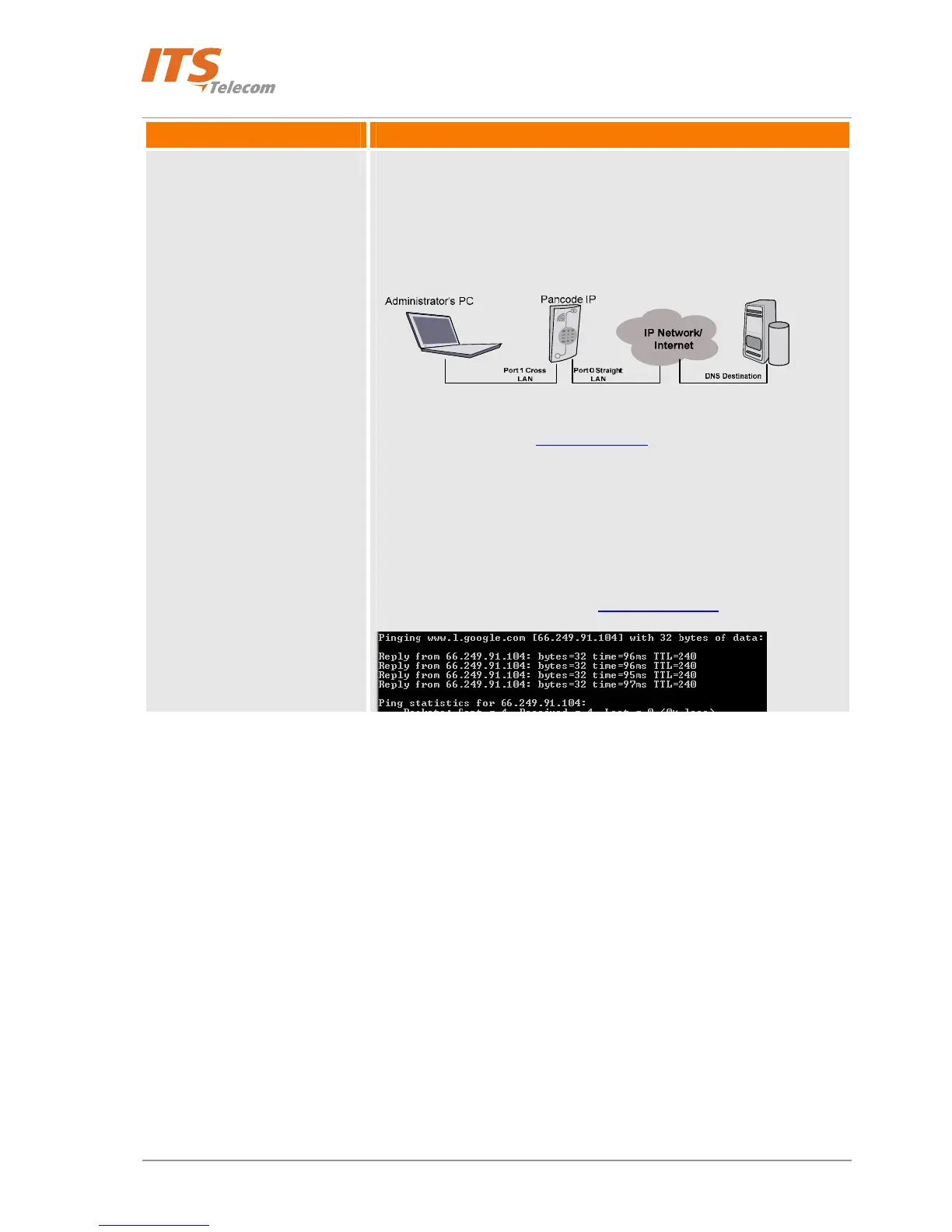
This parameter allows to Network administrator to check the IP
connectivity by using the “Ping” command and DNS name as argument
instead of using the real destination IP address. This procedure is actual if
the Administrator PC connected to the Pancode IP switch “Cross” socket.
For example: Network Administrator need to check IP connectivity with
the internet destination - www.google.com server for to check the
Pancode IP network point internet connectivity.
Connect PC to “Port 1” Pancode Ip RJ-45 socket
Pancode IP connected to LAN via “Port 0” Straight RJ-45
socket
Insert to the “DNS IP address” field known destination IP
address: 66.249.91.104
Run MS Windows Command prompt window
Enter command: ping www.google.com + enter
Check received results
41



 To Next Page