i-ALERT2 Application Guide 47 of 64
EQUIPMENT DETAILS
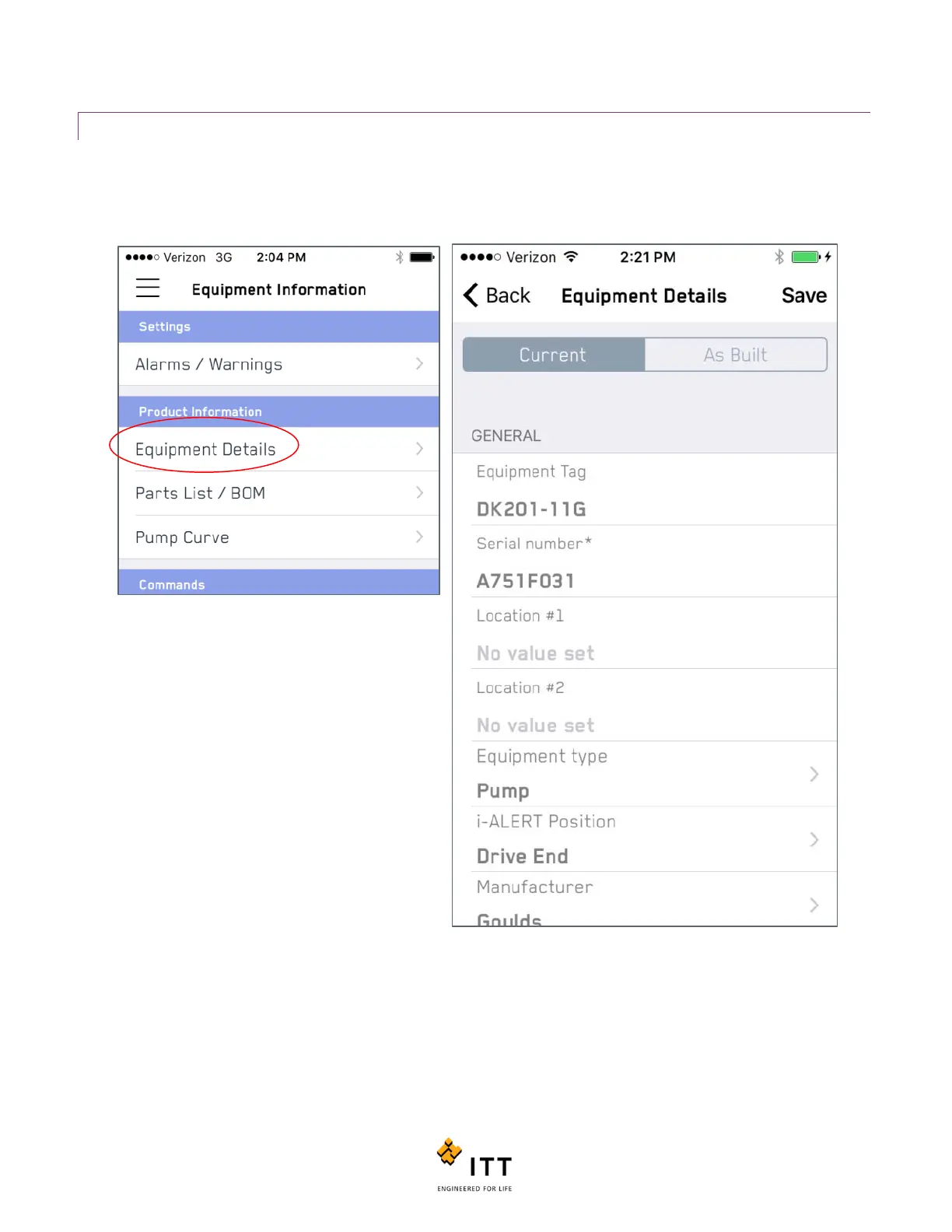
The “Equipment Details” page allows the user to view and change fields that relate to the machine configuration as well as
the internal components. You’ll also note that this menu allows you to change between the “Current” configuration and the
“As Built” information, which allows a user to update the equipment information but keep the original data. See Figure 44.
The Equipment Details page contains editable
information fields for a long list of machinery attributes
including Serial Numbers (S/N), Materials, Impeller
data, Bearing Data, Driver speed, Hydraulic ratings, etc.
To update this information in the i-ALERT2 monitor,
make sure you tap the “Save” tag at the top right hand
corner. Upon successful communication of the new
configuration data a message box will appear stating
“Success. The equipment information was saved.”
Note: Once a valid ITT Goulds Pumps S/N is entered into the “Equipment Details” page, there is no need to manually enter
any other data. The next time it connects to the internet the mobile app will communicate with the ITT servers and pull
down this information, auto-populating it within the app.
Figure 44: Equipment Details
Figure 45: Entering a Goulds S/N enables additional functions



 To Next Page