i-ALERT2 Application Guide 50 of 64
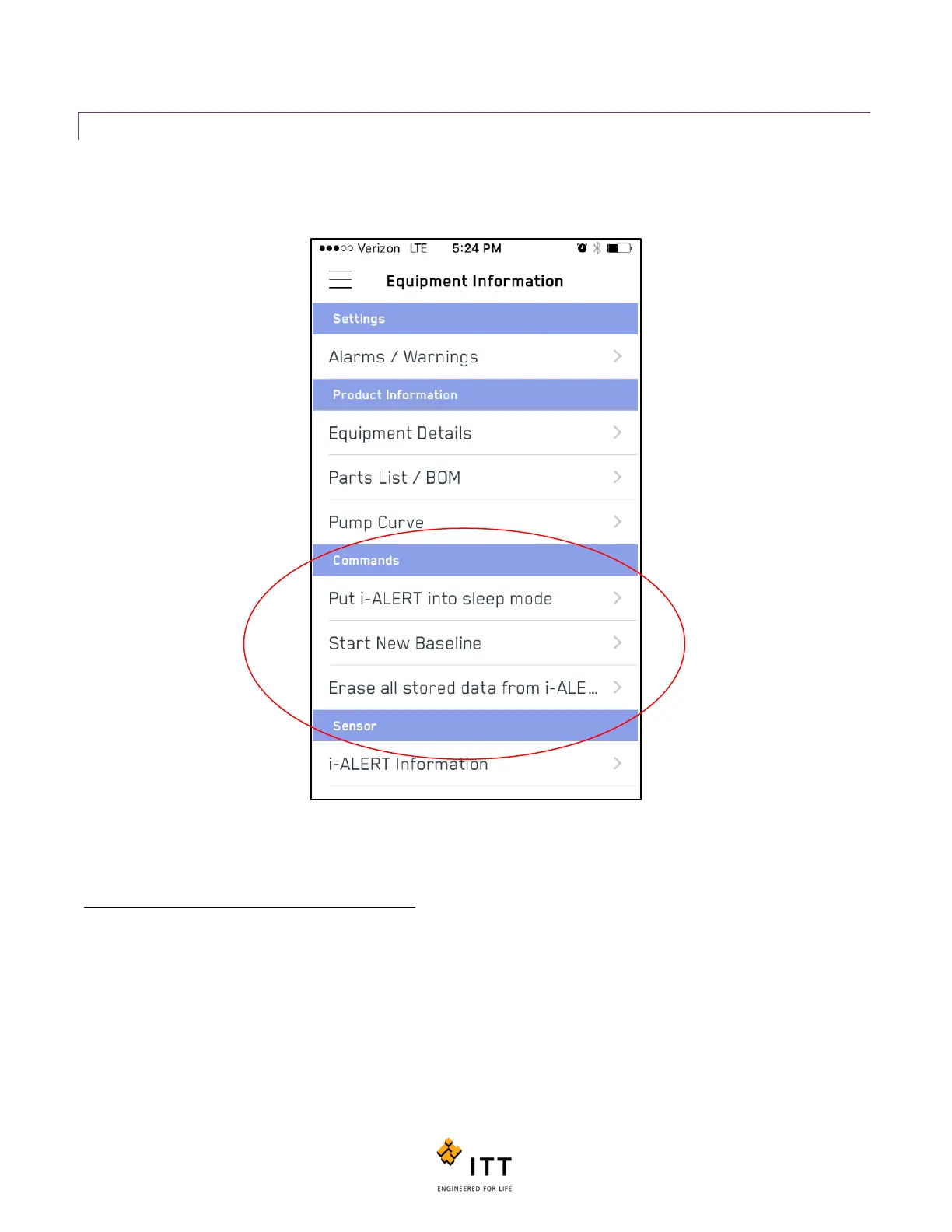
COMMANDS
Occasionally the need may arise to refresh the i-ALERT2 devices stored data. For instance after a machine is repaired or if a
device is moved to another piece of equipment. The “Commands” page contains commands that can be sent to update or
refresh the i-ALERT2 monitor as necessary.
Figure 48: Allowed commands
A brief description of each command is listed below:
Put i-ALERT into sleep Mode: device will go into a very low power consumption mode and does not acquire any data until it
is awakened. (Note: A magnet is needed to reawaken the system.)
Start New Baseline: Tells the i-ALERT2 monitor to perform the baseline procedure to establish new Alarm/Warning limits.
The device will perform a series of measurements over approximately a day of running to calculate its new baseline.
Erase all stored data from i-ALERT: Completely erases all stored measurement data. Can be used to “wipe” an i-ALERT if it
is being transferred to another machine.



 To Next Page