Product design ORBIMAT CA | Operating instructions
12
orbitalum tools GmbH, D-78224 Singen, www.orbitalum.com, Tel. +49 (0) 77 31 792-0 (09.03.15) OW_ORBIMAT_CA_BA_871060202_04_EN
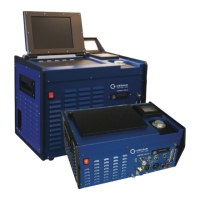
3. PRODUCT DESIGN
3.1 ORBIMAT 165 CA
11
10
9
8
7
4
3
2
5
6
1
1. Display housing
2. Printer cover
3. Intregrated printer
4. Rotary knob
5. Multicard reader
6. Flowmeter
7. Front panel
8. Main switch
9. Hood
10. Softkeys
11. Display 10.5"
For a detailed description
of the different operating
elements (buttons, switches
and connectors), see chap.
7.1, p. 20.
3.2 ORBIMAT 300 CA
11
1
10
9
8
2
3
4
5
6
7
1. Display housing
2. Printer cover
3. Integrated printer
4. Rotary knob
5. Multicard reader
6. Flowmeter
7. Front panel
8. Main switch
9. Hood
10. Softkeys
11. Display 10.5"
For a detailed description
of the different operating
elements (buttons, switches
and connectors), see chap.
7.1, p. 20.


 To Next Page
 Loading...