48
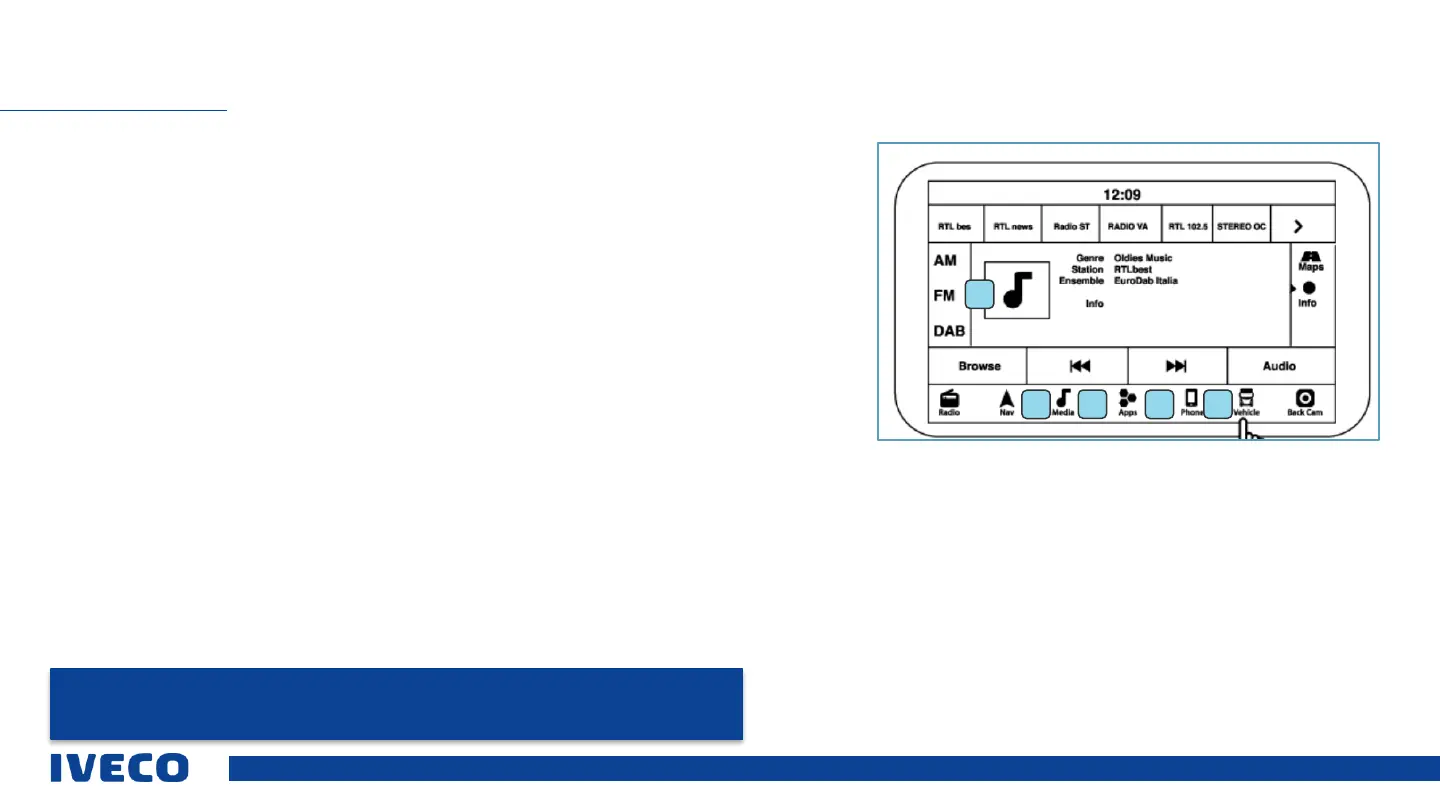
Infotainment system display
1 Radio
The different bandwidths AM, FM, and DAB can be selected via the touch screen under the “Radio”
menu option.
2 Navigation system
The “Nav” menu option can be used to open the navigation system for finding a destination and
navigating
.
3 Media
The Media menu option provides access to multimedia sources such as USB and Bluetooth
Devices, if the desired support is available
4 Apps
The “Apps” menu option opens access to smartphone options and the connected vehicle. This
symbol cannot be moved.
5 Phone
The “Phone” menu option allows the user to access functions for operating the
connected telephone
INFOTAINMENT
NOTE: The images on the Infotainment display are examples only, and may not reflect the exact
software of the vehicle in question.
1
42
3 5


 To Next Page