14 2. OPERATING THE JA-10 SYSTEM
WARNING: It is necessary to use this function with caution. Remote setting and unsetting may cause un-
wanted alarms or prevent setting when there are other people still present in the building.
By default, the system is set up to answer incoming calls after three rings (approximately 15 seconds).
2.7 PG OUTPUTS CONTROL
PG output control is intended for non-alarm functions related to simple home automation.
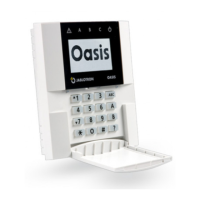
2.7.1 KEYPAD FUNCTION BUTTONS
A PG output switches on by pressing a function button (A, B, C, D) and switches off by pressing the
button again. If the output is confi gured as an impulse output, it will switch off according to the preset time.
Whether authorization is or is not demanded depends on the system confi guration.
2.7.2 USER KEYPAD AUTHORIZATION
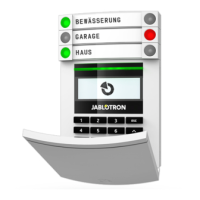
It is possible to activate a PG output by user authorization (entering a code or using an RIFD tag). The
PG output must be confi gured to activate from a designated keypad.
2.7.3 REMOTE CONTROL
By pressing an assigned remote control button.
2.7.4 DIALLING-IN
Each telephone number stored in the control panel (one user can have one telephone number) can con-
trol a PG output just by dialling-in (i.e. without establishing a call). Dialling-in consists of dialling the phone
number of the SIM card used in the security system and hanging up before the system answers the call.
By default, the system will answer the call after the third ring (approximately 15 seconds).
WARNING: It is possible to control to the PG output only if the GSM or PSTN communicator installed
in the control panel.
2.7.5 SMS MESSAGE
Sending an SMS can switch on/off a particular PG. Whether authorization is or is not demanded de-
pends on the system confi guration.
Example: CODE_CONFIGURED TEXT (“_” character = space)
WARNING: It is possible to control to the PG output only if the GSM communicator installed in the control
panel.
2.7.6 MyJABLOTRON
By clicking on the ON/OFF button in the “Automation” tab.







 To Next Page