6
Ways of operating the JA-14K control panel:
On-site:
o System keypad
o System keyfob
Remotely:
o MyJABLOTRON smart phone application
o Mobile phone – via SMS
o Mobile phone – using the voice menu
WARNING: Remote control may be limited depending on the range of security and the selected System
profi le.
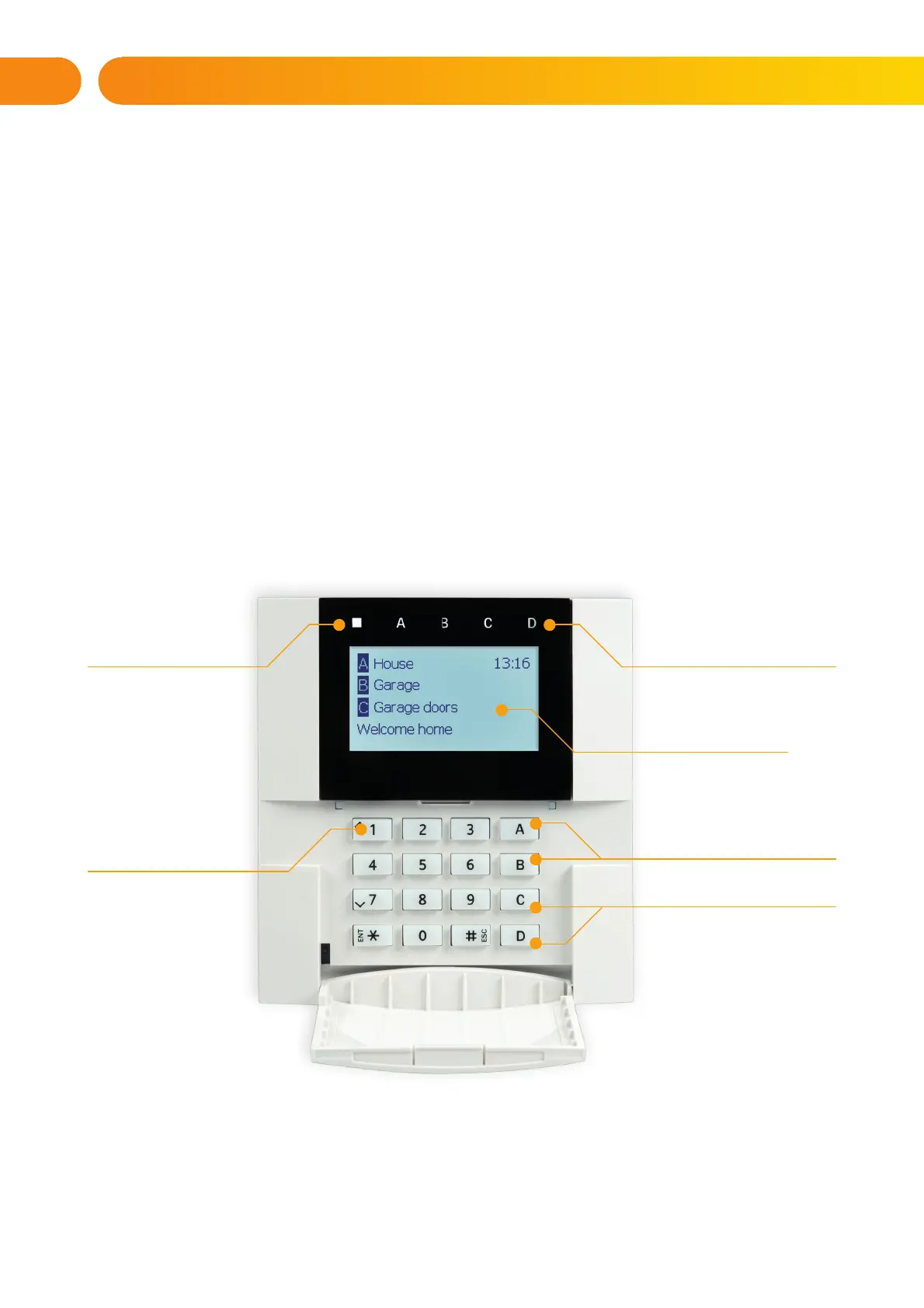
2.2 USING THE SYSTEM KEYPAD
STATUS INDICATORS
A, B,C, D
LCD DISPLAY
FUNCTION BUTTONS
A, B, C, D
SYSTEM
INDICATOR
THE KEYPAD
AND THE RFID
READER
2. OPERATING THE JA-10 SYSTEM







 To Next Page