23
07610-004-04-18-R
PLC TROUBLESHOOTING
MAINTENANCE
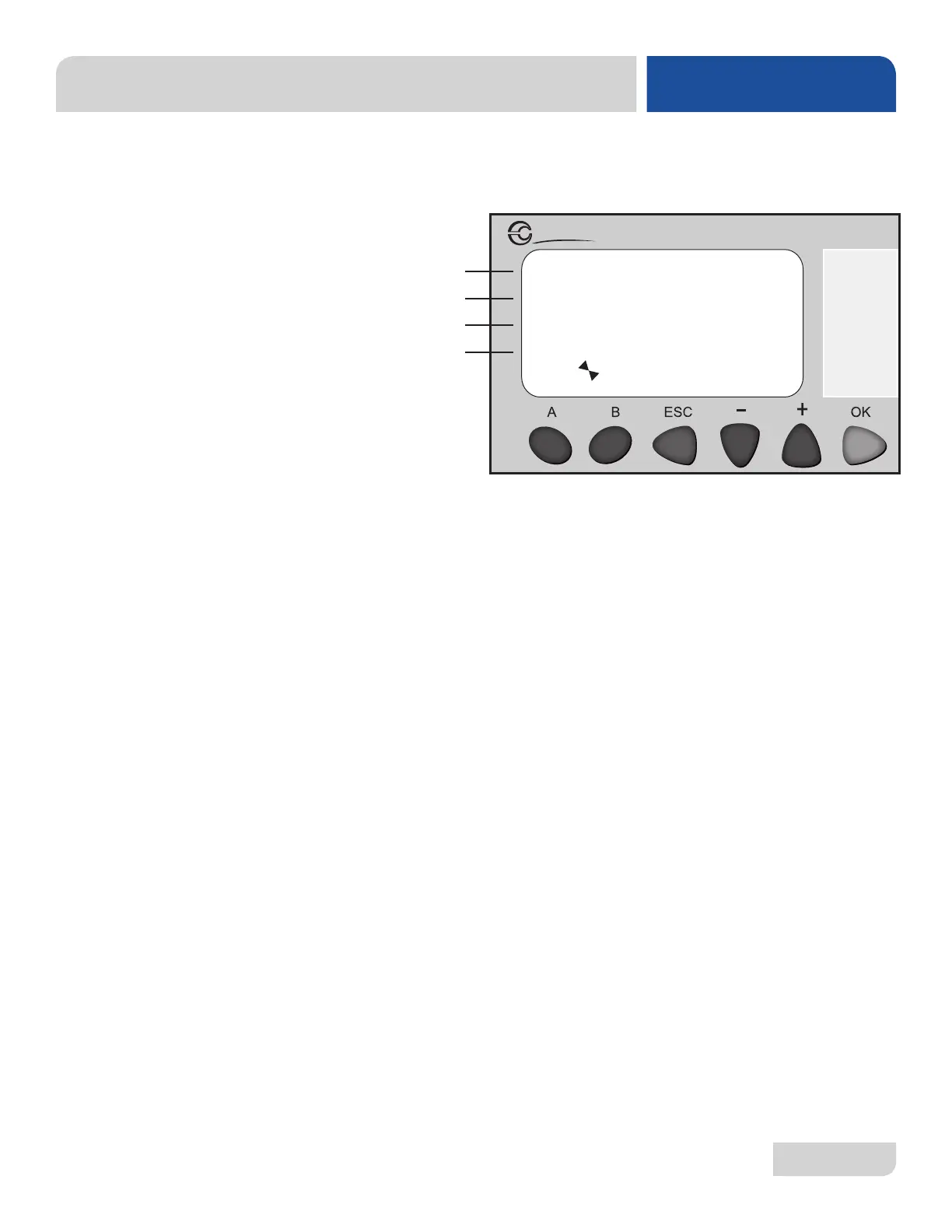
Screen 6 is the "Temperature Setpoints" screen and allows the user to edit the wash
tank, top rinse tank, and bottom rinse tank temperatures.
SCREEN 6:
TEMPERATURE
SETPOINTS
1. Line C shows the wash tank temperature.
• Press + or - to highlight line C.
• Press OK to enter highlight mode.
• Press + or - to make any adjustments needed.
* Wash Tank Temperature: 155 °F to 175 °F (68 °C to 79 °C).
• Press OK to conrm adjustments.
2. Line D shows the rinse tank temperature.
• Press + or - to highlight line D.
• Press OK to enter highlight mode.
• Press + or - to make any adjustments needed.
* Rinse Tank Temperature: 170 °F to 190 °F (77 °C to 88 °C).
• Press OK to conrm adjustments.
TEMP SETPOINTS:
WASH: 00155F
RINSE: 00180F
Millenium 3
Crouzet
A
B
C
D




 To Next Page