26
07610-004-04-18-R
123456789ABCDEFG
123456789A
23:59
Millenium 3
Crouzet
FAHRENHEIT/CELUIS
SELECTl
0=CELSIUS
1=FAHRENHEIT
Millenium 3
Crouzet
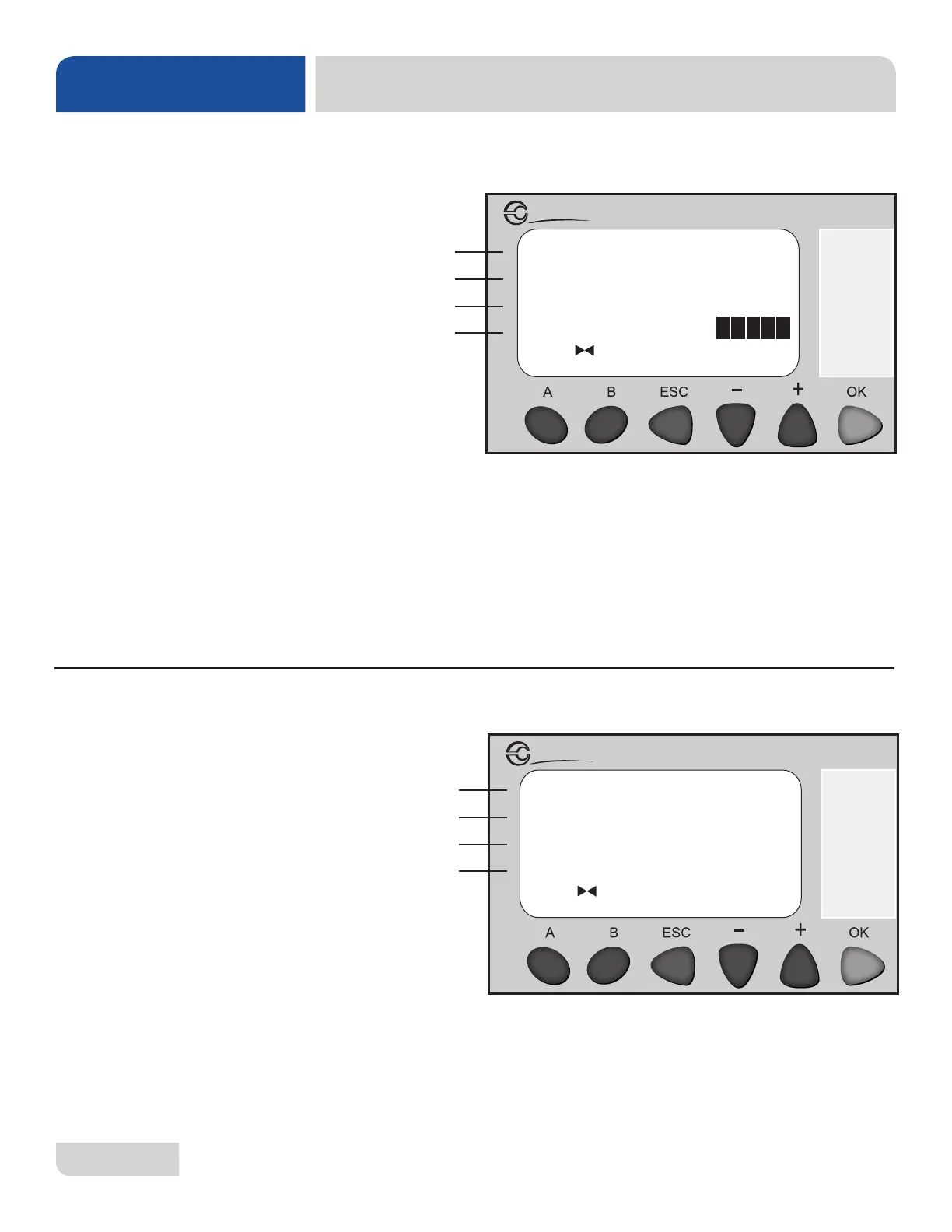
1. Line A (inputs) will highlight when the connected component sends a signal to the
PLC. Multiple inputs can be highlighted at the same time.
2. Line C (outputs) will highlight when the PLC closes specic relays. Multiple
outputs can be highlighted at the same time.
1. Line C shows the Celsius option.
• Press + or - to highlight line C.
• Press OK to allow display to read temperatures in Celsius.
2. Line D shows the Fahrenheit option.
• Press + or - to highlight line D.
• Press OK to allow display to read temperatures in Fahrenheit.
A
B
C
D
A
B
C
D
PLC TROUBLESHOOTING
MAINTENANCE
26
SCREEN 11:
INPUT/OUTPUT
SCREEN 10:
TEMPERATURE
SELECT
The temperature select screen allows the user to select how temperatures are read,
either in Celsius or Fahrenheit.
The input/output screen shows inputs and outputs that are active.





 To Next Page