27
07610-004-04-18-R
PLC TROUBLESHOOTING
MAINTENANCE
27
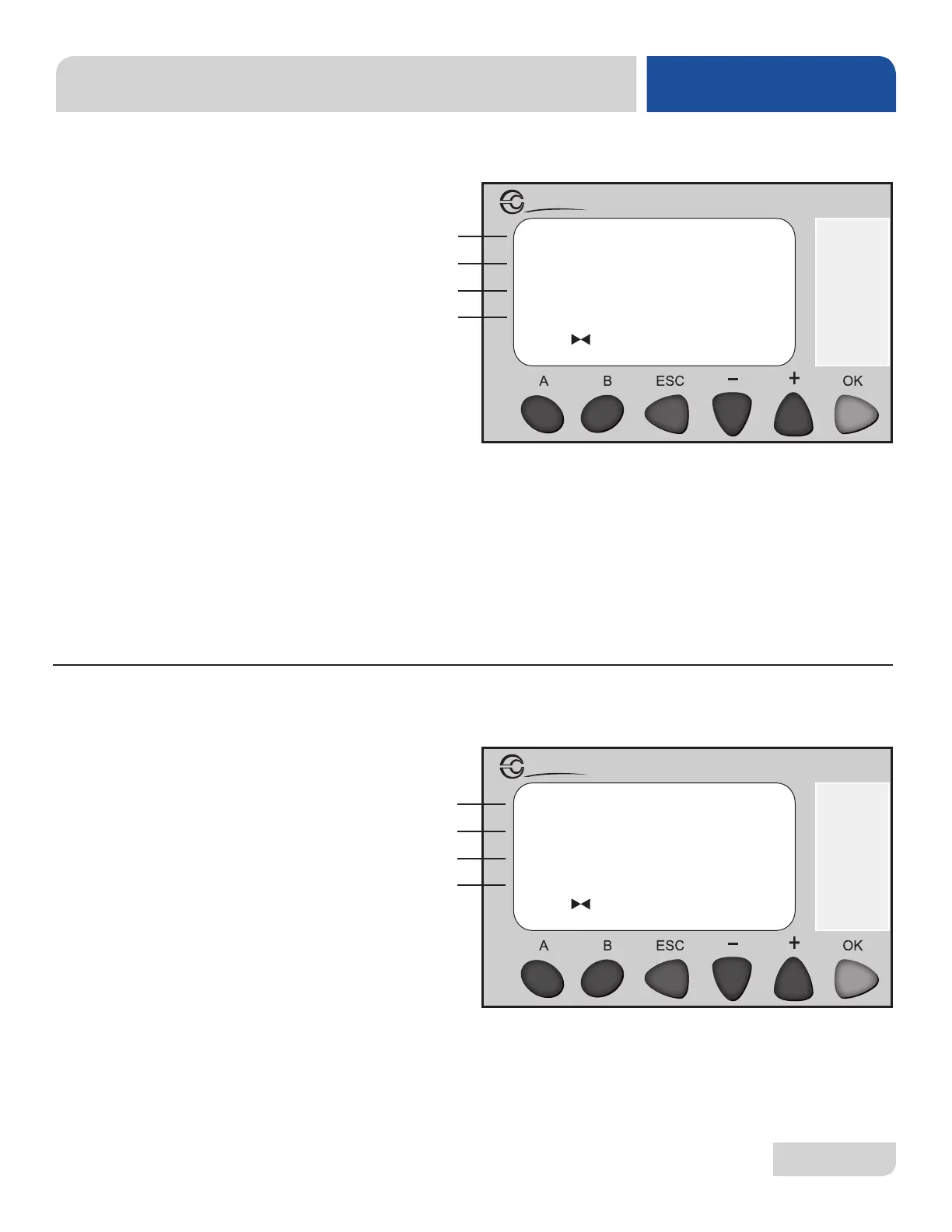
1. Line A shows a reading of the wash RTD.
2. Line B shows a reading of the rinse injector RTD.
3. Line C shows a reading from the pressure transducer.
4. Line D shows if temperature is displaying in Celsius (0) or Fahrenheit (1).
1. Press OK for 10 seconds on screen 13 to reset timer to default settings.
SCREEN 13:
RESET TO FACTORY
SCREEN 12:
WASH,
RINSE INJECTOR,
PRESSURE AND
TEMPERATURE
READINGS
Screen 13 shows the wash, rinse injector, pressure and temperature readings.
The "Reset to Factory" screen allows the user to reset the machine to
factory default settings.
Reset to Factory
Default Set-points
Press OK for 10
seconds to reset
Millenium 3
Crouzet
00154
00179
00011
00001
Millenium 3
Crouzet
A
B
C
D
A
B
C
D




 To Next Page