File Version: 1.3 / JAKA MiniCab Hardware User Manual
5.2.2.1
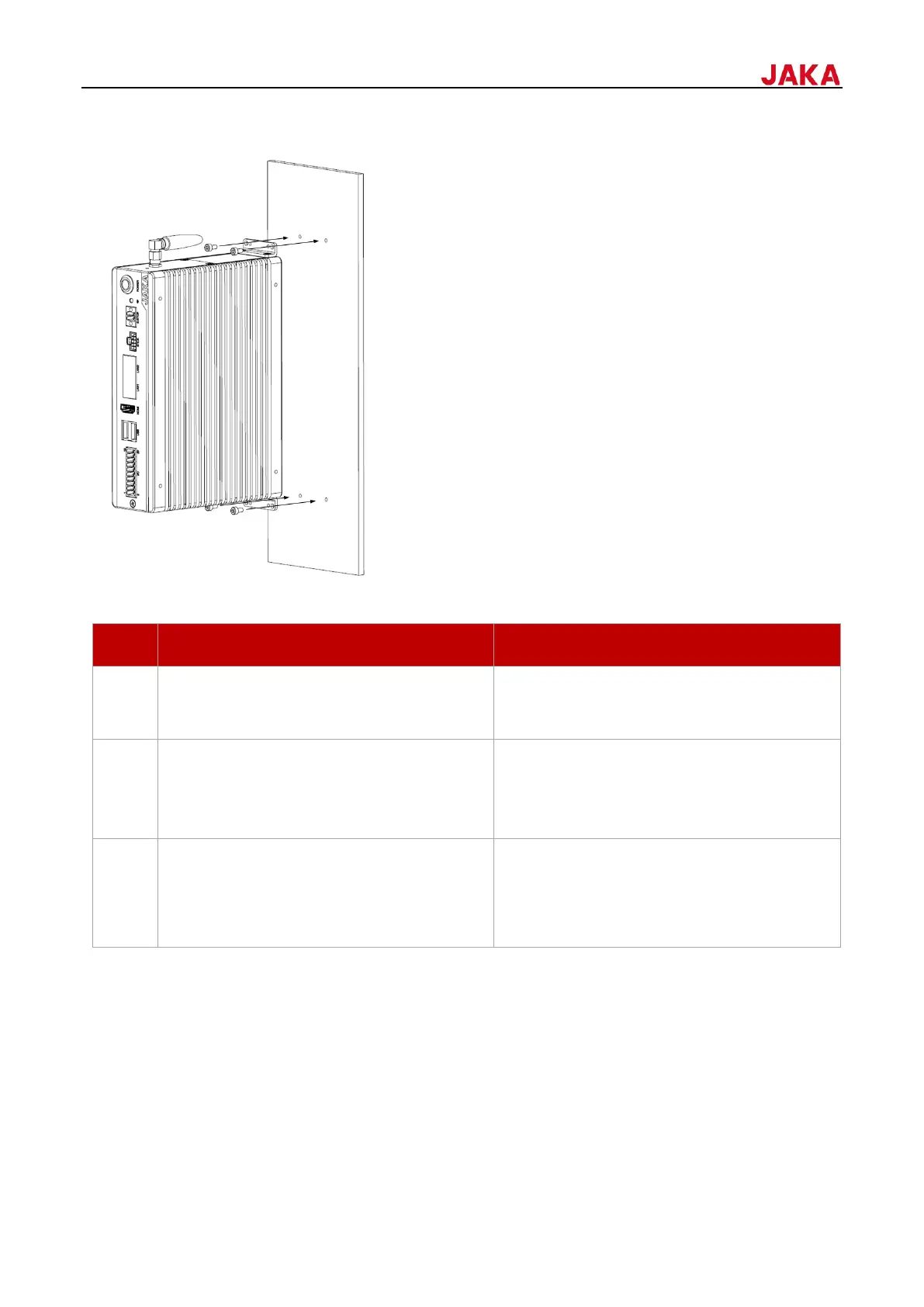
The mounting steps are as follows:
According to the control cabinet's outline
dimensions, drill four holes on the mounting
plane.
Align the holes of the brackets and mounting
plane, and secure two brackets by screws.
Screw type: M3
Screw quantity: 4 pcs
Tightening torque: 0.6-0.8 Nm (5.31-7.08 Ibf in)
Ensure that the mounting surface is smooth
and free of vibration and confirm that the
control cabinet is securely mounted.
When the mounting plane is mobile, to reduce
the impact of vibration on MiniCab during
movement, it is recommended to add a rubber
gasket between MiniCab and the mounting
plane.


 To Next Page