File Version: 1.3 / JAKA MiniCab Hardware User Manual
The LAN1 port is a 10M/100M adaptive port, which is configured as 10.5.5.x by default. When connecting to the
LAN1, the device's IP address should be configured within the range of 10.5.5.101 to 10.5.5.254, or set the
device to obtain an IP address automatically.
Note: If the device used does not support IP modification, it is recommended to connect the device to LAN2 and
configure the IP address of LAN2 to be in the same network segment as the device. If the LAN2 is already
occupied, please contact JAKA technician to modify the LAN1 network settings.
2.
The LAN2 port is a 10M/100M/1000M adaptive port, which is configured as obtaining IP address automatically
by default. It can be configured as a static IP through the JAKA App. Refer to the software user manual for
configuration steps.
Note: The IP for the LAN2 cannot be the 10.5.5.x. If it is configured as this IP, the “The segment is disabled” will
pop up.
7.1.4.2
MiniCab has a Wi-Fi module, with a default setting of no password. Thus, the MiniCab can be connected via
Wi-Fi. Once the MiniCab is powered up, the Wi-Fi indicator on the right side of the panel will illuminate. When
connected to Wi-Fi, the indicator will flash. The Wi-Fi name is the MiniCab serial number, which is located on
the label. If you need to change the Wi-Fi name, add a login password, etc., please contact JAKA technicians.
7.1.4.3
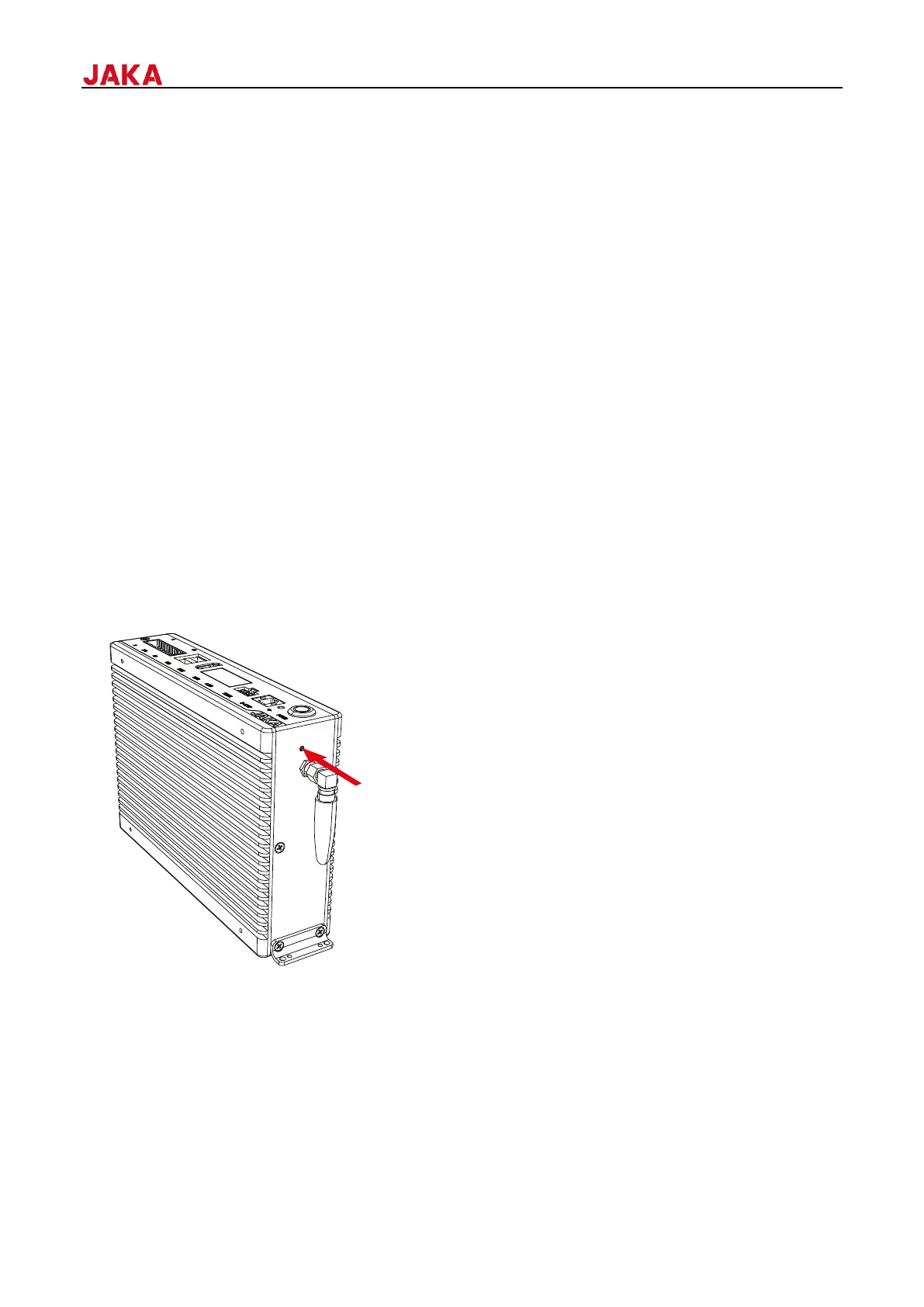
The MiniCab supports network reset. The reset button is located on the left side of the antenna (as shown in
the figure below). In case you forget the Wi-Fi name and password, press and hold this button for more than 10
seconds to reset the Wi-Fi. At this point, the Wi-Fi gateway address will be restored to factory settings. For
further instructions, please contact JAKA technicians.


 To Next Page