Page 14
WARNING
FOR YOUR SAFETY: Thisproductmustbeinstalledandservicedbyaprofessionalpool/spaservicetechnician.
Theproceduresinthismanualmustbefollowedexactly.Failuretofollowwarningnoticesandinstructionsmay
resultinpropertydamage,seriousinjury,ordeath.Improperinstallationand/oroperationwillvoidthewarranty.
Whenusingelectricalproducts,basicprecautionsshouldalwaysbefollowed,includingthefollowing:
• DANGER:RISKOFELECTRICSHOCKWHICHCANRESULTINSERIOUSINJURYORDEATH.Before
attemptinginstallationorservice,ensurethatallpowertothedeviceisdisconnected/turnedoffatthecircuit
breaker.Connectonlytoacircuitprotectedbyaground-faultcircuit-interrupter(GFCI).
• Groundingisrequired.Theunitshouldbeservicedbyaqualiedservicerepresentativeandshouldbe
properlygrounded.(SeeSection3.5,EarthGrounding).
• Installtopermitaccessforservicing.
• PleasereadallcautionsandsafetyinstructionsintheImportantSafetyInstructionssection.Before
attempting any electrical wiring, be sure to read and follow safety instructions. Wiring should only be
attempted by a qualied professional.
3.6 Connection to an AquaLink® RS Control System or PDA (Optional)
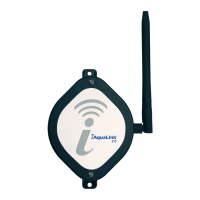
TheJandy®AquaLinkRSorPDAisamulti-functionpoolcontrollerwhichcanfullycontrolthefunctionofthe
JandyAquaPure®Eichlorinegeneratingdevice.Adjustmentofthechlorineproductionratecanbecontrolledfrom
themainmenuoftheJandyAquaLinkRSorPDA.TheAquaLinkRSorPDAoffersindividualpoolandspasettings
foroutputpercentage.RefertotheAquaLinkRSorPDAOwner’sManualformoreinformation.
NOTE TheJandyAquaPureEichlorinegeneratingdevicewillcommunicatewithallAquaLinkmodelsRev.Korlater.
3.6.1 Setting the Controller Type on the Power Pack
BeforewiringtotheAquaLinkRSControlSystem,thecontrollertypemustbesetonthepowerpacktoallow
communicationbetweenthepowerpackandtheAquaLinkRSControlSystemorPDA.Thedefaultcontrollertype
settingisJandyL/M.
NOTE: Thecontrollertypemustbesetbeforemakingthewiringconnectionbetweenthepowerpackandthe
AquaLinkotherwisethepowerpackmaybelockedoutoftheAquaLink.
To set the controller type:
1. TurnthepowerpackonbypressingtheON/OFFbutton.
2. Wait for the start-up sequence to complete.
3. PressandholdtheOUTPUTbuttonforapproximatelyfour(4)seconds.Afterfour(4)seconds,acontrollertype
will be displayed on the screen.
4. KeeptheOUTPUTbuttonpressedtotogglethroughthelistofcontrollers.Eachcontrollerwillbedisplayedon
the screen for two (2) seconds.
5. ReleasetheOUTPUTbuttonwhenthedesiredcontrollerisdisplayed.ToconnecttotheAqualinkRSControl
SystemorPDA,selecttheJANDYL/Mcontrollertype.
3.6.2 Wiring to the AquaLink RS Control System or PDA
1. Ensure that all power to the power pack and the controller is disconnected/turned off at the circuit breaker.
2. Removethescrewsattachingthecovertothebackplateandpropthecoveruptoexposetheterminals
(see Figure 19).
NOTE:BecarefullynottopulltheribboncablethatisconnectedtothePowerSupplyandtheCover.


 To Next Page