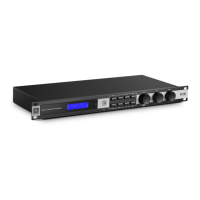
KX100
Section 2
10
Getting Started
The Menu Button
The Menu button allows you to enter the Main Menu for processor setup. When pressed
multiple times, it also sequences through the available selections within the current menu.
• Navigating the Main Menu
1. Pressing the Menu button will enter the Main Menu.
2. There are two methods for selecting the desired menu: Rotate the Adjust/
Select knob to select the desired menu or continuously press the Menu button
until the desired menu is selected.
3. Once you have selected the desired menu, pressing the Adjust/Select knob will
enter the selected menu.
4. Depending upon how deep the parameter is which you are trying to reach, you
may have to repeat steps 2 & 3.
5. Once the desired parameter is reached, rotating the Adjust/Select knob allows
you to edit the selected parameter.
6. Pressing the Exit button once will back up one menu level. Pressing and
holding the Exit button for 2 seconds will turn the Menu LED off and the
display will return to the home screen.


 To Next Page