152
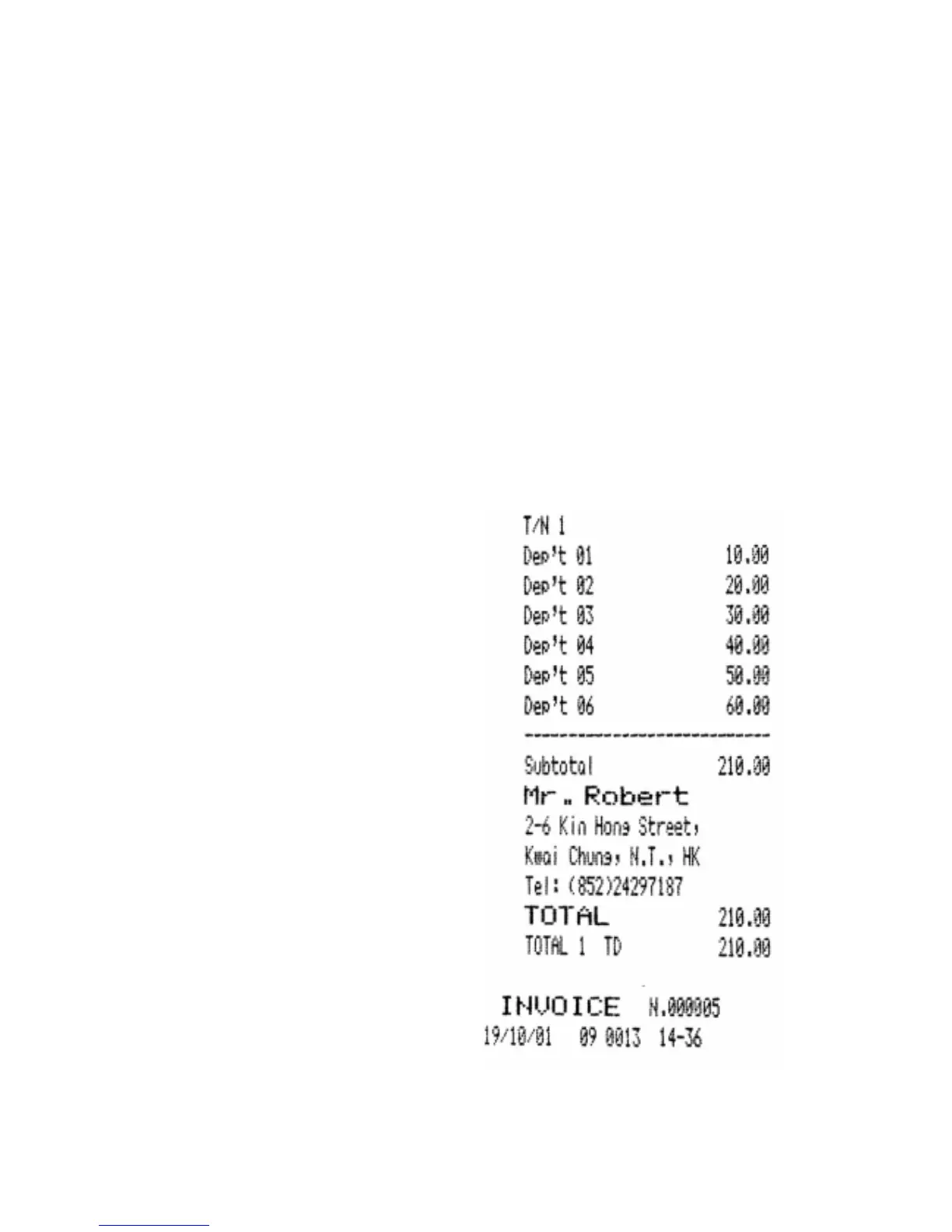
14.6 BILL PRINTING ON "HEADED" INVOICE
For HEADED Invoice we mean the document printed with the printing of the
customer's heading (take note that G-556 give the possibility to memorize until 300 abitual
Customers). The HEADED Invoice can be printed either in direct mode (see below),
than in case of a memorized table in case of table management, or memory billing .
During the INVOICE printing, if the S.S.9H is set to 1 the receipt will not be printed.
For the automatic printing of the quantity Q, to set the S.S.9F=1.
In case of status system 14H=0
-a Place a paper sheet in the external Slip Printer
-b press the INVOICE key
-c to execute the registrations by the Dept.s and/or the PLUs, or to recall the memorized
Table with the procedure : (NNN)--[TABLE Number] (NNN=Table code)
-d press the C/N key
-e to input the customer's code (Habitual Company), with the data of which the document
(INVOICE) is wanted to be printed
-f press again the C/N key
-g to scroll eventually the habitual
companies with the Aead line
and/or Behind line keys if the
input code is not that one
wished.
-h to press the Enter key in order
to confirm the selection done.
-i The points c, d, e, f, g and h can
be repeated more times, the
ECR will head the INVOICE
with the last code input during
the execution of the points in
object.
The operation [C/N]--[E.C.] will
cancel the heading printing from
the INVOICE
-j to conclude the transaction by
using a Total of Closing.
Note :
the code of the habitual Com-
pany can be introduced in whi-
chever point during the regi-
strations, the heading on the
document will be always prin-
ted after the "TOTAL" line and
before the line containing the
"
INVOICE
" description
and number.



 To Next Page