85
9.65 HALLO LOGO SELECTION
The G-556, beyond to the LOGO Personalizable (STORE LOGO) that it can be
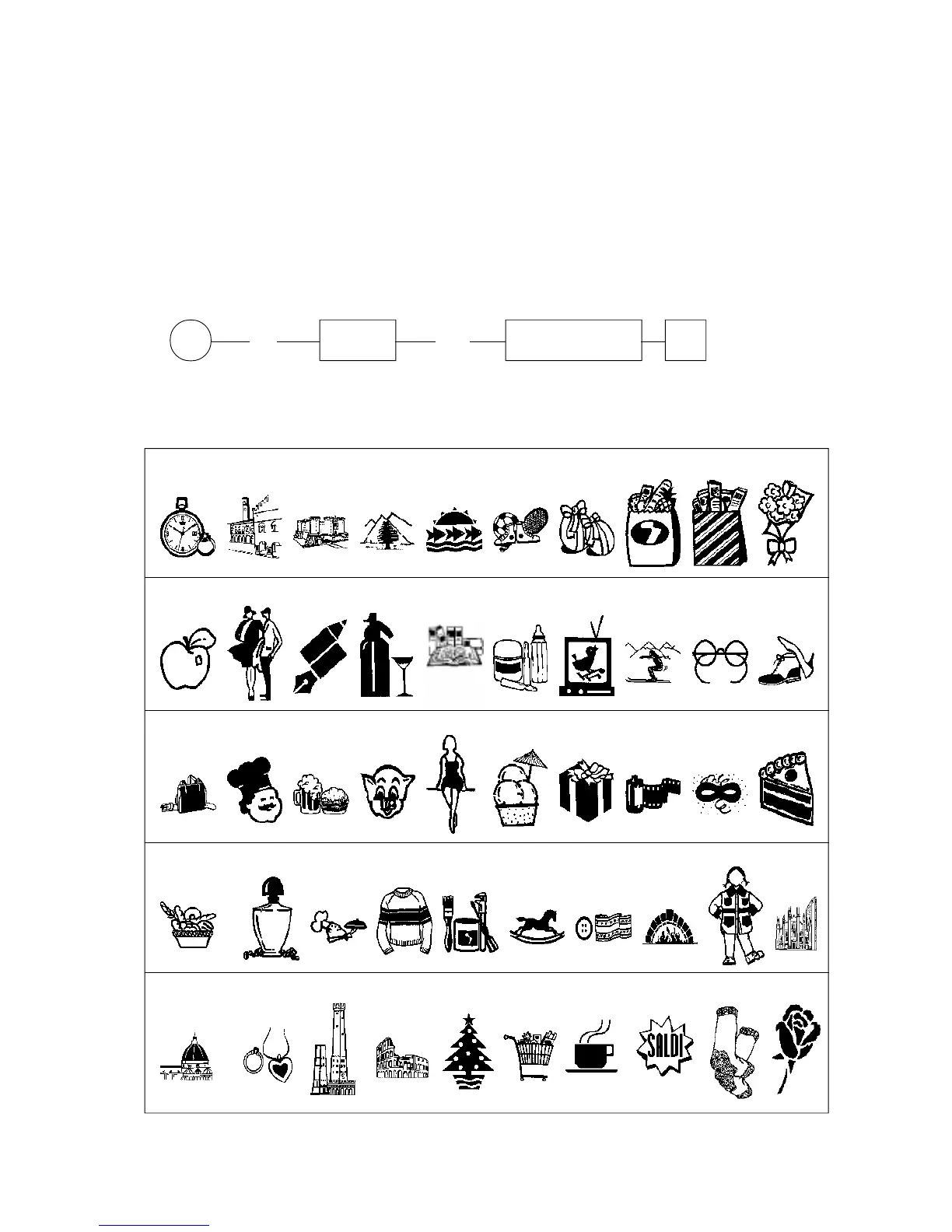
loaded via PC by a graphical image (File) in Bitmap format, can use also 50 LOGOs already
residents and that can be select for direct printing. To each "HALLO LOGO" a definibile
Hallo MESSAGE of 12 lines for 14 characters can be linked through the programmation
dscribed in the following page.
It will be possible, after to have established the printing of the Hallo LOGO by the
Status System 2.G, to define, by choosing from the list of LOGO available printed here
below, which Hallo LOGO will have to be printed from the ECR.
The procedure for the Hallo LOGO to print selection is following :
P (66) X/Time (NN) SUB-TOTAL #
NN = Hallo LOGO to be printed (see below list)
HALLO LOGO LIST AVAILABLES ON ECR :
123456789
10
20191817161514131211
30292827262524232221
40393837363534333231
44434241
KEY
45 46 47 48 49 50



 To Next Page