67
9.45 SLIP MAX. LINES PROGRAMMING
It's possible to limit the maximum number of printed lines on every printing sheet
module on additional printer (Slip Printer) so it'll be possible to adapt the documents printing
to the customer used formats (Invoices, Bill, Cards Customer....).
When, during the printing of a document on Slip, it comes caught up the programmed
lines limit, the Slip prints message "***CONTINUE***" and the ECR'll show the message
"CARD COMPLETED", all the operation on ECR will be interrupted with the message on
display and an acoustic signal.
At this point it is necessary to replace the sheet module with a new one and to
press "CL" key three times ; the Slip Printer will print message "***CONTINUATION ***"
and, of continuation, all the operations memorized on the ECR's buffer will be printed.
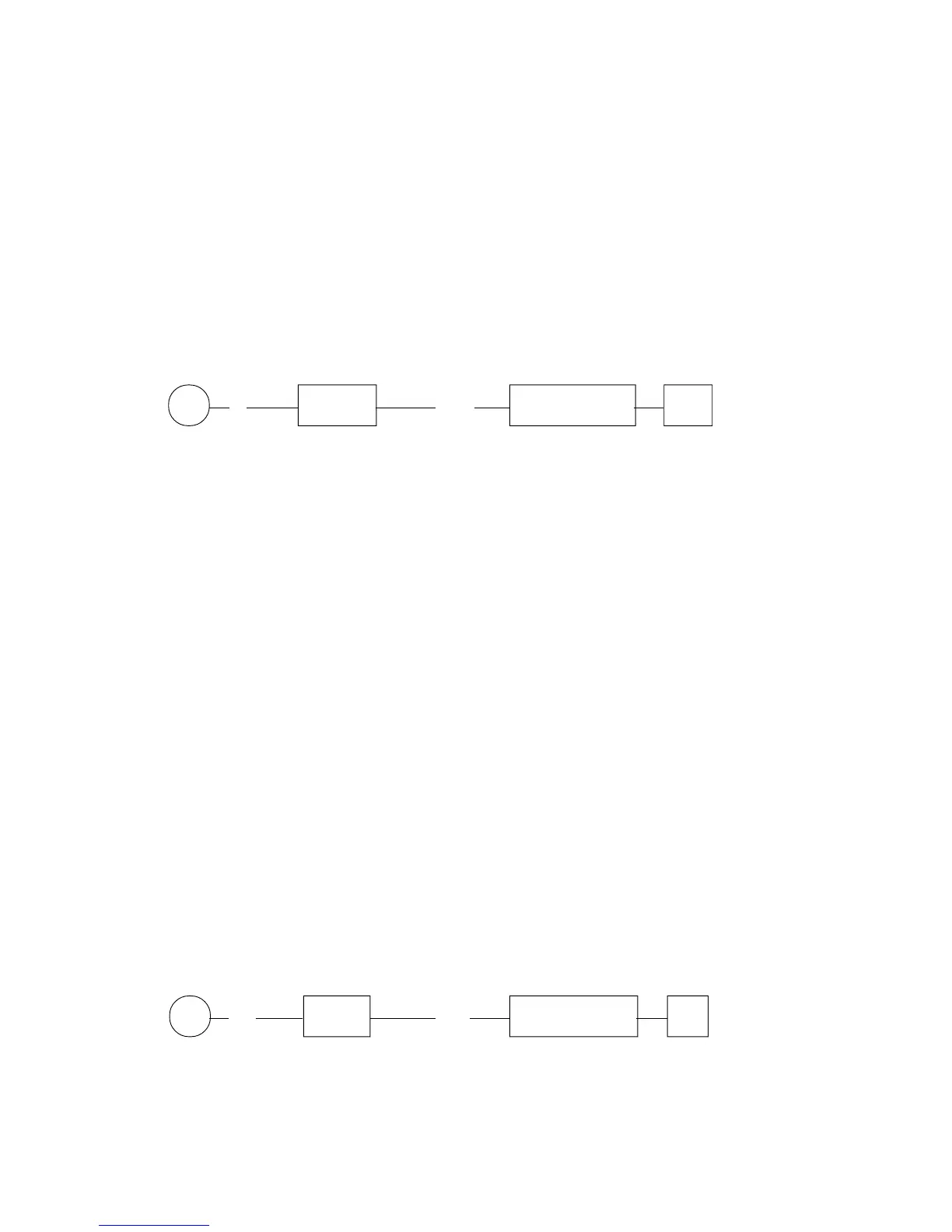
P (4) X/Time (N N) SUB-TOTAL #
NN : lines number (from 2 to 99)
9.46 NUMBER OF WHITE LINES BEFORE THE PRINTING ON SLIP
It's Possible, on G-556, to set a number of advance lines (white lines) that the ECR
will execute every time that will come activated the printing of a document on Slip Printer
(Invoice, Bill, Card customer).
The definable number of white lines will be useful to allow that the machine executes
in automatic mode the advance of the preprinted module, with the purpose to begin the
printing of the document, by the Slip Printer, after the eventual "heading" or "preprinted
graphical Logo" on the module from by the printing office.
The lines of advance setting by the procedure described here below will come
always executed to the beginning of a document printing on Slip Printer.
It will be possible to add other lines of advance to the number of lines defined in the
programming inserting, before lowering the key Invoice, Bill or Slip, the number of white
lines that it is desired to add to those already defined fixed ; this operation could be executed
directly with the key in "Reg." mode (Eg.: 20 - Invoice --.....), the inserted number of lines
in this modality can go from 1 to 20.
P (69) X/Time (NN) SUB-TOTAL #
NN : number of white lines before the beginning of the printing of the
documents on Slip Printer, from 00 to 20.
KEY
KEY



 To Next Page