63
9.39 CLERK CODES
It's possible to program on the ECR, until 19 "Secrets" codes for clerks (the
cashiers, waiters...).
- Each code can be composed of max. 4 digits ; last digit of the code must be equal
to 1,or to 2,or to 3... or to 9 respectively for the clerks from 1 to 9, while for the
clerks from 10 to 19 the last digit must be equal to 0 for clerk 10 until 9 for clerk
19, the distinction between the Clerks from 1 to 9 and those from 10 to 19 comes
made by the pression of the Shift key.
- So the Clerks codes will have to be programmed and subsequently recalled in
the following way, before codes programming the previous codes memorized
must be reset by the "Z" report below described :
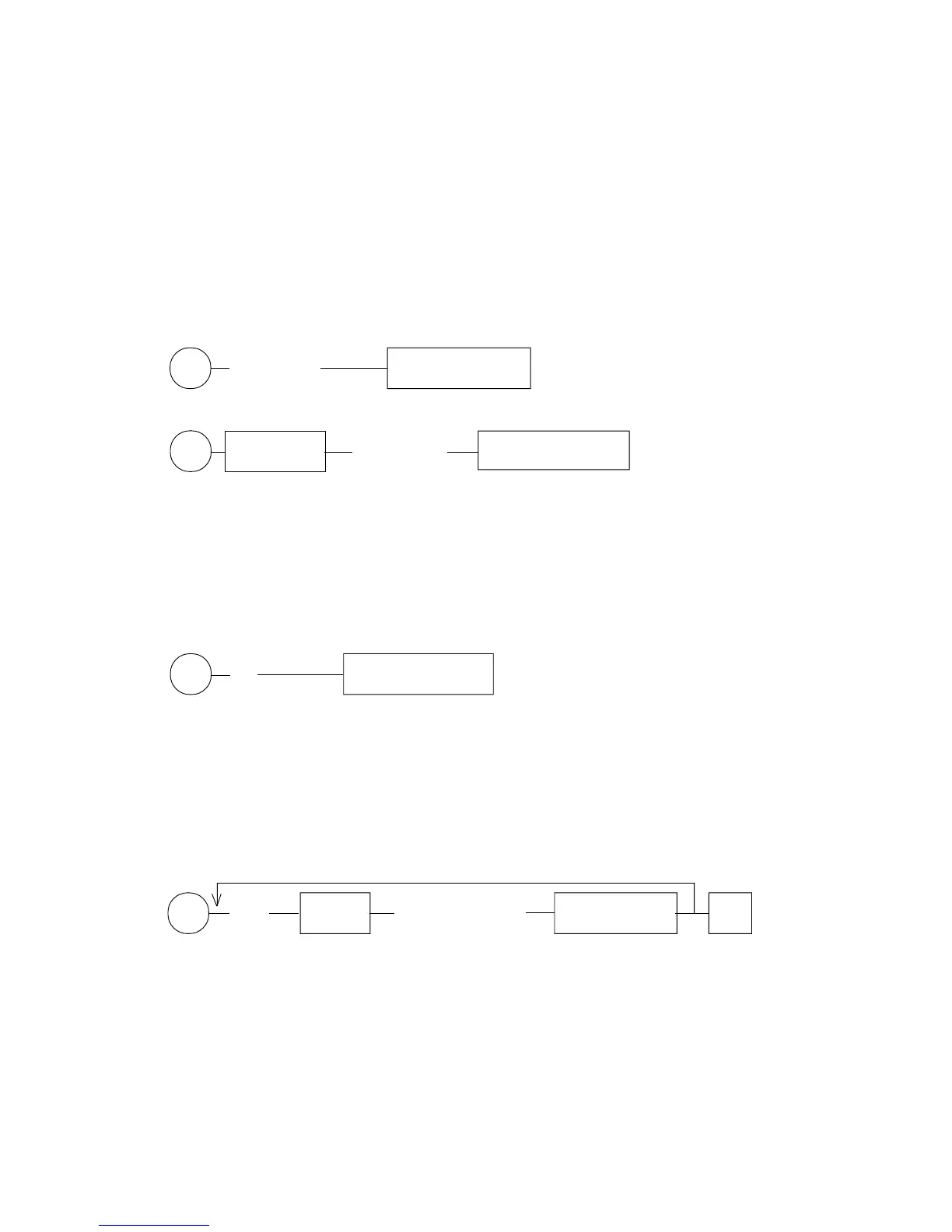
For clerks
R (Clerk code) Clerk CODE key from 1 to 9
max. 4 digits
For clerks
R Shift Key (Clerk code) Clerk CODE key from 10 to 19
max. 4 digits
- The programmed Clerks codes can be cancelled automatically after every daily
full terminal reset (Z--1--Tot.1), this depends from Status System 5F setting
- The Clerks' codes can in any case be cancelled independently from the Status
System 5F setting, by following "Z" report (following "Z" report will be possible
only after the daily full terminal reset "Z--1--Tot.1"):
Z (42) TOTAL 1 (Cash)
- In "Reg." mode, if the key "Clerk Code" will be directly pressed, the Clerk at
the moment active will be immediatly disactivated ; on the ECR's display it'll
appear "Clerk code input" (or “OP" in case of G-556) and no operation of
registration will be possible until a clerk code input.
9.40 CLERKS NAMES : PROGRAMMING
to repeat for each clerk
P (2AB) X/Time (YYYY............YY) SUB-TOTAL #
20 characters
AB : from 01 to 19 depending from Clerk to program
YY..Y : Clerk's name to program.
Note : F in order to cancel the last character input press the "E.C." key
F to obtain double width characters it is necessary to press the key "." (decimal
point) before the characters to program
F in order to obtain the small characters it is necessary to press the key "R.M."
before the characters to program
F the space corresponds to double zero key "00"
KEY
KEY
KEY
Eg.: 2234 for the Clerk 4, 5672 for the Clerk 2, etc...
Eg.: 1550 for the Clerk 10, 4893 for the Clerk 13, etc...
KEY



 To Next Page