99
12.3.2 TABLE 2 - Daily and P-T-D reports in graphic format
CODE REPORT TYPE X Z
210 Daily department Histogram yes no
215 Daily groups Histogram (Detailed) yes no
216 Daily groups Histogram (all groups) yes no
250 Daily Time Zones Histogram yes no
251 Daily amount ranges Histogram yes no
310 P-T-D department Histogram yes no
315 P-T-D groups Histogram (Detailed) yes no
316 P-T-D groups Histogram (all groups) yes no
350 P-T-D Time Zones Histogram yes no
351 P-T-D amount ranges Histogram yes no
12.3.3 TABLE 3 - Daily and P-T-D specifics reports in numeric format
It's possible to obtain also "Specifics Reports" relative to the specific interesting data
as for example the selling data of a certain Department.
These Reports are obtained selecting the operating "X" mode for reading reports
and "Z" mode for deleting reports ; the procedure is indicated below the table.
CODE REPORT TYPE X Z
410 Daily for definable department yes no
420 Daily for definable PLU yes yes
440 Daily for definable Clerk yes yes
460 PB situation definable yes yes
470 Daily for definable TMB yes yes
510 P-T-D for definable department yes no
520 PLU Stock yes yes
540 P-T-D for definable Clerk yes yes
560 P-T-D for definable PB yes yes
570 P-T-D for definable TMB yes yes
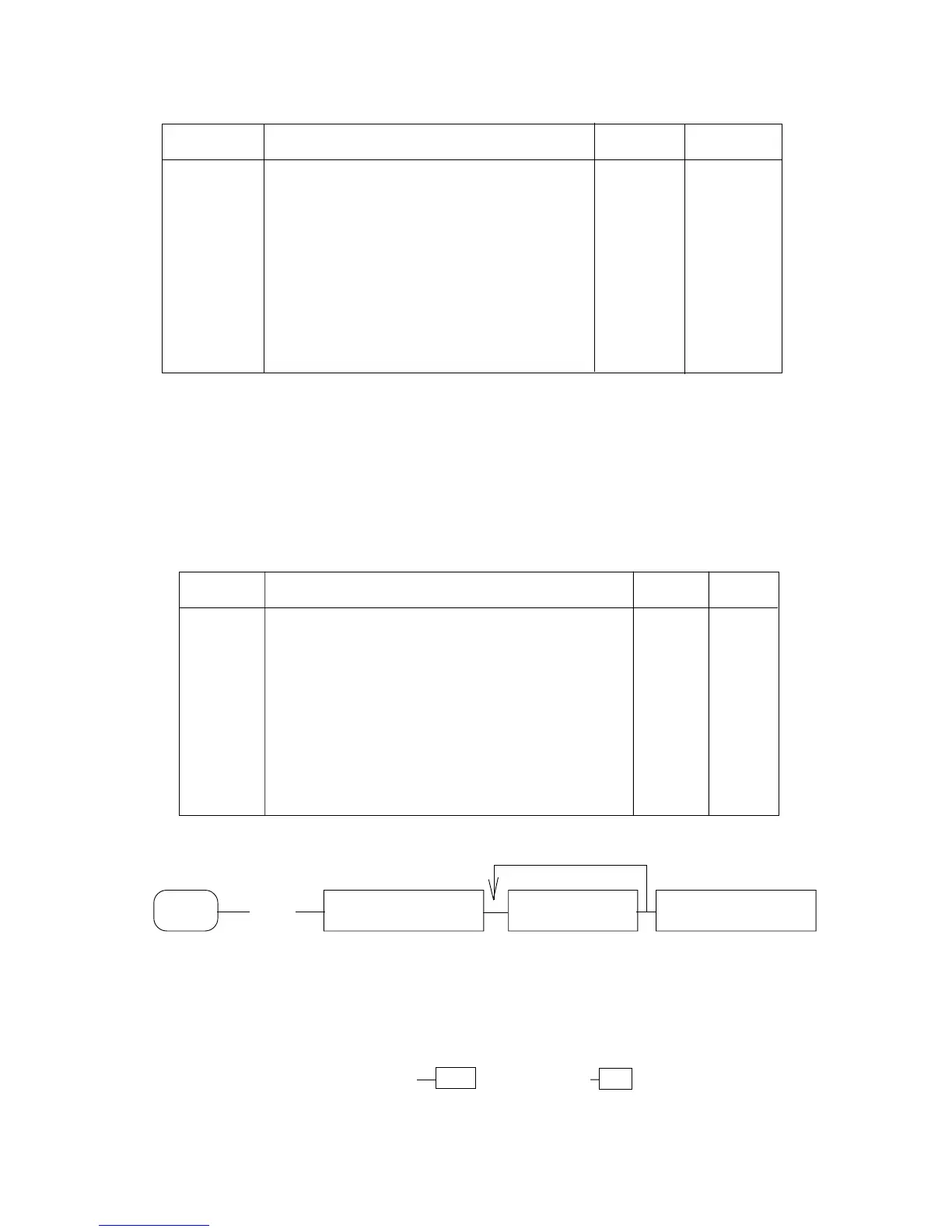
Procedure for reports activation :
X
or
Z (COD) Tot. 1 (CASH) Identification Tot. 1 (CASH)
COD : Report Code (see above table)
Identification : Identification (code) of the data for which the report (PLU,
Dept., Clerk, etc...) is wanted to be obtained, followed from
the relative key (PLU, PB, Clerk, etc...)
Note: Sequences (PLU code) PLU and (PB code) PB can be replaced from the
reading by scanner of the bar-code of the product or from the pressure of direct
Hard PLU Key or from the reading of the bar-code of the customer in the case
of PB code.
KEY
TO REPEAT FOR ALL THE WISHED DATA



 To Next Page