16
Use your nger to scroll further down.
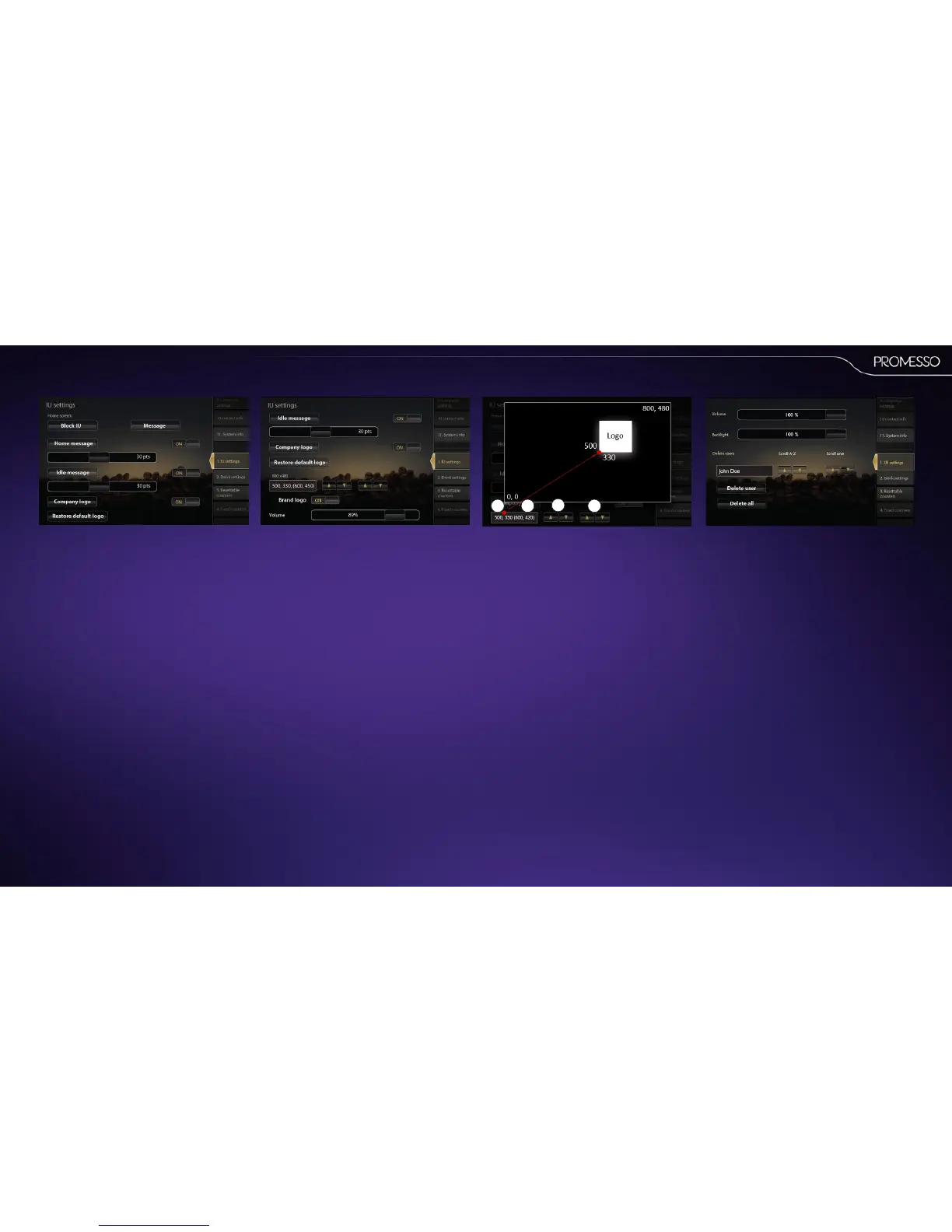
The following sengs will be shown in the screen:
• Home screen:
• Block the display (a service icon is shown)
and enter a service message, if desired.
• Home message (Click to enter a text line)
This text is shown in the home screen.
• Idle message (Click to enter a text line).
This text line is shown in the stand-by /or
ECO mode.
NOTEWhen creang a home or idle message;
Press [shi] in the text pad to enter mulple
text lines, special characters or capital leers.
To enter mulple text lines: Press [enter] and a
‘¶‘ symbol is inserted. All text aer this symbol
is placed on a new line.
Use your nger to scroll further down.
The following sengs will be shown in the screen:
• Sounds: Select which sounds/chimes must be
audible
• Backlight intensity seng
• Deleteusers:Youcandeleteallorspecicuser
proles.
• Usetheup/downkeystoselecttheprole
andpressdeleteusertoremovetheuser
prole.
Aboutlogoimagehandling:
Aer uploading your logo image you can place it in
any posion in the display with the up/down keys.
NOTE The display measures 800 x 480 pixels. For
praccal resons it is not recommended to upload
an image with a larger pixel size.
1. With the le keys you can set move the logo
from le to right (0 = le / 800 = right)
2. With the le keys you can set move the logo
from boom to top (0 = boom / 480 = top)
3. The logo posion is shown in the box. The rst
digits indicate the posion of the lower le
corner of your logo.
4. The digits between brackets show the posion
of the upper right corner of your logo.
1
23
4
Use your nger to scroll further down.
The following sengs will be shown in the screen:
• Company logo On/o: Select to show or
hide a logo in the display; Click on the but-
ton to upload an image from USB.
• Restore default logo: Reload the
(Promesso) brand logo
• Company logo posioning box / keys.
Change the logo image posion with the
up/down arrows. (relave to the lower le
corner of the screen)
• Brand logo on/o: Select to show or hide
the (Promesso) brand logo in the display.



 To Next Page