19
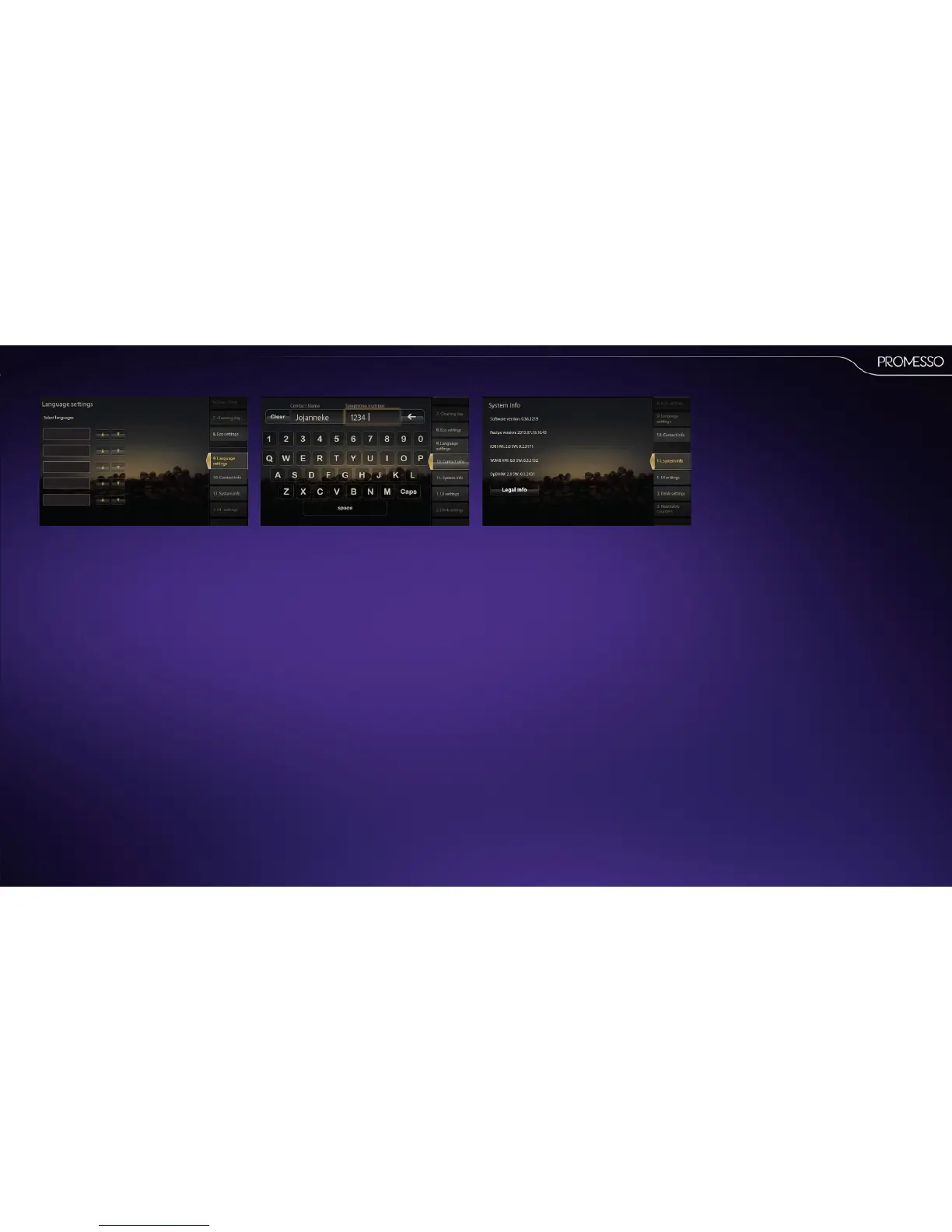
9.Languagesengs
• Select the language(s) that you want to appear
in the display.
• The rst language in the list will become
the default language.
• The languages appear in the display in the
order that you enter them here.
• Pleasenote that also various languages can be
selected for the operator mode.
Scroll down to [operator mode] and select the
language of your choice.
10.Contactinfo
In this menu you can enter the operator name and
phone number. This name and number is shown as
the contact person in user informaon messages.
11.Systeminfo
This screen shows the current soware versions.
Legal info shows applicable legal/copyright no-
ces.



 To Next Page