18
8.ECOsengs
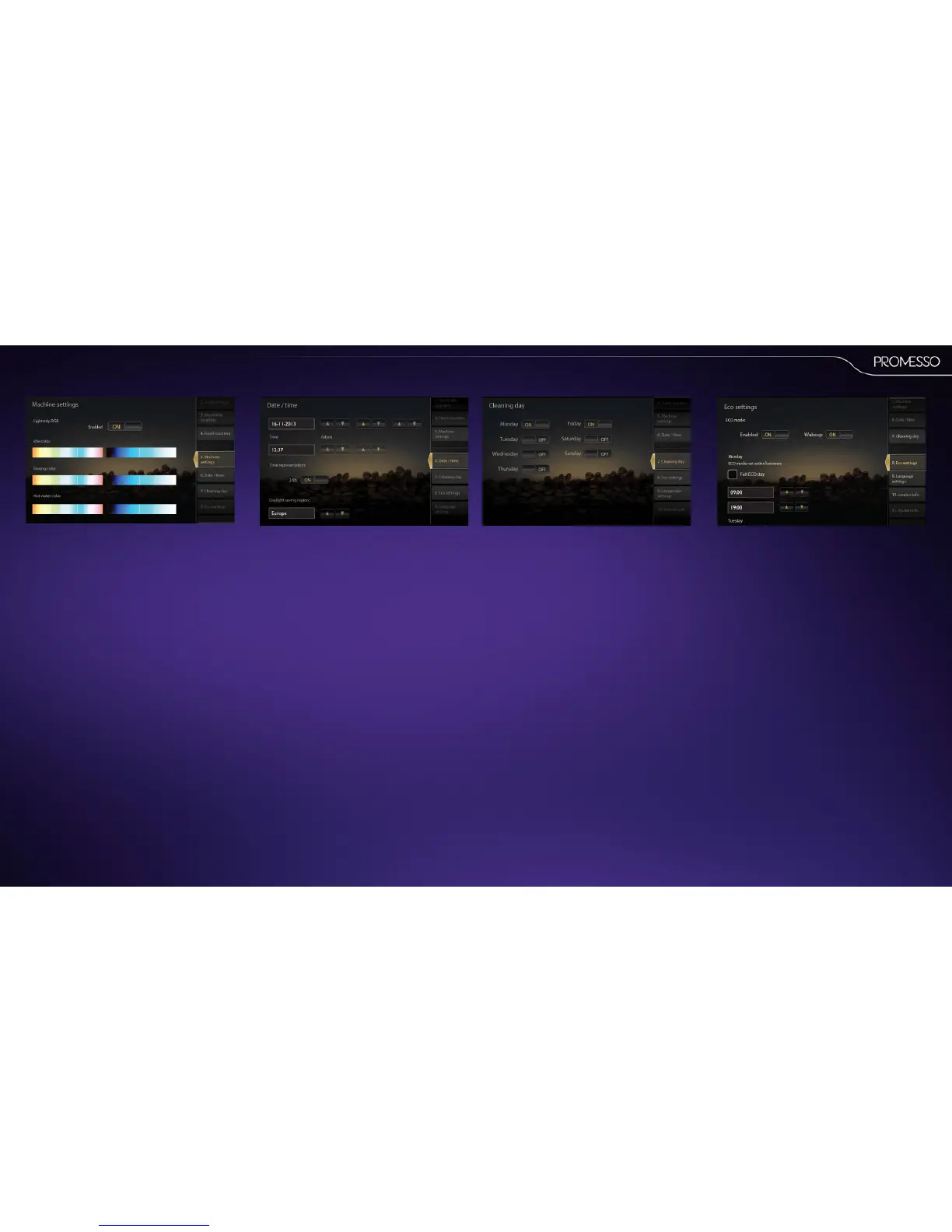
The ECO menu allows you enable/disable an
energy save mode and change the me sengs of
the mode
• You can enter for each day of the week the
start and end me of the period in which the
energy save mode is not acve, i.e. the period
of normal use.
• You can disable/enable the ‘Wake-up’ funcon:
when acvated it allows the ECO mode to be
interrupted to deliver a drink.
The machine will thereaer return to the ECO
mode aer a preset amount of me. (standard
= 30 minutes)
7.Cleaningday
For each day of the week you can enable or disable
the mandatory cleaning procedure.
Note
If no day is selected, the machine will prompt for
cleaning 7 days aer the last cleaning procedure
has been executed.
6.Date/me
This menu allows you to change:
• The date and me seng.
• The me representaon (24hours) ON/OFF, for
example : ON = 16:31 / OFF = 4:31 PM
You can also select the daylight seng region;
• Press the up/down keys to select the larger area
• Select the capital/city/country of choice. The
daylight saving me will automacally shi on
the correct day and me.
You can also set/change here the color of the
illuminated bar that runs along the door cover.
(Lightstrip RGB).
• Select a color in the le bar. In the right bar
you can set the color brightness. The change
of color is directly applied.
You can set a color for 3 situaons: idle, dosing
(coee is being delivered), hot water and cold
water.
When you scroll further down you can also press
the buon ’Descale’ to manually start the
descaling procedure. (See also page 29)



 To Next Page