Pagina 28 di 47
5–USE OF THE MACHINE IN
REGULAR WORKING CO NDITIONS
_____________________________________________________________________________________________
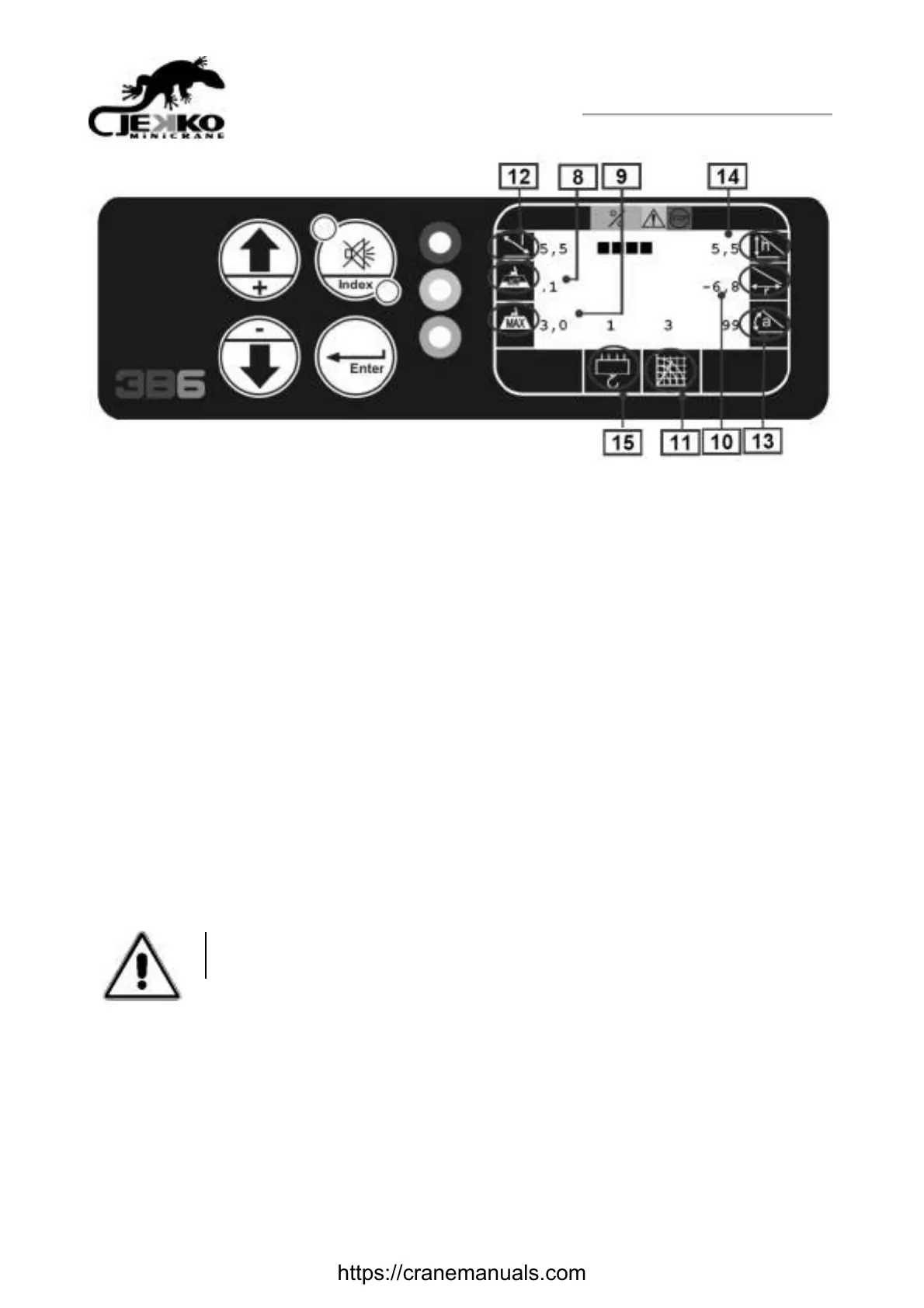
8) LIFTED LOAD: Represents the load lifted at this moment Reading in “tonnes”, w ith a decimal
point.
9) MAXIMUM ADMITTED LOAD: Represents the maximum load thatcan be lifted in this position,
according to the selected load table.Reading in “Tonnes”, w ith a decimal point
10) WORKING RADIUS: distance from the rotation centre of the turret to the applied load).
Reading in “Metres”, w ith a decimal point
11) OPERATIVE MODE: Represents the number of the selected operative mode
12) BOOM LENGTH: Represents the actual boom lengthReading in “Metres”, w ith a decimal point.
13) BOOM ANGLE: Represents the actual boom angleReading in “Degrees”.
14) HEIGHT FROM THE GROUND: Represents the actual height from the end of the boom to the
Ground Reading in “Metres”, w ith a decimal point.
15) PARTS OF LINE: Represents the actual parts of line
NOTE : In case of Imperial Measurement System, the load will be displayed in “Pounds/1000” and the
geometric data in “Feet”.
5.2 Machine travel
o Start the machine (see 5.1)
o Press button 5 ( fig.2 ) to star the machine; if you don’t use any lever, after 10 seconds
you have to press again the button to re start the machine
o Use lever 2 ( fig. 2) to move the machine, speed is proportional to lever range movement
CAUTION!!!
Do not operate the machine when the tracks are on the ground.
https://cranemanuals.com



 To Next Page