VM9313
~siS>
SAT1
CHOO1
'foil
II
XM
Preview Preview
l'J 004
The
400
l'J
005TheSOs
l'J
00Ci
The
60s
l'J
007Th.700
( Title:
www.xmradlo.com
01:02
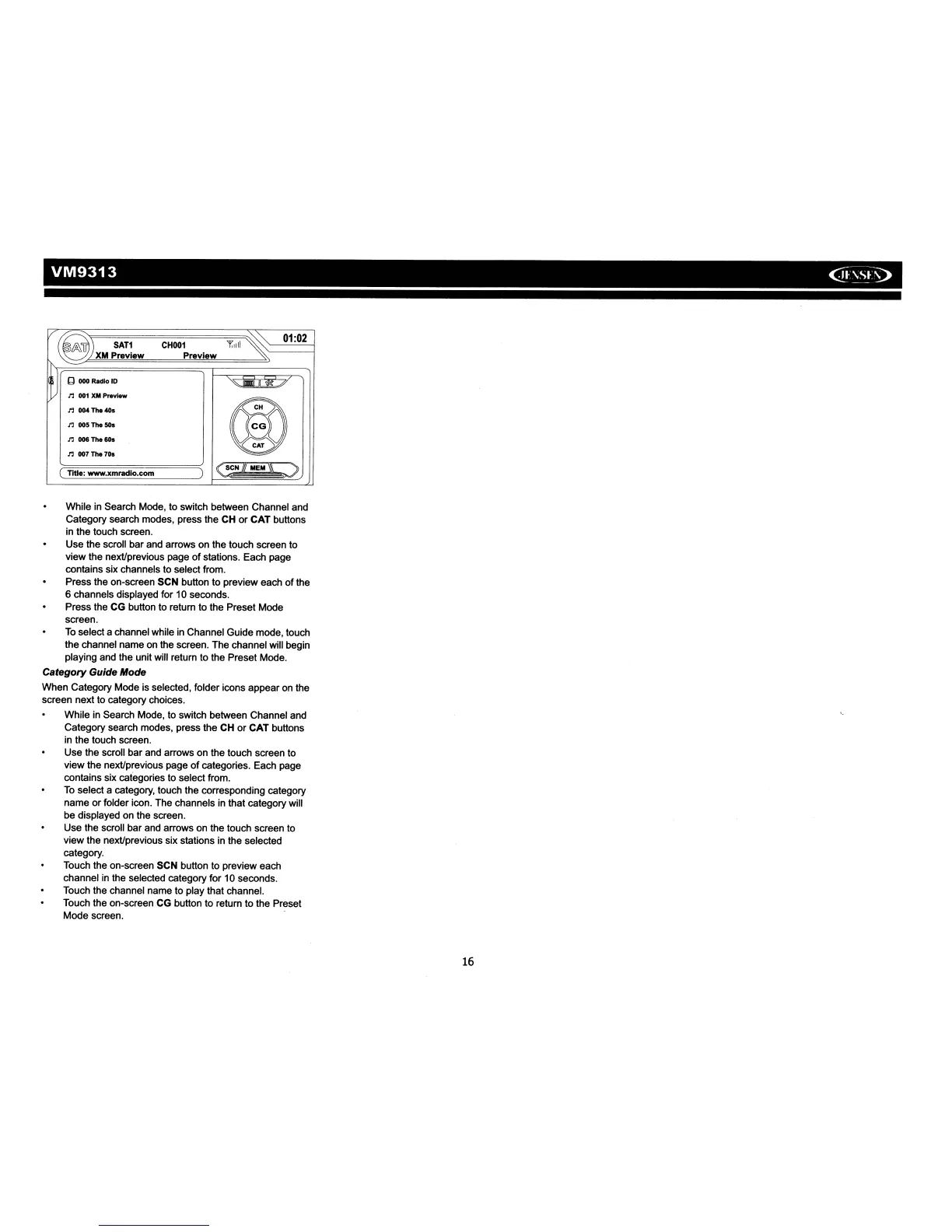
While in Search Mode, to switch between Channel and
Category search modes, press the CH
or
CAT buttons
in the touch screen.
Use the scroll bar and arrows on the touch screen to
view the neXUprevious page
of
stations. Each page
contains six channels to select from.
Press the on-screen SCN button
to
preview each
of
the
6 channels displayed for 10 seconds.
Press the CG button to return
to
the Preset Mode
screen.
To
select a channel while in Channel Guide mode, touch
the channel name on the screen. The channel will begin
playing and the unit will return to the Preset Mode.
Category
Guide Mode
When Category Mode is selected, folder icons appear on the
screen next to category choices.
While
in
Search Mode, to switch between Channel and
Category search modes, press the CH
or
CAT buttons
in the touch screen.
Use the scroll bar and arrows on the touch screen to
view the neXUprevious page
of
categories. Each page
contains six categories to select from.
To
select a category, touch the corresponding category
name or folder icon. The channels in that category will
be displayed on the screen.
Use the scroll bar and arrows on the touch screen
to
view the nexUprevious six stations in the selected
category.
Touch the on-screen SCN button to preview each
channel
in
the selected category for 10 seconds.
Touch the channel name to play that channel.
Touch the on-screen CG button to return to the Preset
Mode screen.
16














 To Next Page