Set Clock
The clock appears
in
the top right corner of the screen and
on
the LCD screen during
certain operations.
To
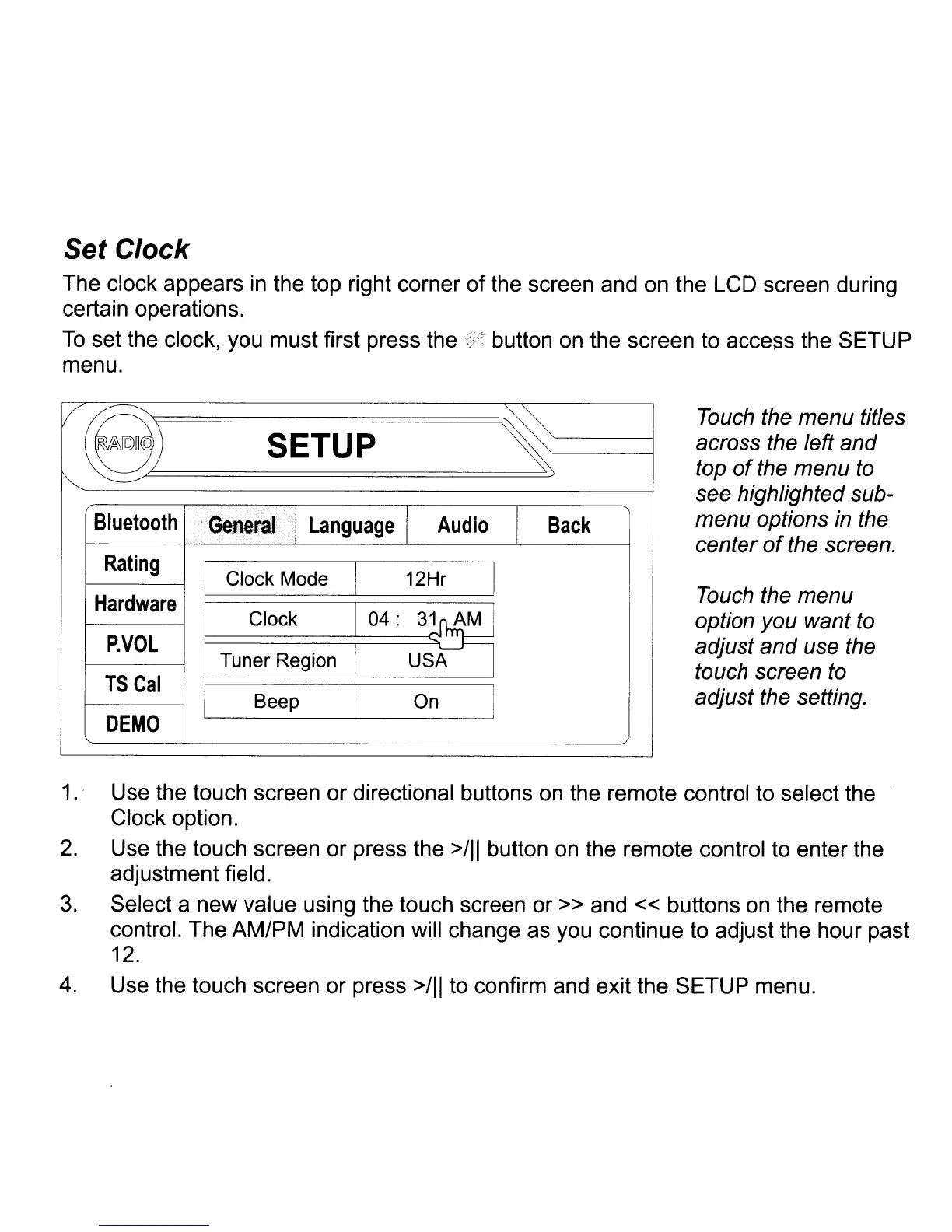
set the clock, you must first press the
'::/~
button
on
the screen to access the SETUP
menu.
va
~
Touch the menu titles
SETUP
across the left and
~
top
of
the menu
to
see highlighted sub-
Bluetooth
General
Language
I
Audio
Back
menu options
in
the
center
of
the screen.
Rating
Clock Mode 12Hr
Hardware
Touch the menu
Clock
option you want
to
P.VOL
adjust and use the
Tuner Region
touch screen to
I
l
TSCal
J
adjust the setting.
Beep
On
DEMO
1.
' Use the touch screen or directional buttons
on
the remote control to select the
Clock option.
2.
Use the touch screen or press the
>/11
button
on
the remote control to enter the
adjustment field.
3.
Select a new value using the touch screen or » and « buttons
on
the remote
control. The AM/PM indication will change as you continue to adjust the hour past
12.
4.
Use the touch screen or press
>/11
to confirm and exit the SETUP menu.














 To Next Page