Common
User
Settings
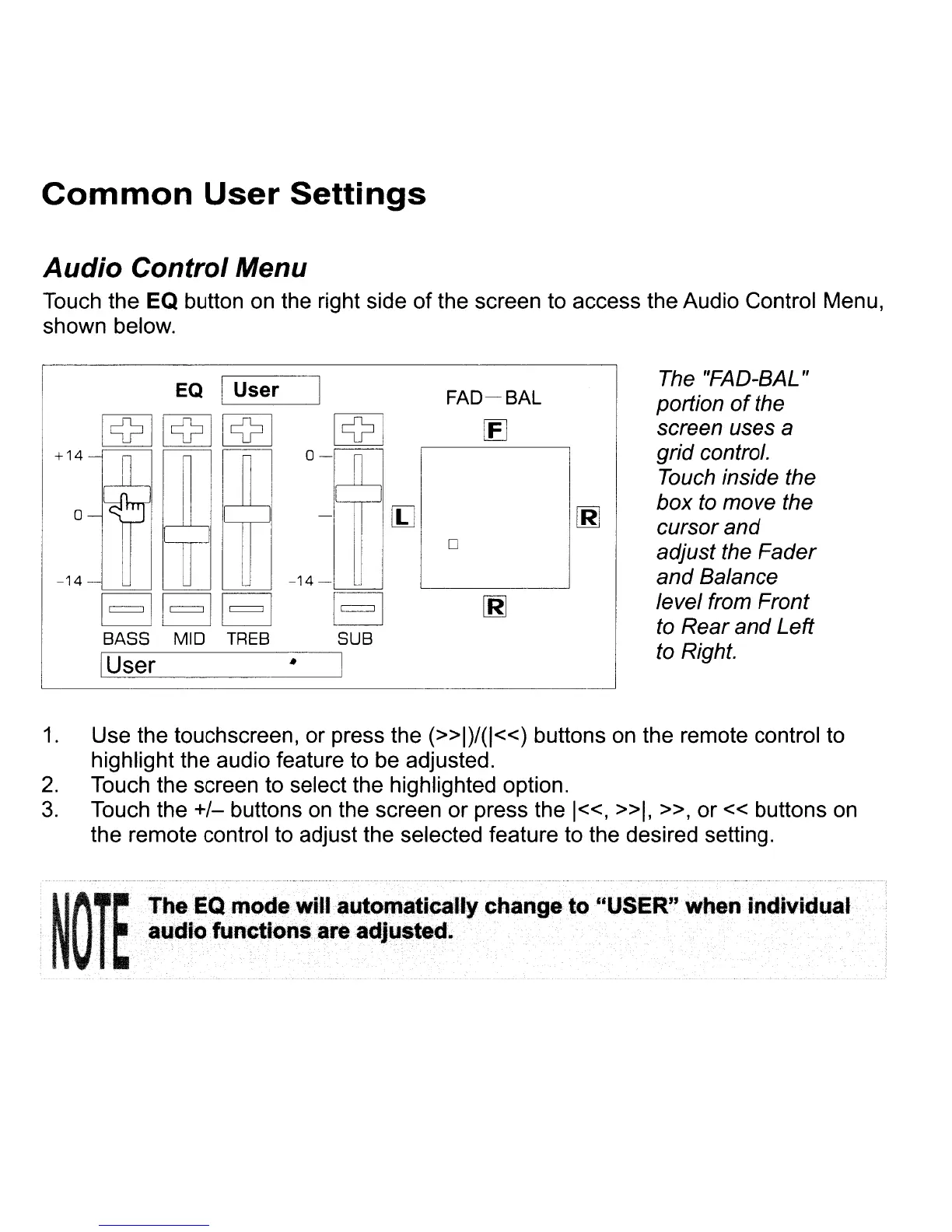
Audio Control Menu
Touch the EQ button
on
the right side of the screen to access the Audio Control Menu,
shown below.
The
"FAD-BAL"
portion
of
the
screen uses a
grid control.
Touch
inside the
box
to
move the
cursor and
adjust the Fader
and Balance
level from Front
to
Rear
and
Left
to Right.
o
FAD-SAL
[E]
I
M
0-
o
-14-
-14-
=========EJ
EJEJ EJ
BASS MID
TREB
SUB
I----::--cU,--se-r-----·
-I
+14
1.
Use the touchscreen, or press the
(»1)/(1«)
buttons
on
the remote control to
highlight the audio feature to be adjusted.
2.
Touch the screen to select the highlighted option.
3.
Touch the
+/-
buttons
on
the screen or press the
1«,
»1.
»,
or « buttons
on
the remote control to adjust the selected feature to the desired setting.
11/\
T~
'FheEQ
mOD
will automatically
Change
to
"USER"
wtlen
indMdual
I1V
I
~atJdio
functions
..
adjustlld.














 To Next Page