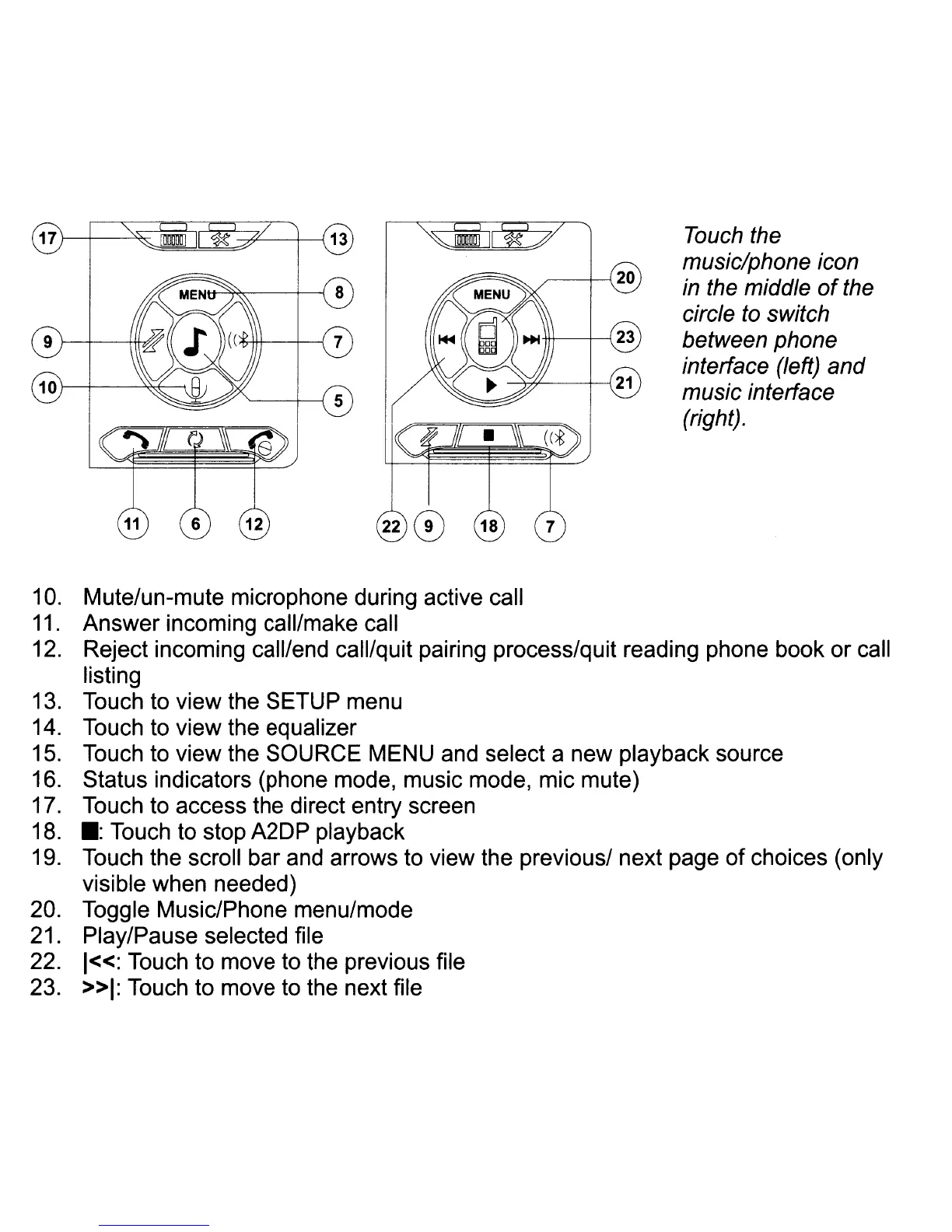
Touch the
music/phone icon
in
the middle
of
the
circle
to
switch
between phone
interface (left) and
music interface
(right).
10.
Mute/un-mute microphone during active call
11.
Answer incoming call/make call
12. Reject incoming call/end call/quit pairing process/quit reading phone book or call
listing
13. Touch to view the SETUP menu
14. Touch to view the equalizer
15. Touch to view the SOURCE MENU and select a new playback source
16. Status indicators (phone mode, music mode, mic mute)
17. Touch to access the direct entry screen
18.
.:
Touch to stop A2DP playback
19. Touch the scroll bar and arrows to view the previous/ next page of choices (only
visible when needed)
20. Toggle Music/Phone menu/mode
21. Play/Pause selected file
22.
1«:
Touch to move to the previous file
23.
»1:
Touch to move to the next file














 To Next Page