EasyManua.ls Logo

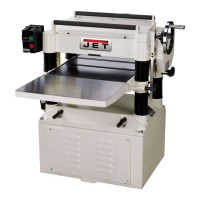
Jet JJP-12 - User Manual

Jet JJP-12
40 pages
Print Icon
To Next Page IconTo Next Page
Loading...
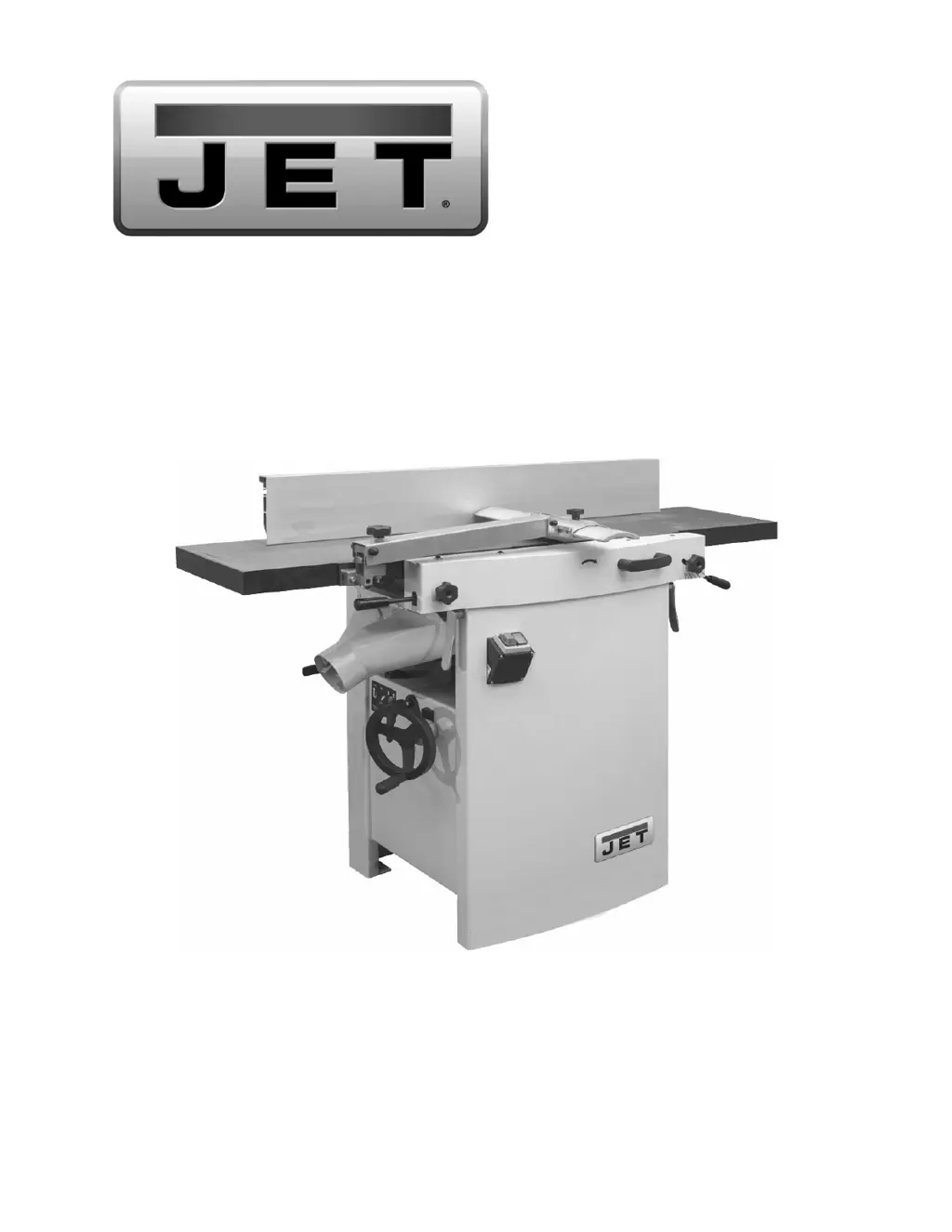
Operating Instructions and Parts Manual
12-inch Jointer-Planer
Models JJP-12, JJP-12HH
JET
427 New Sanford Road
LaVergne, Tennessee 37086 Part No. M-708475
Ph.: 800-274-6848 Revision E 06/2019
www.jettools.com Copyright © 2014 JET
This .pdf document is bookmarked

Other manuals for Jet JJP-12

Questions and Answers

  • B
    Bobby MccoySep 4, 2025
    Why is finished stock concave on the back end after using my Jet Planer?
    • J
      Jeanne EstradaSep 4, 2025
      If the finished stock is concave on the back end after using your Jet Planer, it's because the knife is higher than the outfeed table. To fix this, align cutterhead knives with outfeed table.
  • M
    Madison PhillipsSep 4, 2025
    Why is finished stock concave on the front end after using my Jet Planer?
    • D
      Deborah AllenSep 4, 2025
      If the finished stock is concave on the front end after using your Jet Planer, it indicates that the outfeed table is higher than the knife. You should align cutterhead knives with outfeed table.
  • K
    Kelsey RodriguezSep 3, 2025
    What causes torn grain when using my Jet Planer?
    • A
      Amy SaundersSep 3, 2025
      Torn grain when using your Jet Planer can be caused by: * Too heavy a cut: Adjust the depth of cut. * Knives cutting against the grain: Cut along the grain. * Dull knives: Sharpen the knives.
  • S
    Sarah WhitneySep 2, 2025
    Why does my Jet JJP-12 Planer leave 'Chatter' marks?
    • A
      Amanda Smith MDSep 2, 2025
      Chatter marks on your Jet Planer's workpiece can result from: * Incorrectly set knives: Set the knives properly and ensure the knife slots are clean and free of dust or debris. * Feeding workpiece too fast: Feed the workpiece slowly and consistently.
  • V
    Victoria SmithSep 1, 2025
    How to get rid of fuzzy grain when using my Jet JJP-12 Planer?
    • H
      Henry BullockSep 1, 2025
      To eliminate fuzzy grain when using your Jet Planer, consider the following: * **Wood moisture:** Ensure the wood is properly dried, or use different stock with lower moisture content. * **Knife sharpness:** Sharpen or replace dull knives/inserts.
  • W
    whitneyburkeAug 31, 2025
    What to do if my Jet JJP-12 Planer's cutterhead slows down?
    • R
      rcunninghamAug 31, 2025
      If the cutterhead on your Jet Planer slows down during operation, it's likely because you're feeding the workpiece too quickly or applying too much pressure. Try feeding the workpiece more slowly or applying less pressure.
  • H
    harrisnicoleAug 30, 2025
    Why does my Jet Planer leave uneven knife marks?
    • K
      Kimberly HardingAug 30, 2025
      Uneven knife marks on your Jet Planer's workpiece are typically caused by knives that are either nicked or out of alignment. To address this, align the knives and replace any nicked knives.
  • C
    Christina KhanAug 29, 2025
    How to fix chip out on my Jet Planer?
    • C
      Cynthia WilkinsonAug 29, 2025
      Chip out on your Jet Planer can be resolved by: * Cutting with the grain whenever possible. * Sharpening or replacing dull knives. * Using a slower rate of feed. * Making shallower cuts. * Inspecting wood closely for imperfections; use different stock if necessary.
  • K
    Kevin ShawAug 28, 2025
    What causes snipe on Jet JJP-12 and how to prevent it?
    • M
      Martin HendersonAug 28, 2025
      Snipe, or unwanted indentations at the beginning or end of a board, can occur on your Jet Planer due to several factors. While it can't be entirely eliminated, you can minimize it by: * **Adjusting table rollers:** Ensure rollers are set to the proper height. * **Supporting long boards:** Use extension rollers to adequately support long boards. * **Adjusting feed roller tension:** Make sure the feed roller pressure is even from front to back. * **Sharpening knives:** Dull knives can contribute to snipe, so keep them sharp. * **Butting lumber properly:** Butt each piece of stock end to end as they pass through the planer.
  • F
    Felicia GriffithAug 27, 2025
    What causes fuzzy grain when using Jet JJP-12 Planer?
    • G
      glenn09Aug 27, 2025
      Fuzzy Grain can occur if you are planing wood with high moisture content. Remove the high moisture content from the wood by drying it. It can also occur if you are using dull knives, so sharpen or replace/rotate the knife inserts.

Summary

Warranty and Service Information

Warranty Coverage Details

Details on warranty period, who is covered, and what is covered.

Technical Support and Product Info

Procedures for obtaining technical support and additional product information.

Legal Aspects and Warranty Limitations

Covers warranty limitations, state law application, and exclusions.

Safety Warnings and Precautions

General Safety Precautions

Read manual, understand warnings, use caution.

Personal Safety Guidelines

Wear safety glasses, proper clothing, ear protection.

Operational & Workspace Safety

Machine operation, adjustments, maintenance, workspace.

Jointer & Planer Specific Safety

Specific safety measures for jointer and planer operations.

Machine Specifications

Features and Terminology

Receiving the Machine

Unpacking the Machine

Electrical Connection Requirements

Operating Controls and Setup

Jointer to Planer Mode Setup

Steps to reconfigure the machine from jointer to planer.

Planer to Jointer Mode Setup

Steps to reconfigure the machine from planer to jointer.

Control Switch Operation

Operation of the start/stop buttons.

Planer Controls & Adjustments

Explanation of planer feed and table controls.

Jointer Controls & Adjustments

Adjustment of outfeed and infeed tables.

Cutterhead Guard & Fence Movement

Positioning cutterhead guard and adjusting fence.

Machine Adjustments and Alignment

Table & Knife Adjustments

Requirements for accurate jointing: coplanar tables, knife setting.

Coplanar Alignment Procedure

Definition and procedure for checking table coplanarity.

Setting Straight Cutterhead Knives

Procedure for setting straight knives in the cutterhead.

Replacing Straight Cutterhead Knives

Steps to remove and install straight knives.

Replacing;Rotating Helical Knife Inserts

Procedure for helical cutterhead inserts.

Jointer Table Lock Handle Adjustment

Adjusting the jointer table lock handles for proper function.

Belt Replacement Procedures

Preparation and steps for replacing drive and feed-roller belts.

Feed Roller Height Adjustment

Adjusting the height of feed rollers for planing.

Feed Roller Pressure Adjustment

Adjusting spring tension for feed roller pressure.

Planer Table Adjustment & Parallelism

Checking planer table parallelism to the cutterhead.

Adjusting Work Table Parallelism

Procedure to align the work table with the cutterhead.

Basic Operations and Techniques

Dust Collection & Initial Startup

Connecting dust collection, initial startup, and safety.

Changing Operating Mode

Steps to switch between jointer and planer modes.

Jointer Operations & Techniques

Correct positioning, hand placement, surfacing, and beveling.

Planer Operations & Best Practices

Depth of cut, precautions, work prep, feeding, and avoiding snipe.

Maintenance and Lubrication

Blade Care & Sharpening

Maintaining blades for optimal performance and sharpening straight knives.

Lubrication Points

Recommended lubrication for table adjusting screws.

Troubleshooting Guide

Jointer Performance Troubleshooting

Common jointer problems, causes, and remedies.

Planer Performance Troubleshooting

Common planer problems, causes, and remedies.

Mechanical & Electrical Troubleshooting

Troubleshooting mechanical faults and electrical problems.

Replacement Parts List

Electrical Connection Diagram

Optional Accessories

Jet JJP-12 Specifications

General IconGeneral
BrandJet
ModelJJP-12
CategoryPlaner
LanguageEnglish

Related product manuals