55
TwinForce™ Series Waterblast Unit
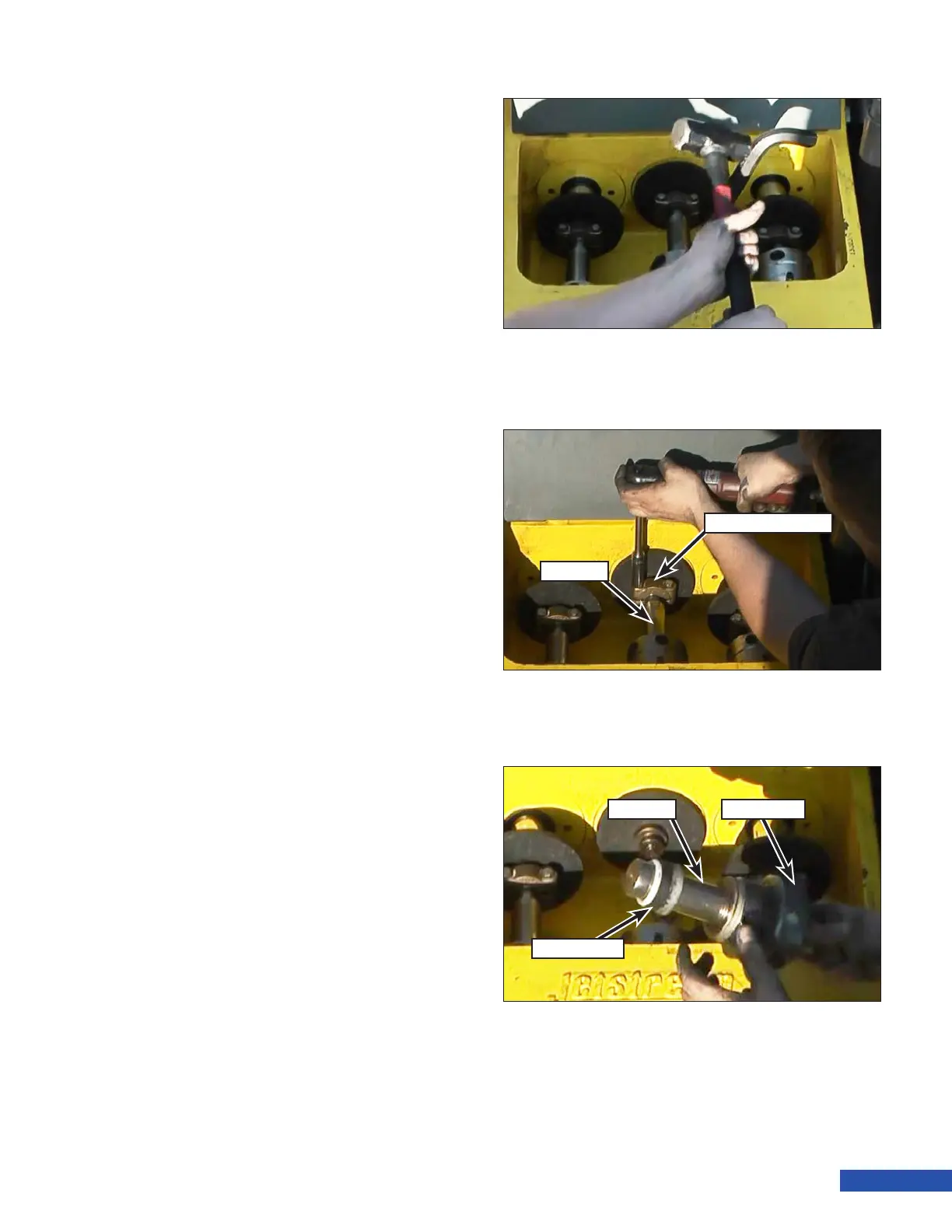
6. Insert the rounded end of the pump
wrench (Figure 86) into one of the holes
in the gland nut and tap the top of the
wrench sharply with a heavy hammer to
loosen. When loose, unscrew the gland nut
from the stufng box by hand.
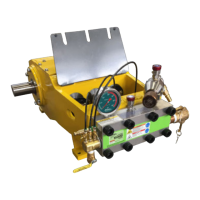
7. Remove the two bolts that secure the
plunger coupling (Figure 87) to the plung-
er and remove the coupling. Push the
plunger into the stufng box for clear-
ance.
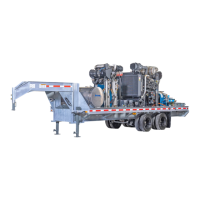
8. Remove the gland nut and plunger from
the stufng box. It may require effort to
wiggle the packing out by moving the
plunger from side to side and up and
down.
9. Remove the packing set (Figure 88).
Figure 86: Loosening the Gland Nut.
Figure 87: Plunger Coupling Removal.
Plunger Coupling
Plunger
Figure 88: Packing removal.
Plunger
Packing Set
Gland Nut


 To Next Page