then click on the button, you can add a preset point.
2.Deleting preset
Enter a number in,Then click on the delete preset.
3.Preset
Enter a number in ,Then click on the ,head will rotate to the
preset position.
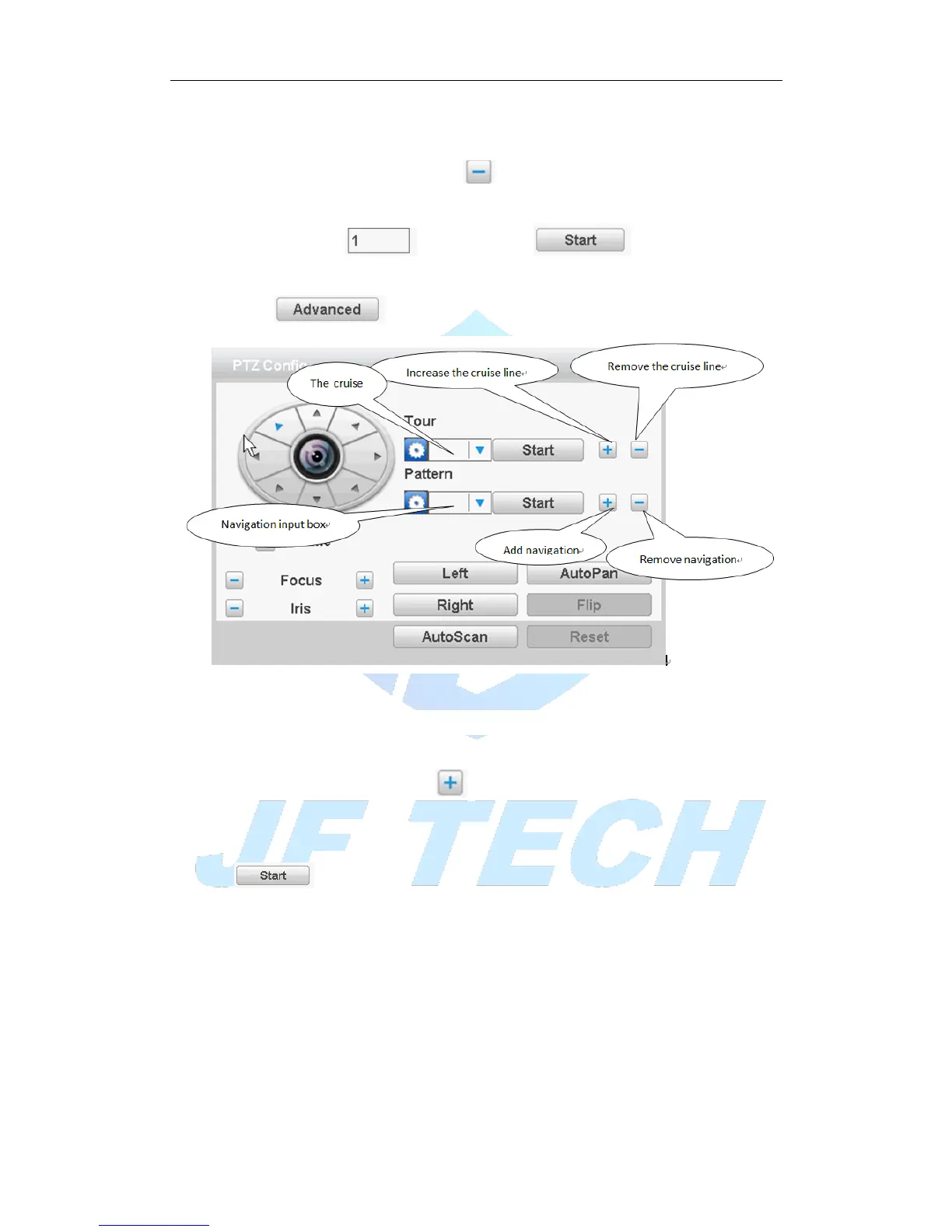
click on the Enter a new operation page as shown below
Figure 3.14 Advanced function
【Point between the cruise】
1.Increase the cruise line
Enter a number in,Click the key point between the cruise enter the settings page
increase cruise line .
Can preset point in the input box, enter preset point in this page, click the
,Select preset tilt will jump to the preset position
[interval] set point between the cruise when entered the number of seconds after moving
to the preset point.
【Set the cruise route steps】
Input the preset point number ,then click the [add preset point], the increase of the preset
point will be displayed in the preset point has been added, a position that is in the cruise
line.
If you want to delete preset point in the input box] [preset input preset, and then click
the [clear preset point]
2.Remove the cruise line



 To Next Page