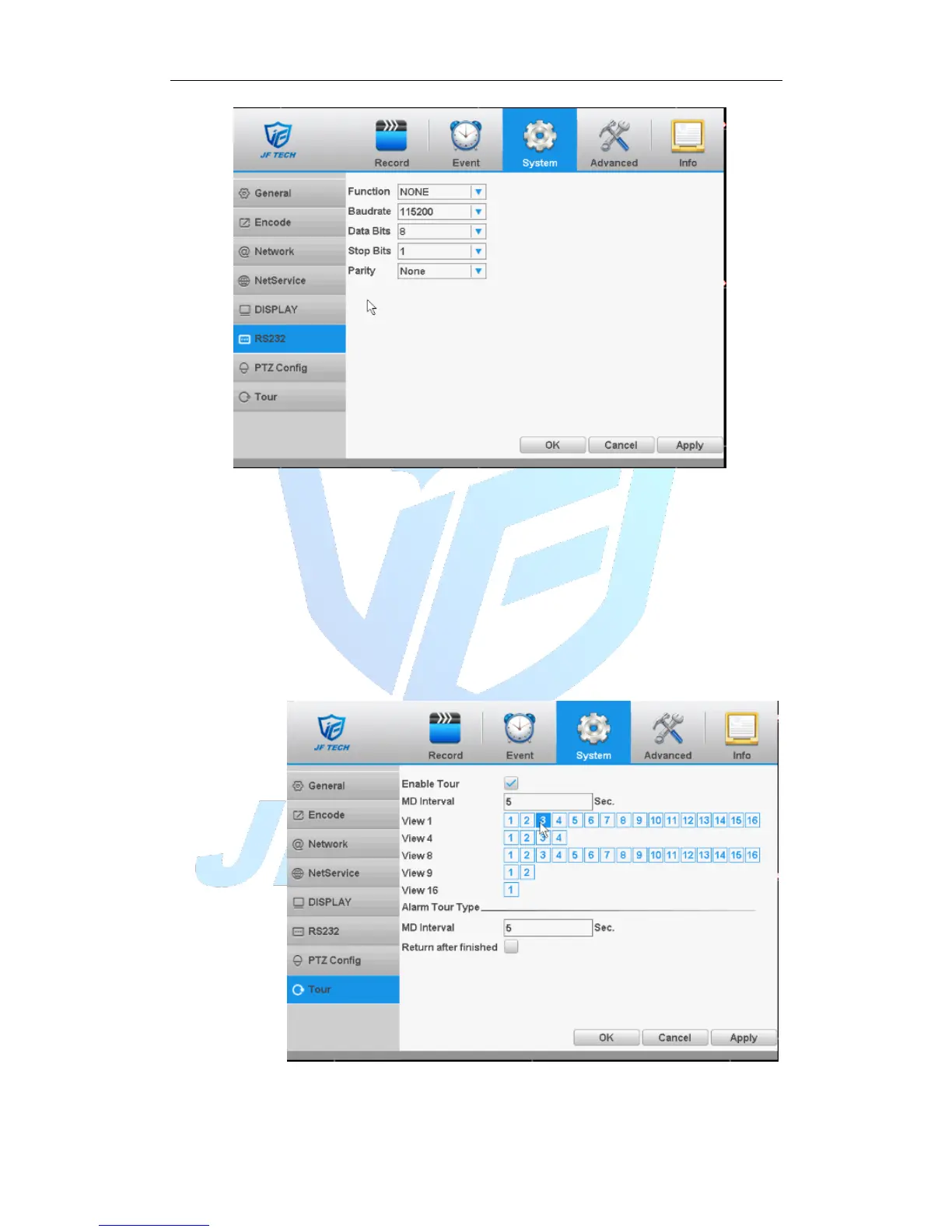
Figure 4.33 port settings
【Function】Common serial port is used to debug and update program or set up
specific serial port.
【Baudrate】Choose the corresponding baud rate length.
【Data bits】Include 5-8 options.
【Stop bits】Include 2 options.
【Parity】Include odd, even, mark, space, default is none.
4.4.8 Tour
Set the patrol display. Mean that the tour mode is enabled. You can choose the
single-view, four-view, six-view of single mode tour or hybrid mode tour.
Figure 4.34 touring settings
【MD Interval】Set the patrol switch interval. The set range is 5-120 seconds.



 To Next Page