in the surveillance window.
【Alarm Status】means the selective state. Display the system alarm status in the
surveillance window.
【Transparency】Choose the background image transparency. The range is
128~255.
【Resolution】set display resolution.
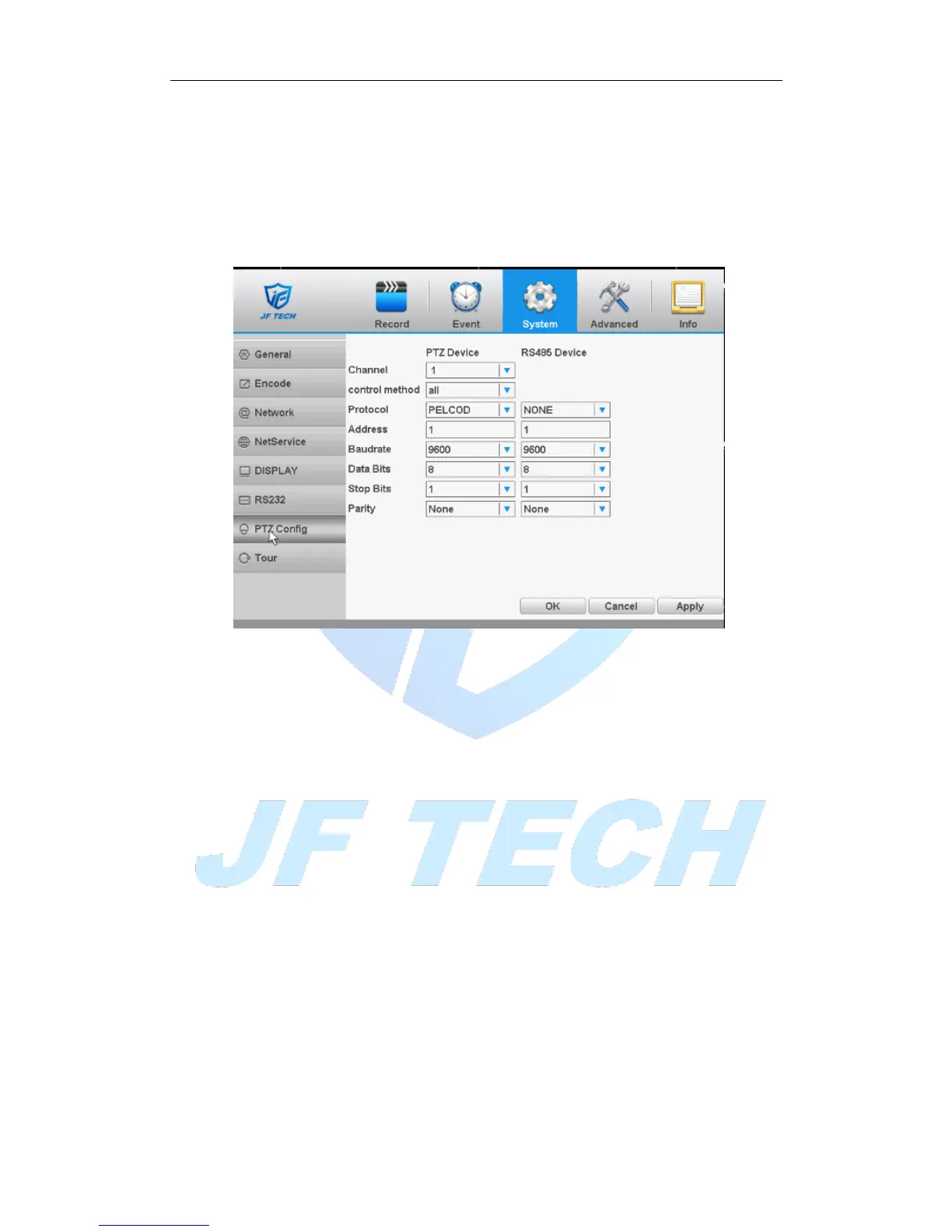
4.4.6 RS485
Figure 4.32 RS485
[Protocols]to select the protocols (e.g.: Dahua);
[Address] set to the appropriate address, the default is 1;
[Baudrate] equipment used to select the appropriate baud rate, the default is
115200;
[Data bits], including 5-8 option, the default is 8;
[Stop bits] there are two options 1 and 2, the default is 1;
[Parity] points odd parity, even parity, mark parity, space parity, the default is
none.
4.4.7 port settings
* Some products do not support this feature



 To Next Page