In Figure3.14 input point between the cruise number , then click the point between
the cruise, complete the deletion
3.The point of the call between the cruise line
In Figure3.14 points in the input box cruise input point between the cruise, and
then click the [start] between cruise key.
【Navigation】
1.Increase the navigation route
Enter a number in ,Click the button to enter the increase cruising
settings page
In the page using the direction keys,[ zoom], [Focus], [Iris] the various operations of the
aperture and click [complete] to return to the previous page, complete navigation
settings
2.Remove navigation route
No delete navigation function
4.The point of the call between the cruise line
Input navigation number in the input box in Figure 3.14, and then click between the
[start] key cruise.
【Page Switch】
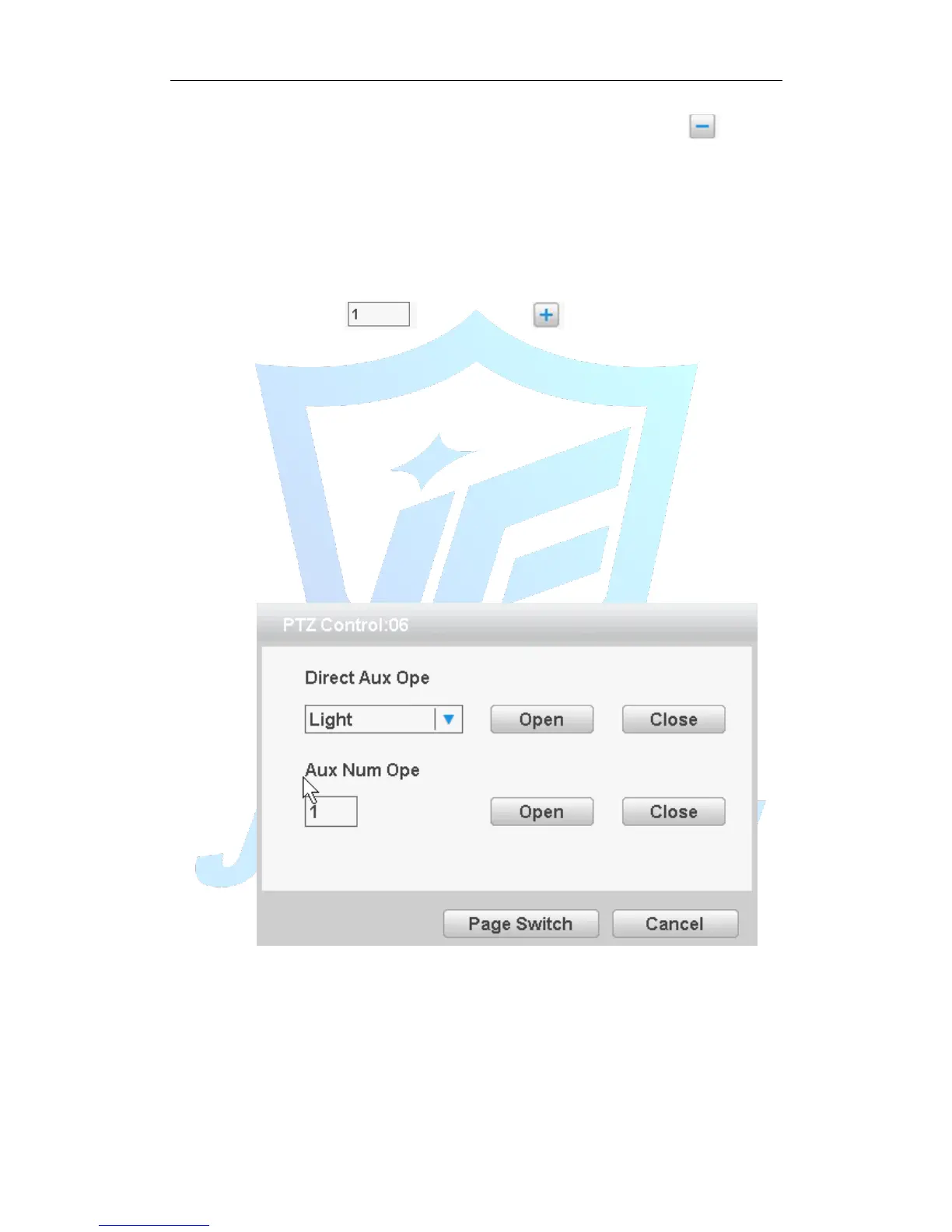
In Picture 3.12 click Page Shift button into Picture3.16, setting auxiliary function.
Figure 3.16 Auxiliary Function Control
【Intuitive Auxiliary Operation】 choose auxiliary equipment, select Open or Close
button, switch control;
【Auxiliary Number】The operation of corresponding auxiliary switch according to PTZ
agreement;
【Page Switch】In Picture 3.16,click Page Shift button enter the Picture 3.12- PTZ
Main Menu , the menu itself can be control by the menu control buttons



 To Next Page